Operating room integration teams frequently report signal failures, image quality issues, and compatibility problems when connecting 4K surgical displays. Are you compromising surgical visualization by using the wrong interface for critical imaging tasks?
SDI handles long-distance and interference-resistant 4K routing, HDMI enables high compatibility for local imaging devices, and DisplayPort delivers maximum bandwidth and color depth. Understanding when to use each interface ensures stable and accurate visualization on 4K surgical monitors.
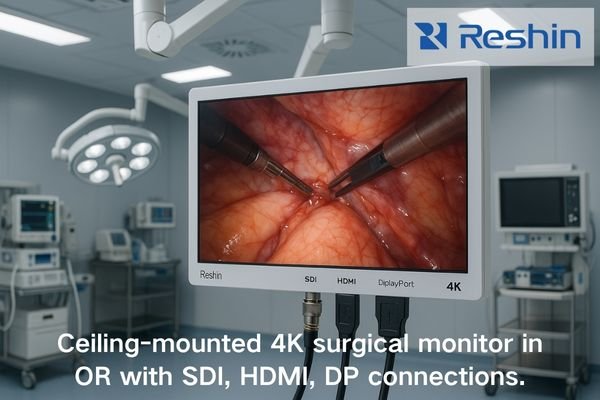
As an engineer specializing in medical display integration, I’ve configured hundreds of operating rooms across diverse clinical environments. One consistent challenge emerges: the widespread misconception that all digital video interfaces are interchangeable. This oversimplification leads to unnecessary risks such as signal dropouts and compromised image quality, directly affecting surgical decision-making.
Below, I explain the specific technical and clinical roles of SDI, HDMI, and DisplayPort within modern 4K surgical visualization systems.
Why does a 4K surgical monitor require multiple signal interface types?
Would simplifying to a single interface type reduce costs in the OR, or does this approach introduce dangerous clinical risks that outweigh any theoretical benefits?
In my OR integration work, I’ve learned that relying on a single cable type introduces unnecessary risks. A 4K surgical workflow must account for distance, latency, interference, compatibility, and color precision. SDI is best for long-distance primary routing, HDMI for local medical devices, and DisplayPort for high-bandwidth color-critical imaging.
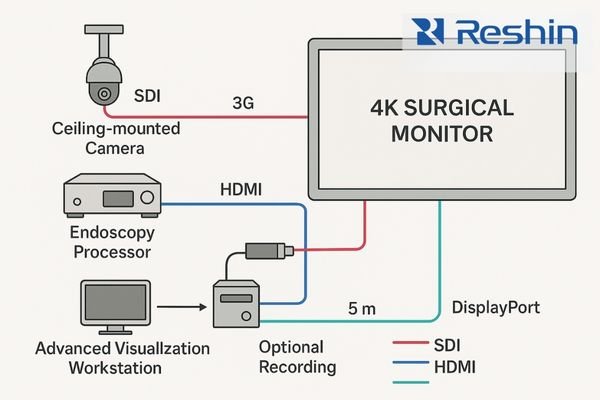
Quick Clinical Summary
- SDI (12G): Best for long-distance, ceiling-mounted routing with strong EMI resistance
- HDMI: Ideal for local processors, ultrasound carts, portable imaging systems
- DisplayPort: Preferred for high-bit-depth, 4K/60+ workflows and advanced visualization
The Unique Demands of Surgical Visualization
Modern ORs must meet these requirements simultaneously:
- Zero Tolerance for Signal Failure
- Extreme Accuracy for Color, Latency, and Resolution
- Complex Multi-Vendor Integration
These factors make a multi-interface approach mandatory, not optional.
Technical Comparison of Key Interfaces (OR-Focused)
| Parameter (OR Priority) | SDI (12G) | HDMI 2.0 | DisplayPort 1.4 |
|---|---|---|---|
| Reliable Distance | 80m+ | 5–10m | 3–15m |
| EMI Resistance | Excellent | Medium | Medium |
| Latency | Near-zero | Low | Low |
| Color Depth | 10–12 bit | Up to 10 bit | Up to 16 bit |
| Connector Security | Locking BNC | Non-locking | Optional Lock |
| Best Use Case | OR backbone | Local devices | Color-critical imaging |
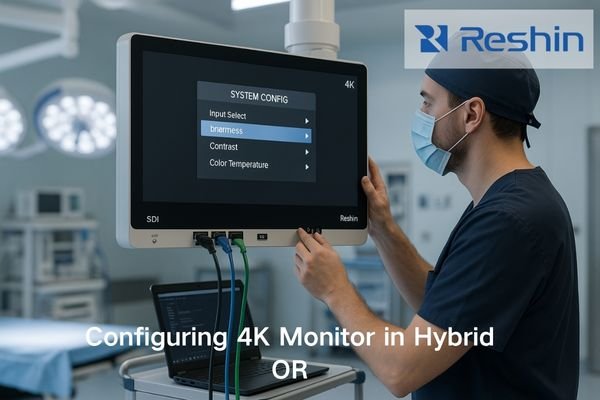
4K surgical monitors like the MS321PC support all three interfaces because no single technology meets every clinical requirement on its own.
What specific role does SDI play inside a surgical operating room?
In an environment filled with interference sources, how do you ensure signal integrity for critical visualization?
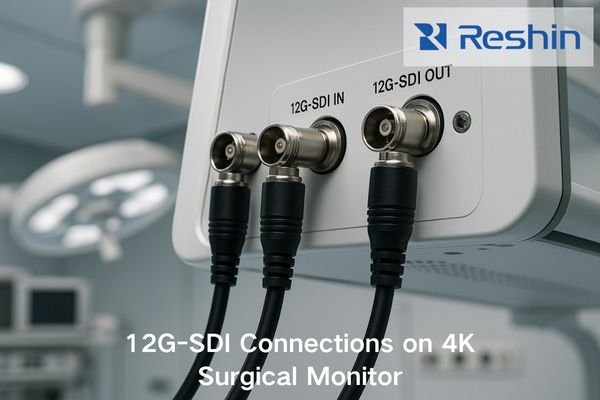
From an engineering standpoint, SDI—especially 12G-SDI—remains the backbone of many ORs. It provides lossless 4K over long distances with outstanding EMI resistance and near-zero latency.
Why SDI Is the OR Backbone
1. Superior EMI Resistance
Electrosurgical units, microscopes, RF devices, and power supplies generate interference. SDI’s shielding and balanced transmission maintain signal integrity even when routed beside ESU cables.
2. Long-Distance Reliability
Typical OR layouts require 15–80 meter runs through booms, ceilings, and racks. SDI handles this without extenders or repeaters.
3. Near-Zero Latency
Critical for robotics, microsurgery, and laparoscopy. SDI consistently delivers 1–2 frame advantages over HDMI in real-world tests.
4. Locking Physical Connector
BNC connectors prevent accidental unplugging—essential in dynamic OR environments.
What is HDMI’s role on a 4K surgical monitor?
HDMI is ideal for short-distance 4K connections—endoscopy processors, surgical cameras, ultrasound carts, and recording systems. Its plug-and-play compatibility makes it a practical local input, not a long-distance OR backbone.
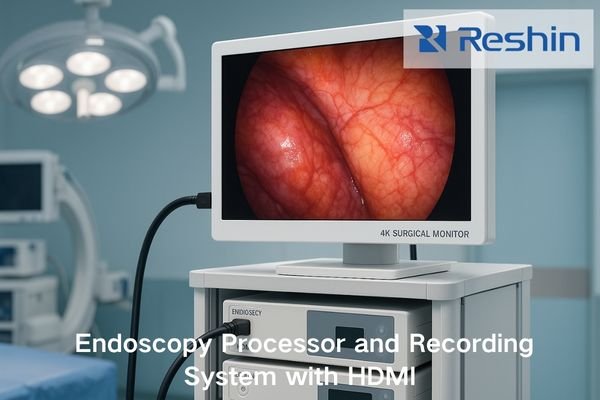
Practical Applications of HDMI in Surgical Settings
1. Wide Compatibility
Supported by:
- Olympus, Stryker, KARL STORZ camera systems
- Ultrasound platforms
- Portable visualization devices
- Recording/teaching systems
2. Useful Auxiliary Features
CEC, ARC, hot-plug detection, EDID negotiation—all simplify OR operation.
3. Best for Local Routing
HDMI is cost-effective for short, device-adjacent connections (≤3m).
Limitations & Mitigations
| Limitation | Impact | Mitigation |
|---|---|---|
| Short cable limits | Placement restricted | Use fiber HDMI or switch to SDI |
| Non-locking connector | Risk of unplugging | Add strain relief |
| EMI susceptible | Dropouts near ESU | Separate routing paths |
| Bandwidth limit | Color depth constraints | Use only for local inputs |
How does DisplayPort enhance bandwidth and color performance in 4K systems?
DisplayPort offers higher bandwidth, deeper color, and 4K/60–120 capability, making it ideal for advanced visualization, multi-image processors, and color-critical surgical workflows.
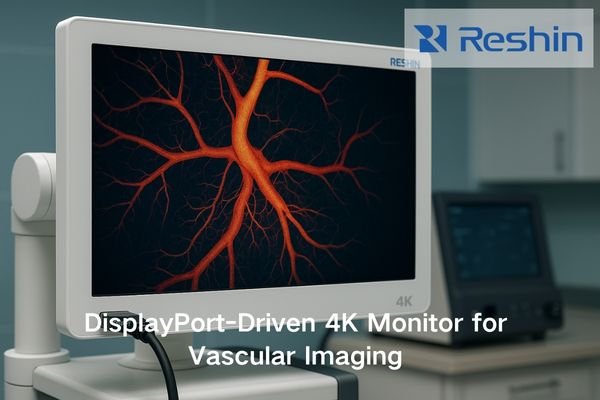
Why DisplayPort Matters in Advanced ORs
1. Maximum Bandwidth
DP 1.4 enables:
- 4K/120 for motion-intensive procedures
- Up to 16-bit color for subtle tissue visualization
- Wider color gamut (HDR/WCG)
2. Multi-Stream Transport (MST)
Allows multi-monitor output or picture-by-picture display without external processors.
3. Superior Color Management
HDR, deep color, and wide gamut benefit:
- Neurosurgery
- Vascular surgery
- Ophthalmology
Implementation Considerations
- Validate source compatibility
- Use certified DP or optical DP
- Enable DP1.4 features in the monitor menu
In real OR environments, what scenarios best match each interface?
SDI: long-distance, ceiling-mounted 4K routing
HDMI: local camera/processor connections
DP: high-end, color-critical workstations
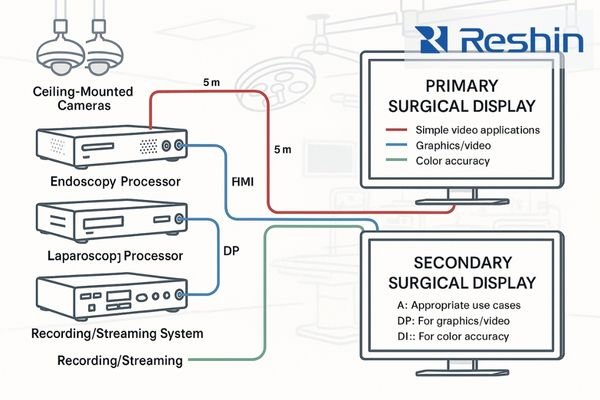
Interface Selection by Scenario
Scenario 1: Integrated OR with Ceiling Displays → SDI
Long distance + EMI exposure → only SDI ensures reliability.
Scenario 2: Endoscopic Procedures → HDMI
Short-distance, device-adjacent → HDMI is plug-and-play.
High color precision + multiple synchronized displays → DP preferred.
Quick “Which to Use?” Table
| Clinical Need | Recommended Interface |
|---|---|
| Long-distance routing | SDI |
| Plug-and-play compatibility | HDMI |
| Maximum color depth & bandwidth | DP |
| Ceiling-mounted monitors | SDI |
| Teaching/recording systems | HDMI |
| Multi-source workstation | DP |
🔧 Model Selection Guide (New Section You Requested)
Recommended Reshin Surgical Models for Each Interface Scenario
To help OR engineers choose displays that best match their routing requirements, the table below summarizes the most appropriate Reshin 4K surgical monitors for SDI, HDMI, and DP workflows.
| Model | SDI Support | HDMI Support | DP Support | Ideal Use Case |
|---|---|---|---|---|
| MS275PA | 12G-SDI + 3G-SDI | HDMI 2.0 ×3 | DP 1.2 ×2 | Standard 4K OR; mixed SDI/HDMI workflows |
| MS321PC | 12G-SDI + 3G-SDI | HDMI 2.0 ×3 | DP 1.2 ×2 | Hybrid OR; high-precision visualization |
| MS321PB | 12G-SDI + 3G-SDI | HDMI 2.0 ×3 | DP 1.2 ×2 | Hybrid OR; high-precision visualization |
| MS322PB | Full SDI set (12G supported) | HDMI 2.0 ×2 | DP 1.2 ×2 | Teaching hospitals; multi-image MST workflows |
These models offer complete interface redundancy, supporting all interface roles described in this article.
How should OR engineers choose the correct video signal type?
My rule of thumb: SDI for distance, HDMI for compatibility, DP for bandwidth and color depth.
Each OR is unique, so I evaluate distance, interference, image-quality requirements, and device ecosystem before selecting the interface strategy.
Risk-Based Summary (New)
- Wrong interface → signal loss during surgery
- Wrong cable length → latency or dropouts
- Insufficient color depth → poor tissue discrimination
- No redundancy → higher clinical interruption risk
Best Practices for OR Integration
- Test signal paths under real OR loads
- Implement backup routes for critical visualization
- Prepare for 8K or multi-source expansion
- Label all routing paths clearly for staff training
FAQ (New)
Q1: Can HDMI reliably handle 4K/60 in the OR?
Yes, but only for short distances (≤3–5m) and low-interference paths.
Q2: Is SDI better than HDMI for endoscopy?
For distance >10m or high-interference environments, yes—SDI is more stable.
Q3: When should I use DisplayPort instead of HDMI?
For color-critical, workstation-based, or multi-monitor configurations.
Conclusion
At Reshin, our engineering team designs surgical displays with complete interface redundancy. Models like the MS275PA, MS321PC, and MS322PB support SDI/HDMI/DP simultaneously, enabling safe, flexible integration for any OR environment.
To help clinical teams implement reliable 4K visualization systems, our specialists provide global engineering support and project consultation.
📧 info@reshinmonitors.com
🌐 https://reshinmonitors.com/