
For OR integrators and distributors working with medical grade monitors in Europe and Asia, 4K surgical monitors are deployed around the surgeon, anesthesia area, and control zone to create a shared view of the procedure. When these operating room monitors are not well synchronized, even small differences in timing, color, or brightness can distract surgeons, confuse staff, and reduce trust in the imaging system during critical moments.
Synchronization consistency for 4K medical grade monitors comes from treating the display system as one engineered signal chain: robust 4K interfaces such as 12G‑SDI, HDMI, and DisplayPort, low‑latency and deterministic processing pipelines across all screens, and carefully calibrated image performance so that every surgical display shows the same frame and visual tone at the same time.
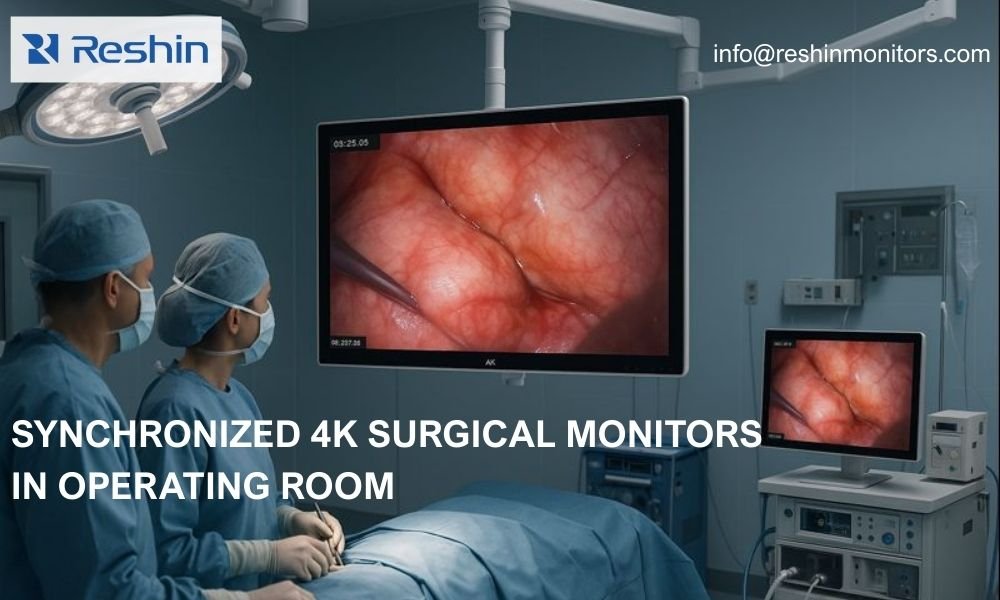
In my work as a Reshin engineer, synchronization is never just a checkbox in the OSD menu; it starts with signal integrity and timing design at the board level and continues through factory calibration and OR integration practice. From an engineering standpoint, the real goal is not only to make one 4K medical grade monitor look good, but to make a group of surgical displays1 behave like a single coherent system across different inputs, cable lengths, and operating room layouts.
How does timing stability affect 4K surgical monitor synchronization?
Timing stability is one of the first practical issues OR integrators face when deploying multiple medical grade monitors in the same operating room. More often, someone notices that one 4K surgical monitor feels slightly delayed compared with another, or that a ceiling display shows occasional tearing while the main surgical display remains clean. These subtle problems usually trace back to small differences in internal buffering, imperfect clock recovery on long cables, or repeated format conversions along the video path.
From a 4K surgical monitor engineering perspective, timing stability means recovering a clean clock from interfaces like 12G‑SDI, HDMI, or DisplayPort and then keeping the internal processing pipeline shallow, deterministic, and consistent across models, so multiple operating room monitors stay frame‑accurate to each other under real surgical workloads.
In my OR integration work, I usually start by mapping the entire signal topology: camera heads, video processors, routers or recorders, and every 4K surgical monitor input they feed. On the monitor side, priority goes to robust equalization, re‑clocking, and clean timing domains on high‑bandwidth interfaces such as 12G‑SDI, because these links are common in surgical display installations and sensitive to cable quality and length. Inside the monitor, I avoid unnecessary frame buffers and redundant format changes; every extra frame of buffering increases the chance that one operating room monitor will drift a frame behind another, especially when different sizes or generations are mixed in the same OR.
Managing latency across multiple 4K surgical displays
When surgeons rely on both a near‑field 4K surgical monitor2 and secondary ceiling or wall‑mounted displays, 1–2 frames of latency difference can already be noticeable during precise movements. In my projects, I treat latency not as a single number on a spec sheet, but as a distribution that must be tight and stable across units, inputs, and operating modes.
To keep behavior predictable, I compare end‑to‑end latency on SDI, HDMI, and DisplayPort for the same 4K surgical display and then align the internal processing paths wherever possible. If a particular mode—such as advanced noise reduction, motion processing, or HDR—adds extra frames, it must be clearly documented and, ideally, harmonized across the product line. That way, OR integrators do not accidentally introduce synchronization offsets between operating room monitors just by changing image modes during a live procedure.
Why visual consistency is as important as time alignment
Even if all 4K surgical displays in an OR are perfectly synchronized in time, surgeons will still notice if one screen looks warmer, darker, or flatter than the others. In a multi‑monitor operating room environment, visual consistency—color temperature, gamma behavior, black level, and peak luminance—is effectively part of synchronization, because clinicians mentally treat all these displays as one extended visualization surface.
For medical grade monitors used in surgery, true synchronization consistency means combining precise timing with aligned visual characteristics: calibrated color response, uniform brightness across units, and consistent image processing curves, so any operating room monitor can be trusted as a reliable reference during surgery.
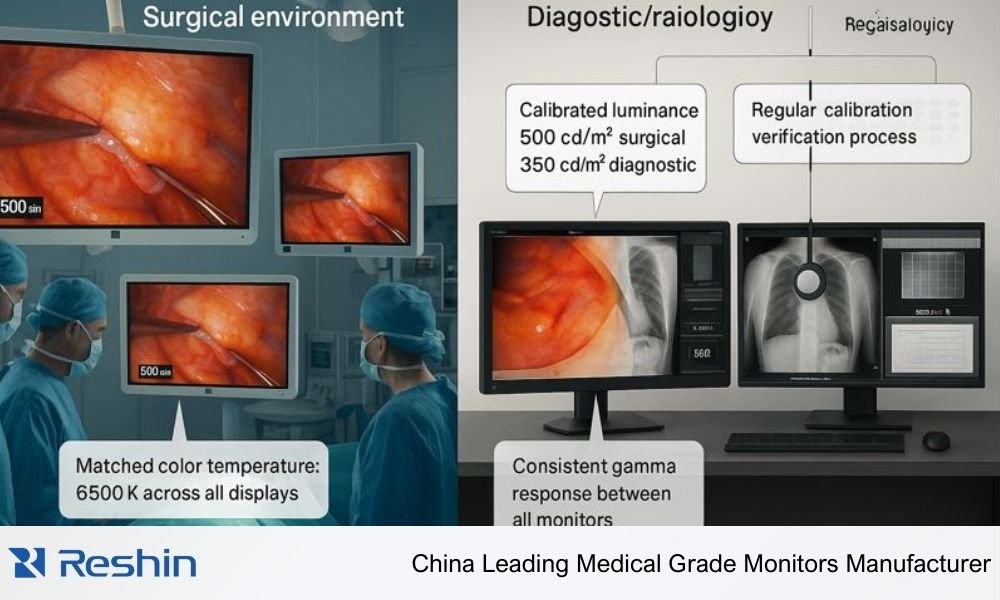
From an engineering standpoint, this is where factory calibration and standards‑driven behavior become essential. Diagnostic monitors use grayscale standards like DICOM Part 143 to keep PACS workstations visually consistent, while surgical displays require carefully tuned color modes and luminance behavior that remain stable over long operating hours in high‑brightness environments. In my own work, I pay close attention to how backlight control, uniformity correction, and color management interact; small implementation choices can cause two 4K surgical monitors of the same model to drift apart visually if they are not treated as part of a calibrated system.
When I review OR installations, I usually recommend simple but regular visual checks—using patterns and reference images—to confirm that all 4K surgical monitors still look close enough for clinical use. If one display has been replaced or serviced, re‑aligning its presets to the room standard is just as important as plugging it in; otherwise, surgeons end up working against two different visual baselines without realizing it.
How system‑level design keeps 4K surgical monitors synchronized in real OR projects
The last piece of synchronization consistency does not live inside the 4K surgical monitor at all; it lives in the way the OR video system is designed. Hospitals combine cameras, recorders, KVM switches, routers, and OR integration platforms in many ways, and these choices can either preserve or destroy the synchronized behavior that the displays are capable of delivering.
In practical OR integration work, the most reliable way to keep 4K surgical monitors synchronized is to standardize on a clear, well‑documented video topology, avoid unnecessary format conversions and mixed timing domains, and align monitor models and configurations across rooms so the entire operating room monitor fleet behaves like one predictable, serviceable platform.
In my projects, I usually start conversations with OR integrators from the system level rather than from panel specifications. We discuss how many 4K surgical displays will mirror the same source, which one will act as the primary reference, where KVM extension sits in the path, and how many switching or conversion steps each signal will go through. By drawing this topology early, we can decide where SDI, HDMI, or DisplayPort are the best fit and design timing domains that stay as simple and robust as possible.
From a delivery and maintenance perspective, I strongly recommend that hospitals standardize on a small, well‑chosen set of 4K surgical monitor models4 that share the same processing platform and calibration behavior. This approach makes spare units easier to manage, simplifies documentation and training, and helps keep synchronization behavior consistent as rooms are upgraded or expanded.
Reshin 4K medical monitors for synchronized OR deployments
In synchronized 4K operating room projects, choosing the right combination of medical grade monitors is just as important as designing the timing architecture. As a Reshin engineer, I focus on building a portfolio that allows OR integrators and distributors to cover the main clinical roles—primary surgical display, secondary overview monitors, and support visualization—without fragmenting the behavior of the system.
The most effective strategy for synchronized deployments is to design each operating room around a coherent family of Reshin 4K medical grade monitors that share common interfaces, latency characteristics, and calibration behavior, so that primary and secondary surgical displays stay aligned in timing and image quality while still matching different size and mounting needs.
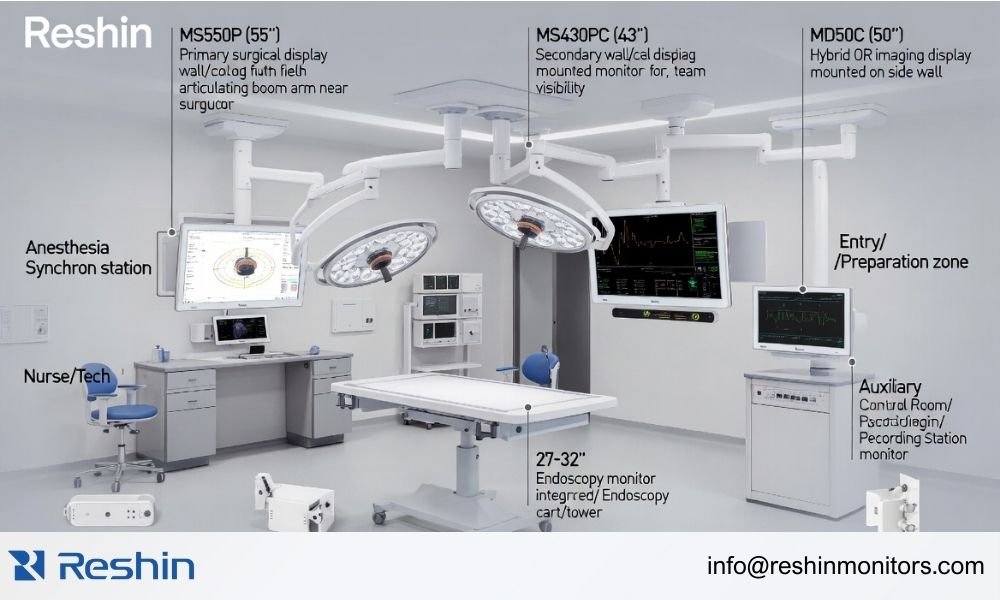
In practice, I prefer to map specific models to clinical roles instead of only thinking in inches. Primary 4K surgical monitors near the sterile field need the best combination of low latency, flexible 4K inputs, and tightly calibrated image quality. Larger wall or ceiling displays can share the same platform but be optimized for viewing distance, viewing angles, and mounting constraints. For endoscopy towers, more compact 4K surgical monitors that stay visually synchronized with the main OR displays help nurses and anesthesiologists follow the procedure without losing context.
A typical way I would structure a synchronized 4K OR deployment looks like this:
| Clinical Role / Scenario | Usage Pattern | Display Requirements | Recommended Model | Key Specifications (from Reshin Config) | Key Integration Considerations |
|---|---|---|---|---|---|
| Primary 4K surgical display at surgeon side | Continuous real‑time surgical viewing | 4K resolution, low latency, multiple 4K inputs (e.g. 12G‑SDI / DP), stable calibration | MS550P | 55", 3840×2160@60Hz, 500cd/m², 12G-SDI/DVI/HDMI/DP interfaces, 47-63Hz | Use as timing reference monitor; connect via the shortest, cleanest signal path; lock image mode across the OR. |
| Secondary 4K wall or boom monitor | Mirrored overview for staff and assistants | 4K resolution, consistent latency with primary, wide viewing angles | MS430PC | 42.5" LG panel, 3840×2160@60Hz, 500cd/m², 12G-SDI/HDMI/DP, multiple Gamma modes | Mirror the primary output; align processing mode with MS550P; verify latency match on the chosen interface. |
| Hybrid OR imaging and control display | Mixed live and recorded imaging, system UI | 4K support, flexible inputs, calibrated but balanced for UI and video | MS322PB | 32", 3840×2160@60Hz, 500cd/m², 12G-SDI support, VESA mount | Integrate with the OR router/KVM; standardize color mode across rooms; consider ergonomics and mounting height. |
| Endoscopy tower 4K monitor | Procedure‑focused near‑field viewing | 4K clarity, good color for tissue differentiation, compact footprint | MS275PA | 27", 3840×2160@60Hz, 400cd/m², surgical color modes, compact design, multi-interface support | Match interfaces to the endoscopy system; ensure visual tuning consistent with the main OR monitors. |
| Control room / recording workstation display | Monitoring multiple sources, QA viewing | High‑quality 4K, stable grayscale and color, long‑hour reliability | MS321PB | 31.5", 3840×2160@60Hz, 500cd/m², 12G-SDI support, long MTBF | Align calibration policy with the OR; train staff on using consistent presets and modes. |
For key models like MS550P, MS430PC, MS322PB, and MS275PA, the real advantage in synchronized deployments is not just resolution or brightness; it is the way their shared platform behavior—consistent 3840×2160@60Hz output, 500cd/m² calibrated luminance, and unified 12G-SDI/HDMI/DisplayPort interfaces—simplifies OR design, documentation, and long‑term maintenance. By building an operating room around a small, well‑defined set of 4K surgical monitors, distributors and integrators can deliver systems that are easier to validate, simpler to support, and more predictable over many years of clinical use.
Conclusion
As a Reshin engineer, my experience with 4K surgical monitors has taught me that synchronization consistency is fundamentally a system‑level challenge, not a single‑device feature. When timing stability, visual calibration, and OR topology are designed together as one coherent solution, multi‑monitor operating rooms become reliable tools that surgeons can trust rather than collections of independent screens.
Reshin positions itself as a Chinese manufacturer of surgical-grade medical grade monitors focused on helping distributors, OR integrators, and KVM vendors deliver complete, synchronized imaging solutions instead of just selling individual panels. For technical discussions on synchronizing your next OR project or selecting the right 4K surgical monitors for your architecture, please reach out through the contact information below—we’re ready to map your signal topology, align your display platform, and design a reliable, scalable solution together.
✉️ info@reshinmonitors.com
🌐 https://reshinmonitors.com/
-
Exploring the role of surgical displays can reveal their impact on surgical outcomes and team collaboration. ↩
-
Explore this link to understand how to optimize 4K surgical monitors for better performance and synchronization in OR settings. ↩
-
Understanding DICOM Part 14 is crucial for maintaining visual consistency in PACS workstations, ensuring accurate diagnostics. ↩
-
This resource will guide you in selecting surgical monitor models that ensure consistency and reliability in medical environments. ↩


