Surgeons increasingly report that inadequate visualization compromises procedural precision and increases eye fatigue during extended laparoscopic cases. Could your display technology be the limiting factor in achieving optimal surgical outcomes?
The best surgical display for laparoscopic surgery combines 4K ultra-high definition resolution, sub-16 ms latency, medical-grade optical bonding, and anti-reflection glass within a sealed, disinfectant-resistant housing. Displays offering BT.709/BT.2020 color accuracy, 12G-SDI connectivity, and ergonomic VESA mounting deliver the clarity, reliability, and hygiene compliance that modern minimally invasive operating rooms demand.
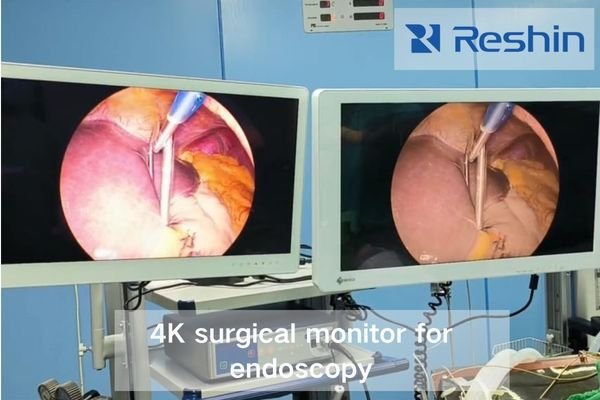
As an engineer specializing in medical visualization systems, I’ve analyzed hundreds of operating room configurations and witnessed firsthand how display selection fundamentally affects surgical workflow1. The right monitor doesn’t just show an image—it becomes an essential clinical tool that shapes how surgeons perceive anatomical structures and make critical decisions during minimally invasive procedures.
Why Laparoscopic Surgery Demands Specialised Displays
Traditional open surgeries allow direct visualization, but laparoscopic procedures transform the entire surgical experience into a mediated visual relationship. Why does this shift require specialized display technology beyond standard commercial monitors?
In minimally invasive procedures, the display becomes the surgeon’s exclusive sensory channel, requiring precise reproduction of anatomical details, color-accurate tissue representation, depth cues, and immediate motion response—capabilities that exceed standard commercial display specifications.
When surgeons transition from open to laparoscopic techniques, they sacrifice direct tactile feedback and natural depth perception. This places extraordinary demands on the visualization chain. The display must compensate by providing:
- Enhanced spatial representation for orientation within the surgical field
- Accurate tissue differentiation2 via stable color across sources
- Motion fidelity without lag, tearing, or smearing
- Consistent luminance/contrast across varying OR lighting
Integration flexibility, ergonomic placement, and contamination resistance also materially influence team efficiency and safety. Purpose-built surgical monitors add optical coatings, sealed front surfaces, medical-grade power design, and OR-optimized image processing to maintain fidelity during real-time decisions.
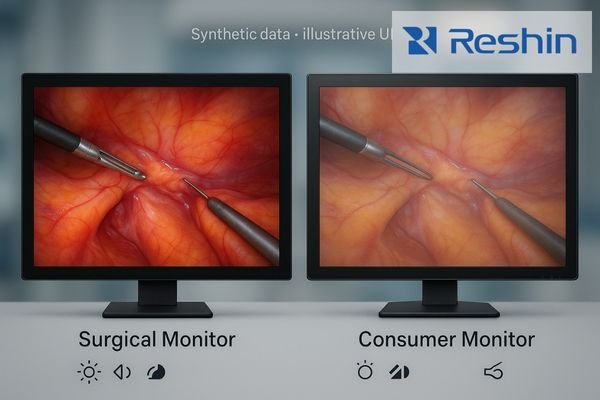
Key Environmental and Workflow Challenges in Surgical Operating Rooms (OR) Displays
Operating rooms impose nontrivial constraints on visualization: bright ceiling lights can create glare; fluids and disinfectants threaten longevity; multiple signals must be switched instantly; and several team members need simultaneous, consistent viewing.
ORs combine variable lighting, fluid exposure, multi-source switching, and multi-viewer needs—stressors that degrade conventional displays and slow workflow if not engineered for surgery.
Lighting Variability and Contrast Challenges
Laparoscopic rooms swing from dim environments (for endoscopic focus) to bright illumination (setup or emergencies). Without proper anti-reflection coatings3 and adaptive brightness control, contrast collapses in bright phases, while over-brightness causes eye fatigue in dark ones. OR-grade displays reduce glare, maintain uniformity, and keep black levels readable under variable light.
Fluid Exposure and Sterilization Requirements
The OR is unforgiving to electronics. Splashes, aerosols, harsh wipes, and frequent cleaning wear down bezels, buttons, and coatings. Designs with flat, sealed front surfaces and simplified seams tolerate repeated disinfection and make cleaning fast and predictable. Protected connectors and recessed cable paths further reduce accidental damage during turnover.
Multi-Source Integration Requirements
Modern cases juggle multiple inputs—camera feeds, ultrasound, PACS references, and vital signs. Switching must be instantaneous; even one-second delay disrupts a critical maneuver. Purpose-built surgical displays achieve <0.5 s transitions and PIP/PBP layouts for multi-source viewing without breaking surgeon focus.
Team Viewing Optimization
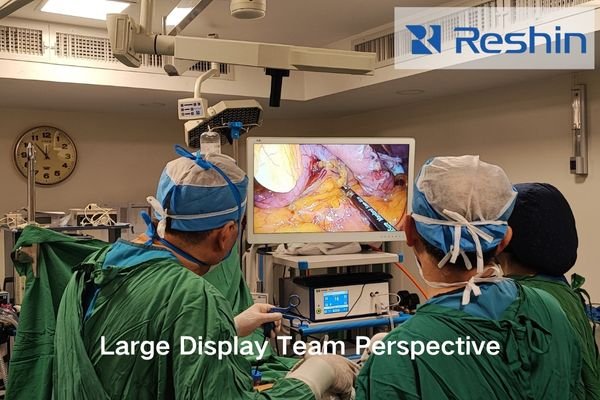
Teams observe from multiple angles. Surgical displays must ensure wide viewing angles, sufficient size (≥27″ for shared viewing), uniform brightness, and flexible mounting to maintain ergonomic posture through long cases.
Hygiene, Sterilisation and Installation Considerations for Medical-Grade Surgical Monitors
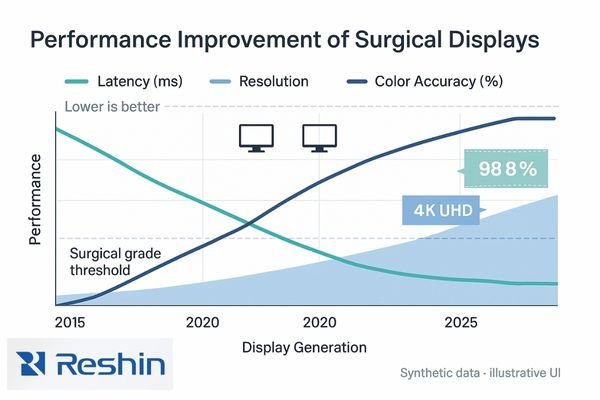
4K resolution, standardized BT.709/BT.2020 color, and sub-16 ms latency directly impact laparoscopic precision. Professional interfaces (12G-SDI, HDMI 2.0, DisplayPort) ensure signal integrity and reliability during live procedures.
| Resolution | Pixel Density (32″) | Clinical Advantage |
|---|---|---|
| HD (1080p) | ~70 PPI | Baseline visualization |
| QHD (1440p) | ~93 PPI | Better small-structure visibility |
| 4K/UHD | ~140 PPI | Enhanced tissue texture & margin detection |
Decision takeaway: Prioritize 4K displays with true BT.709/BT.2020 calibration, sub-16 ms latency, and 12G-SDI or DP connectivity for surgical reliability.
Surgical displays must withstand constant cleaning and disinfection while preserving optical clarity.
- Flat, seamless fronts prevent residue accumulation
- Optical bonding + AR glass resist glare and chemical wear
- IP-rated enclosures block fluid ingress
- Balanced VESA mounting4 ensures ergonomic adjustment for all staff
Decision takeaway: Sealed, AR-bonded fronts and VESA-ready mounts reduce cleaning time, lower infection risk, and preserve image quality over time.
Integration, Service Support and Lifecycle Economics of Surgical Visualization Systems
Beyond acquisition price, decision-makers should evaluate integration fit, service network, and long-term calibration stability.
| Service Element | Minimum Requirement | Optimal Support |
|---|---|---|
| Warranty Coverage | 3 years standard | 5 years with extension options |
| Response Time | Next business day | Same-day or advance replacement |
| Spare Parts | 5 year availability | 7–10 year parts commitment |
| Technical Support | Remote assistance | Local on-site service |
Decision takeaway: Reliable service, spare-part support, and integration-friendly I/O yield predictable total cost of ownership (TCO) and minimize downtime.
Recommended Selection Process & Short-List of Laparoscopic Surgical Displays
Procurement works best through requirement mapping → spec filtering → clinical evaluation → TCO validation.
Short-List of Recommended Displays
MS275PA 27″ 4K Surgical Display
- 4K UHD, optical bonding, anti-reflection glass
- 12G-SDI + DP + HDMI; PIP/PBP multi-view
- Ideal for standard laparoscopic suites
MS322PB 32″ 4K Surgical Display
- Larger 32″ surface for teaching and team viewing
- Multi-input (12G-SDI, DP 1.2) for hybrid ORs
- Best for complex or teaching procedures
MS270P 27″ FHD Surgical/Endoscopic Display
- FHD clarity for basic laparoscopy or legacy systems
- AR-glass and stable brightness for consistent imaging
MS321PC 31.5″ FHD Surgical Display
- Large-format FHD option for shared viewing
- Simplified integration and cleanable design
Decision takeaway: Select display class (27″ 4K / 32″ 4K / 27–31.5″ FHD) based on surgical complexity, OR size, and integration stage.
FAQ: Procurement & Implementation for Hospital Management Teams Choosing Surgical Monitors
Q1: Do we need 4K for every laparoscopic setup?
A1: Not necessarily; FHD suffices for basic procedures, but 4K enhances micro-anatomy and teaching clarity.
Q2: What latency target is acceptable?
A2: Sub-16 ms for advanced laparoscopic and robotic-assisted cases.
Q3: Which features improve hygiene control?
A3: Seamless glass surfaces, optical bonding, and chemical-resistant materials reduce residue and degradation.
Q4: How to ensure integration with teaching systems?
A4: Choose displays supporting 12G-SDI loop-through or dual HDMI/DP outputs for simultaneous recording.
Conclusion
Selecting the right surgical display is central to laparoscopic precision, staff comfort, and long-term cost efficiency. The most suitable monitors pair 4K resolution, accurate color standards, and sub-16 ms latency with AR-bonded, disinfectant-resistant fronts and professional I/O—delivering consistent image quality, faster turnover, and predictable TCO.
Reshin provides purpose-built surgical displays and integration support for modern ORs, including 27″–32″ options such as MS275PA (4K), MS322PB (4K), MS270P (FHD), and MS321PC (FHD). With ISO 13485 manufacturing and a global service network, we help hospitals standardize visualization, streamline multi-source workflows, and deploy solutions that are easier to clean, maintain, and scale.
📧 Email: info@reshinmonitors.com
🌐 Website: https://reshinmonitors.com/
-
Understanding this link will provide insights into optimizing operating room efficiency and improving surgical outcomes. ↩
-
Exploring accurate tissue differentiation can lead to advancements in surgical techniques, enhancing safety and effectiveness in operations. ↩
-
Learn about the importance of anti-reflection coatings in maintaining visibility and reducing eye strain during surgeries. ↩
-
Learn about the advantages of VESA mounting for ergonomic adjustments, ensuring comfort and efficiency for medical staff during procedures. ↩