During a delicate GI procedure, a surgeon’s decisions depend entirely on what they can see. A monitor that distorts color, reflects overhead lights, or lacks the right input can compromise patient safety and procedural success.
The best monitors for gastrointestinal endoscopy deliver high image clarity, brightness, anti-reflection technology, multi-input connectivity, and ergonomic design. 4K surgical displays further enhance accuracy and prepare operating rooms for future imaging needs.
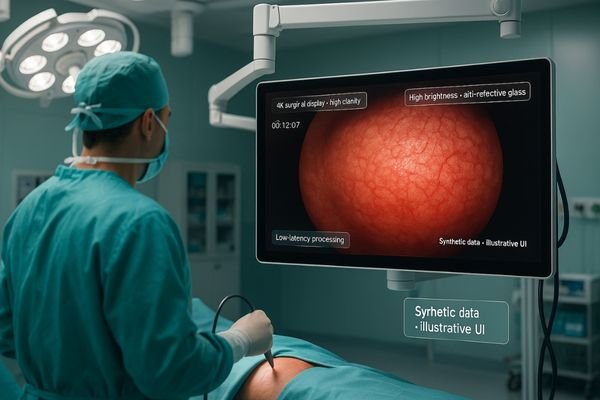
Selecting the right monitor for gastrointestinal (GI) endoscopy1 is not a trivial task; it is a critical component of the complete imaging chain. The display is the final and most crucial link between the endoscopic camera and the surgeon’s eyes. Any deficiency in the monitor’s performance—be it poor color fidelity, insufficient brightness, or input lag—can directly impact the surgeon’s ability to identify subtle pathologies, navigate complex anatomy, and perform precise therapeutic interventions. Therefore, a systematic evaluation of a monitor’s features is necessary to ensure it meets the demanding requirements of the modern endoscopy suite. This involves looking beyond basic resolution and considering factors like color reproduction2, performance in high ambient light, connectivity, ergonomics, and future-readiness to make an informed investment that enhances both safety and efficiency.
Image Clarity and Color Accuracy in Endoscopic Monitors
Poor image quality can obscure subtle mucosal changes or vascular patterns. This ambiguity forces surgeons to guess, potentially leading to missed diagnoses or complications during an intervention.
High clarity and accurate color are essential for endoscopy. Monitors that support a wide color gamut and calibrated gamma curves provide the clinical fidelity needed for confident diagnosis and safe procedures.
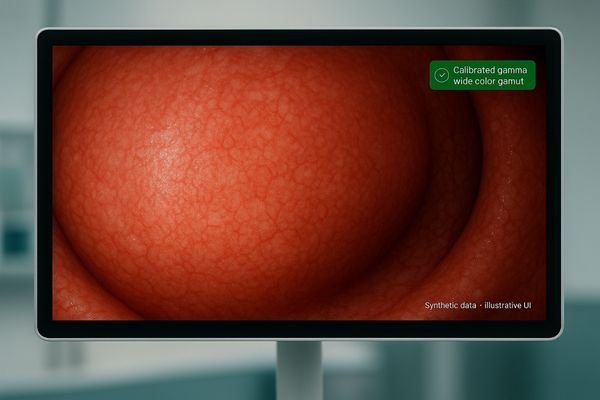
In gastrointestinal endoscopy, diagnostic and therapeutic success hinges on superior image quality. The ability to distinguish between healthy tissue and subtle abnormalities like flat polyps, dysplasia, or early-stage cancers depends on the monitor’s capacity to render fine details and nuanced colors with absolute fidelity. A medical display monitor3 must accurately reproduce the subtle variations in red tones characteristic of mucosal tissue without oversaturation or distortion. This requires a panel that supports a wide color gamut and is calibrated with precise gamma curves to ensure every gradation is visible. Endoscopic monitors engineered for this purpose ensure that the surgeon sees a true-to-life representation of the anatomy. Entry-level clinical displays4 like the MS192SA establish a baseline of performance, ensuring that even for routine procedures, the visual information is clear, consistent, and clinically reliable. This foundation of image integrity allows surgeons to navigate and intervene with confidence, knowing the display is a trustworthy extension of their vision.
Brightness and Anti-Reflection Features for Operating Rooms
The bright, focused lighting required in an operating room often creates intense glare on monitor screens. This can wash out the image, forcing surgeons to strain their eyes and compromising procedural visibility.
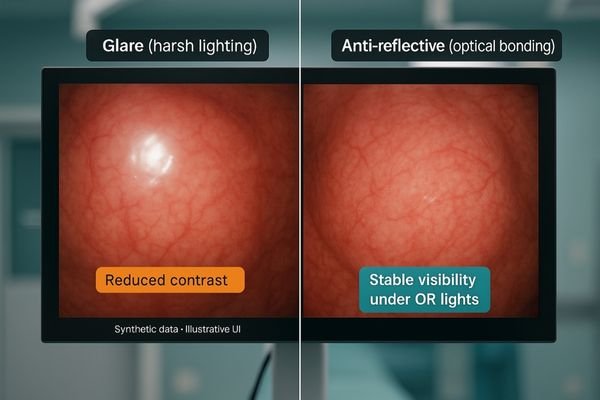
High brightness (≥500 cd/m²) and effective anti-reflective coatings are non-negotiable in the OR. They ensure stable visibility under intense surgical lighting, which is critical for precision in gastrointestinal endoscopy.
High Brightness as a Requirement
Operating rooms are inherently high-illumination environments. The powerful overhead lights necessary for surgical procedures create a significant challenge for displays: ambient light reflection. Surgical display monitors must have a high brightness output5, typically 500 cd/m² or greater, to ensure that the endoscopic feed is not washed out under intense lighting.
Anti-Reflection for OR Safety
In addition to brightness, monitors require advanced anti-reflection technology. The combination of optical bonding and anti-reflective coatings6, as seen in operating room monitors like the MS321PB, minimizes glare and maintains high contrast levels even when viewed from an angle. This ensures the surgical team has a clear, uninterrupted view of the procedure, which is fundamental for safety and precision.
Multi-Input Compatibility and Connectivity
An endoscopy suite contains equipment from various manufacturers, each potentially using a different video output. A monitor with limited inputs creates compatibility issues, requiring clumsy adapters that can degrade signal quality.
A surgical monitor must support multiple modern and legacy inputs like HDMI, DP, and SDI. This flexible connectivity simplifies integration with existing equipment and streamlines the operating room workflow.
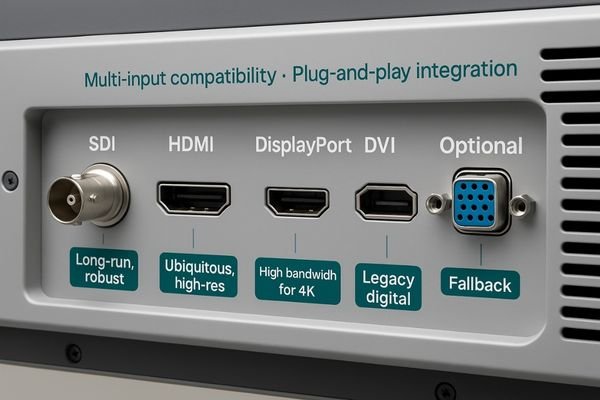
The modern endoscopy tower is a complex ecosystem of technology, including light sources, processors, and recording devices, often from different vendors. These components may output video signals through a variety of standards, from legacy DVI and VGA to modern HDMI, DisplayPort (DP), and Serial Digital Interface (SDI). A medical LCD monitor7 that lacks versatile connectivity options becomes a workflow bottleneck. It forces technicians to rely on a collection of external converters and adapters, which not only clutter the limited space in the operating room but also introduce potential points of signal failure or degradation. A surgical display8 like the MS220SA is designed with this reality in mind, offering a comprehensive suite of input ports. This built-in flexibility simplifies the integration process, allowing the monitor to connect directly to virtually any imaging source. This ensures a stable, high-quality signal and a more efficient, plug-and-play workflow for the clinical team.
| Connection Type | Common Use Case in Endoscopy | Key Advantage |
|---|---|---|
| SDI (Serial Digital Interface) | Long-distance, uncompressed video transmission for medical imaging monitors. | Robust, locking connectors and signal integrity over long cables. |
| HDMI (High-Definition Multimedia Interface) | Common for modern processors and surgical display monitors. | Ubiquitous and supports high-resolution video and audio. |
| DisplayPort (DP) | High-bandwidth for 4K surgical display monitors. | Excellent for driving high-resolution clinical displays. |
| DVI (Digital Visual Interface) | Connecting legacy endoscopic processors and computers. | Provides a stable digital signal for older equipment. |
Ergonomic Design and Clinical Workflow Efficiency
During long and complex GI procedures, a poorly positioned monitor can cause significant physical strain on the surgical team. An inflexible setup also hinders collaboration and slows down the workflow.
Ergonomic monitors with adjustable height, tilt, and rotation are crucial for reducing strain during long procedures. Medical touch screen functionality can further streamline workflow by enabling direct control of imaging.
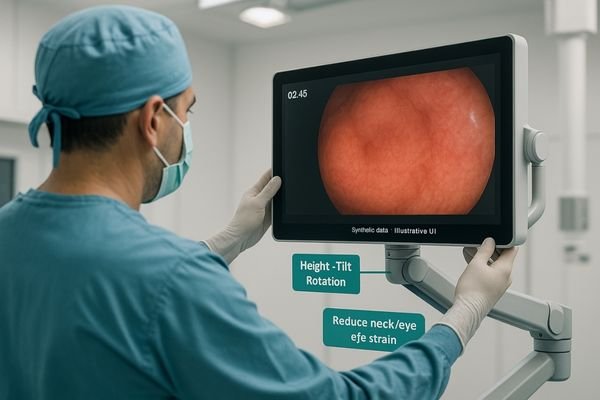
Gastrointestinal procedures can be lengthy and demanding, requiring intense focus for extended periods. The ergonomic design9 of the equipment within the endoscopy suite plays a direct role in mitigating surgeon fatigue and improving performance. Endoscopic monitors are typically mounted on carts or ceiling-mounted booms, and their design must facilitate easy and fluid positioning. The ability to adjust the monitor’s height, tilt, and rotation allows each member of the surgical team to achieve a clear, comfortable line of sight, reducing neck and back strain. This adaptability is critical for maintaining posture and focus throughout a procedure. In addition to physical adjustability, workflow efficiency can be enhanced through features like integrated touch screen controls. Medical touch screen monitors10 allow surgeons to manipulate image settings, switch inputs, or control recording functions directly on the display. This intuitive interaction reduces the cognitive load associated with managing external controls and helps to create a more streamlined, efficient, and user-centric clinical environment.
DICOM Compliance and Diagnostic Support in Endoscopy
While live visualization is primary, endoscopic images are often saved to PACS for review. If the surgical display is not calibrated, its image may not match what is seen on a radiologist’s diagnostic monitor.
DICOM compliance in an endoscopic monitor ensures color and grayscale consistency when comparing live images with prior radiologic studies, bridging the gap between the OR and the reading room.

Although endoscopic monitors are primarily used for real-time surgical visualization, their role increasingly extends into the broader diagnostic workflow. Endoscopic images and videos are frequently archived in the Picture Archiving and Communication System (PACS)11 alongside CT, MRI, and other radiological studies. This is where DICOM (Digital Imaging and Communications in Medicine) compliance12 becomes a valuable feature. While not always a primary requirement for a surgical display, a monitor with a DICOM viewing mode ensures that its grayscale and color reproduction are consistent with the standards used on diagnostic imaging monitors in the radiology reading room. This capability bridges the gap between the surgical and diagnostic environments. It allows surgeons to confidently compare a live endoscopic view with a pre-operative CT scan on the same screen, knowing that the image portrayal is consistent. This integrated approach enhances diagnostic support and facilitates better-informed clinical decisions during interventional procedures.
Future-Proofing with 4K Medical Monitors
As endoscopic camera technology advances, Full HD resolution is becoming a limiting factor. Sticking with older monitor technology risks creating a bottleneck that prevents a facility from leveraging the full potential of new equipment.
Investing in 4K surgical displays is crucial for future-proofing. 4K resolution enables enhanced precision and allows for the simultaneous viewing of multiple inputs at native resolution, ensuring no detail is lost.
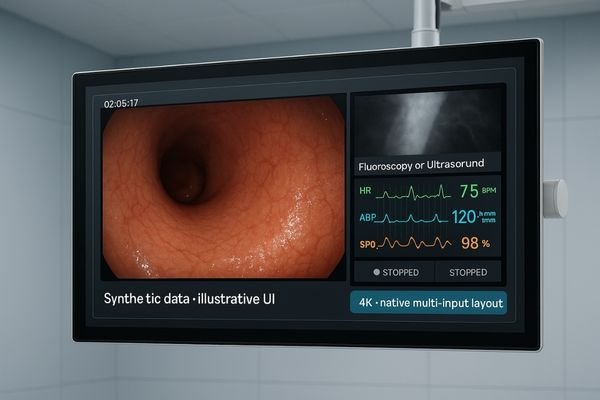
Why 4K is Becoming Standard
The trend across all medical imaging is toward higher resolution, and endoscopy is no exception. As endoscopes with 4K camera sensors become more prevalent, the surgical displays must evolve to match their capabilities. Investing in 4K medical monitors13 is the most effective way to future-proof an endoscopy suite.
Benefits of Multi-Input 4K Surgical Monitors
The four-fold increase in pixel count over Full HD provides a dramatically higher level of detail, allowing surgeons to visualize much finer tissue structures and vascular patterns. Large-format 4K operating room monitors14, such as the MS550P, are ideal for multi-view displays. They enable simultaneous presentation of multiple video sources—such as endoscopic view, fluoroscopy, ultrasound, and vitals—with each feed displayed at high resolution. This consolidates information, improves situational awareness, and prepares the OR for next-generation integrated workflows.
Practical Recommendations: Suitable Monitor Models
Based on clinical needs in gastrointestinal endoscopy, the following models are recommended:
- MS192SA — 19" HD Endoscopy Monitor: Entry-level clinical display for routine GI procedures.
- MS220SA — 22" Surgical Display Monitor: Reliable performance with versatile connectivity for mid-level OR setups.
- MS321PB — 31.5" 4K Surgical Display Monitor: High brightness, anti-reflection, and optical bonding for advanced OR use.
- MS550P — 55" 4K Operating Room Monitor: Large-screen, multi-input solution ideal for teaching, complex interventions, and integrated OR environments.
Conclusion
Choosing the right endoscopic monitor is an investment in diagnostic confidence, surgical precision, and the future-readiness of the operating room. 🩺
👉 For tailored endoscopic display solutions and expert support, contact info@reshinmonitors.com.
-
Explore this link to discover top monitors specifically designed for GI endoscopy, ensuring optimal performance and safety. ↩
-
Understanding color reproduction in medical monitors is crucial for accurate diagnosis and treatment; this link provides valuable insights. ↩
-
Learn how a medical display monitor can significantly enhance the accuracy and effectiveness of endoscopic procedures. ↩
-
Explore this link to discover top-rated clinical displays that enhance image quality for gastrointestinal endoscopy. ↩
-
Understanding high brightness output is crucial for ensuring optimal visibility in surgical environments, enhancing safety and precision. ↩
-
Exploring anti-reflective coatings reveals their role in reducing glare, ensuring clear visuals for surgical teams, which is vital for successful procedures. ↩
-
Explore this link to discover top-rated medical LCD monitors that enhance workflow and connectivity in surgical settings. ↩
-
Learn about essential features of surgical displays that ensure high-quality imaging and efficiency in the operating room. ↩
-
Learn about the importance of ergonomic design in reducing fatigue and improving focus during lengthy procedures. ↩
-
Explore how Medical touch screen monitors enhance surgical efficiency and reduce cognitive load for surgeons. ↩
-
Exploring PACS will provide insights into how medical images are stored and accessed, enhancing your knowledge of diagnostic workflows. ↩
-
Understanding DICOM compliance is crucial for ensuring high-quality imaging standards in medical diagnostics. ↩
-
Learn about the significance of 4K medical monitors in improving diagnostic accuracy and surgical outcomes. ↩
-
Explore this link to discover top-rated operating room monitors that enhance surgical precision and efficiency. ↩