Inaccurate color can obscure critical anatomical details. Relying on a standard gamut when your camera captures more may mean you are leaving vital clinical information on the table.
Wide gamut in endoscopy only wins when the entire chain is BT.2020-capable—camera to monitor—delivering 4K/60, stable 10-bit color, and controlled OR lighting. If any link collapses to BT.709, a rigorously calibrated 709 pipeline remains the predictable, trusted choice.
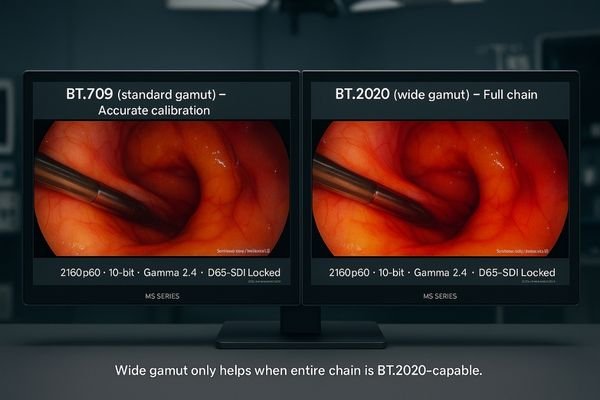
The transition from the standard BT.709 color gamut to the wider BT.2020 space represents a significant leap in surgical visualization1. While a precisely calibrated BT.709 display provides dependable and accurate color, its boundaries can be limiting. Modern endoscopic cameras paired with advanced light sources often capture a color volume that extends beyond the BT.709 primaries, especially in highly saturated scenes involving blood, bile, and specific tissue types. A BT.20202-capable monitor is the only way to render this additional information faithfully. Embracing wide gamut is not just about seeing “more” color; it is about seeing “truer” color that allows for faster tissue discrimination and more confident clinical decisions. However, this potential can only be realized if every component in the imaging chain—from the camera to the monitor—is aligned to support it.
Endoscopic “Stress Scenes”: When Wide Gamut Outperforms BT.709
Standard color can be misleading in certain procedures. When the color space is too limited, highly saturated tissues can appear flat or “clipped,” losing the subtle gradations that inform diagnosis.
Procedures with saturated reds, yellows, and cyans—classic endoscopic “stress scenes”—benefit most from BT.2020, preserving gradations that BT.709 compresses or clips.
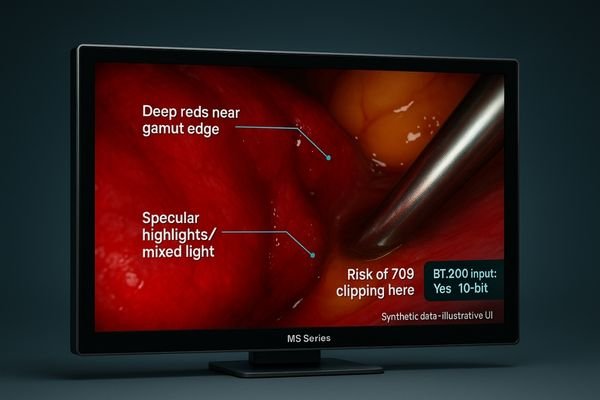
The value of a wide color gamut3 is most apparent in procedures where the visuals inherently stress the boundaries of standard BT.709. Endoscopic imaging, particularly with modern LED and laser light sources, frequently produces scenes rich in saturated reds, yellows, and cyans. For example, in urology or ENT, the deep reds of mucosal tissue can easily exceed the red primary of BT.709. When this happens on a standard display, the color information is “clipped,” resulting in a flat, undifferentiated patch of red where subtle textural and tonal variations should be visible. Similarly, scenes with cauterization, pooled bilious fluids, or specular highlights from instruments can cause hue rotation, where colors shift inaccurately. To properly evaluate the need for BT.2020, it is essential to first identify these stress scenes within your specific procedures and capture them as reference video clips for procurement testing and acceptance.
Perceptual Gains with BT.2020 in Endoscopy (vs Accurate BT.709)
Is wide gamut just a “nice-to-have”? Without a clear perceptual benefit, the investment seems hard to justify, leading to confusion over its real-world value in the OR.
With a BT.2020-capable chain, surgeons perceive cleaner tissue separation and intact gradations under mixed light—benefits a perfectly accurate BT.709 display cannot reveal.
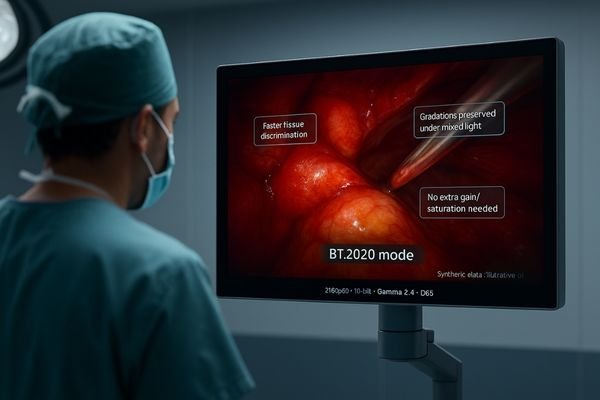
A BT.2020 display4 outperforms even a perfectly accurate BT.709 monitor when—and only when—the entire imaging chain can deliver wide-gamut signals. In this context, the gains are distinctly perceptual. The wider gamut allows for the faithful reproduction of subtle gradations in mucosal tissue that would otherwise be compressed. Variations in bile color or the subtle color differences between tissue types under mixed lighting conditions remain clearly separated. On a BT.709 display, these colors might bleed together or appear overly saturated as the system struggles to map them into a smaller space. For the surgeon, this translates to faster and more confident tissue discrimination5 at typical operating room viewing distances. It can also reduce the need for the team to make mid-procedure adjustments to the camera’s gain or white balance to try and recover this lost information, leading to a smoother and more efficient workflow.
End-to-End BT.2020 Chain: Camera → Processor → Recorder → Monitor
A BT.2020 monitor cannot display information it doesn’t receive. If any single component in the video path truncates the signal to BT.709, the investment in a wide-gamut display is wasted.
Wide gamut is end-to-end: confirm BT.2020 at the camera/CCU, processor/router, recorder, and monitor OSD—plus 10-bit depth and 2160p60 over a robust 12G-SDI link.
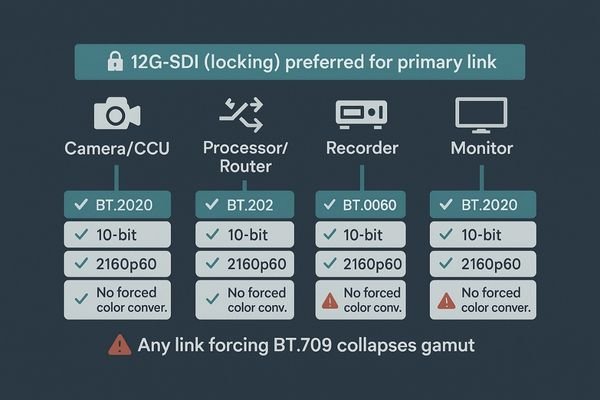
The “end-to-end or nothing” rule is absolute when it comes to implementing wide color gamut6. A BT.2020-capable monitor like the MS322PB cannot invent color information that was lost earlier in the signal path. To ensure the integrity of your color pipeline, you must systematically verify the configuration of every component. Start with the camera head and its control unit (CCU), ensuring the output color space is set to BT.2020. Next, check the video processor or router to confirm it is operating in a pass-through mode that does not alter the color space. If you use a video recorder, its codec profile must also be set to capture the full BT.2020 gamut. Finally, check the monitor’s on-screen display (OSD) or signal information menu to confirm it is receiving and correctly interpreting the BT.2020 signal. Only when all links are verified and aligned will the benefits of wide gamut actually appear on the screen in the OR.
| Component | Verification Checklist Item |
|---|---|
| Camera/CCU | Confirm output color space is set to BT.2020. |
| Processor/Router | Ensure signal is passing through without color space conversion. |
| Recorder | Check that the recording codec and profile support BT.2020. |
| Monitor | Verify the OSD confirms receipt of a BT.2020 signal. |
| Bit depth & chroma | Confirm 10-bit depth and chroma format (4:2:2 or 4:4:4) are maintained end-to-end. |
Gamma (2.2–2.4), D65 White Balance, and Ambient Light Control in OR
Even with a perfect signal, poor calibration or room conditions can ruin color perception. An image that looks “cartoonish” or washed out undermines the surgeon’s trust in the display.
BT.2020 looks true—not cartoonish—only with stable gamma (2.2–2.4), D65 white balance matched to OR lighting, and glare control via AR-bonded glass.
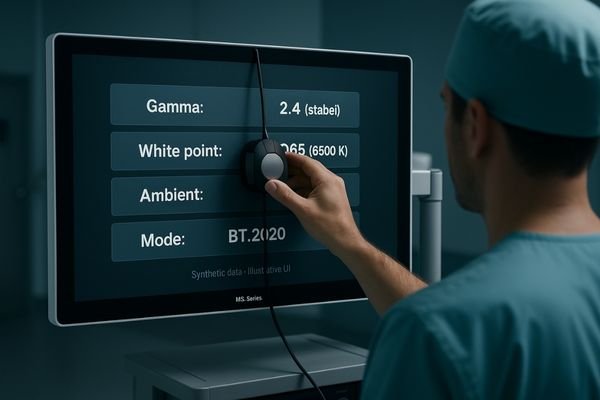
Successfully implementing BT.2020 is not just a matter of connecting compatible hardware; it requires disciplined management of the viewing environment. Gamma7, which controls the luminance curve of the display, is critical. Using a stable gamma setting—typically in the video-standard 2.2 to 2.4 range—ensures the image has proper contrast without crushing blacks or blowing highlights. Equally important is locking the camera’s white balance to the specific make and model of your OR’s primary light source, targeting a D65 white point8. Finally, ambient light must be controlled. Glare from overhead lights or windows can wash out the monitor’s image, reducing contrast and desaturating colors. Using monitors with optically bonded panels and anti-reflection (AR) glass helps maintain contrast and color saturation even when some ambient light is unavoidable.
Avoid Gamut Mapping & Clipping: Color Management/LUT Best Practices
Hidden color conversions can degrade image quality. If a device in the chain quietly maps a wide-gamut signal into a standard one, colors can become compressed and shifted, creating misleading images.
Force explicit color-management: if any device silently maps BT.2020 → BT.709 without a perceptual LUT, reds compress and greens/cyans shift—clinically misleading.
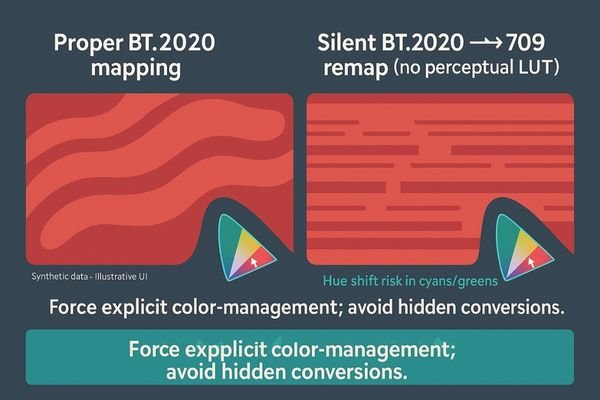
One of the greatest dangers in a mixed-gamut environment is a “silent failure9,” where a component in the signal path automatically converts a BT.2020 signal down to BT.709 without notifying the user. This down-mapping, if not done with a sophisticated perceptual look-up table (LUT), can introduce significant artifacts. Typically, highly saturated reds will be compressed into a smaller range, losing gradation (clipping). Other colors, particularly cyans and greens, may shift in hue. The result is an image that is not only less vibrant but also clinically misleading. To prevent this, procurement specifications must require explicit color-management settings10 on all video processing equipment. During acceptance testing, these settings should be verified using a known digital color chart. By measuring the color patches on screen with a photometer, you can check for linearity and identify any saturation “plateaus” that indicate clipping is occurring.
Preserve Chroma at 2160p60: 10-bit, 12G-SDI Integrity, Long Cables
A weak video link can compromise color data. At the high bandwidth required for 4K video, consumer-grade connections can fail, leading to signal dropouts or subtle degradation of color information.
At 4K/60, signal integrity is color integrity: use 12G-SDI with locking BNC to preserve 10-bit chroma over long OR runs and high-EMI conditions.
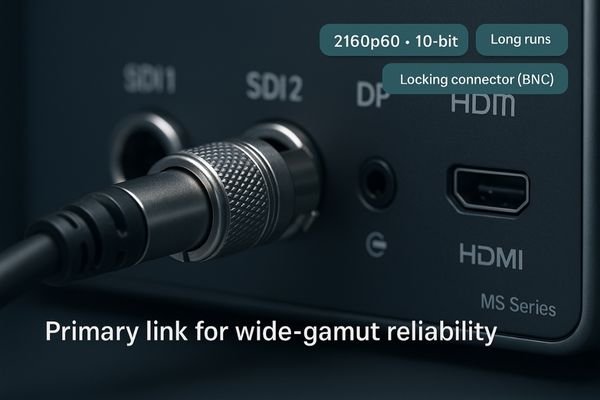
Transmitting an uncompressed 4K video signal at 60 frames per second with a wide color gamut and high bit depth (10-bit or 12-bit) requires significant bandwidth. The integrity of the physical connection is paramount to preserving this color information. While HDMI and DisplayPort can technically support these signals, they are not designed for the rigors of the OR. The locking BNC connectors and robust shielding of 12G-SDI make it the reliable choice for the primary video link in a surgical tower. It ensures stable, interference-immune performance over long cable runs. When selecting a monitor, confirm that it has a true 12G-SDI11 input that can accept and lock onto a 2160p60 signal12. A monitor built for the OR, such as the MS550P, will prioritize this professional-grade interface. During installation, run a one-hour signal-lock test to confirm there are no intermittent drops that could disrupt a procedure.
Consistent Color in PIP/PBP: Per-Window Gamma & White Point
Inconsistent color between windows is confusing. If a fluoroscopy image looks warm in one Picture-in-Picture window while the endoscopy feed looks cool, it forces the surgeon to mentally recalibrate, adding cognitive load.
Multiview must stay color-honest: enforce per-window gamma and a common D65 so BT.2020 and BT.709 sources remain trustworthy side-by-side.
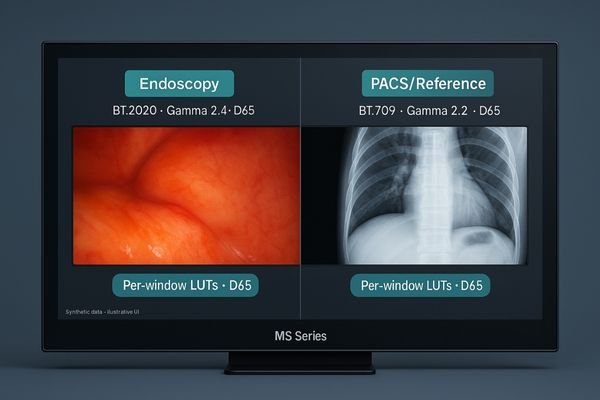
Multiview functionality, such as Picture-in-Picture (PIP)13 and Picture-by-Picture (PBP), is a powerful workflow tool, but it introduces a new layer of complexity for color management14. If the monitor applies different gamma curves or color temperature settings to each input source, it can create a visually jarring and untrustworthy display. A surgeon glancing from a BT.2020 endoscopic feed in one window to a BT.709 PACS image in another must be able to trust that the color rendition of each is correct for that source. The best surgical displays allow for per-window control while enabling a consistent viewing standard (e.g., a common gamma and D65 white point) across all active windows. Create and store preset templates for common multiview procedures so that every layout recall keeps color alignment predictable and consistent.
Repeatable Acceptance & Drift Tracking for Wide-Gamut Monitors
Color performance can degrade over time. Without a repeatable testing process, you have no way of knowing if the monitor you are using today is performing the same as it did on day one.
Make acceptance repeatable: baseline with digital color charts and stress-scene clips, run multi-observer checks at OR distances, then log monthly drift to catch shifts early.
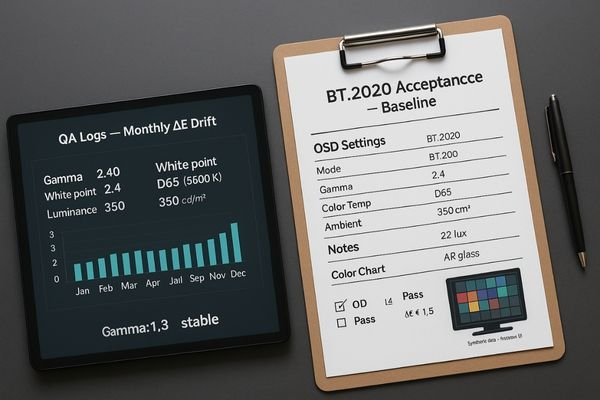
The value of a wide-gamut display15 is only maintained if its performance can be verified and kept consistent over its operational life. Begin with a robust, repeatable acceptance protocol. Instead of relying on subjective assessment, use standardized digital color charts (e.g., Macbeth chart) and the reference video clips of “stress scenes” you defined earlier. Performance should be measured with a colorimeter16 and validated with multi-observer checks at typical operative viewing distances to confirm perceptual accuracy. At acceptance, log all key OSD settings, the measured white point, and the room’s ambient light level. This baseline supports ongoing drift tracking, ideally with automated monthly checks, to ensure long-term consistency.
Where BT.2020 Improves Outcomes: ENT, Urology, Teaching, Hybrid OR
Is BT.2020 worth the extra cost? If the clinical benefit is not clear, it can be difficult to justify upgrading from a perfectly good BT.709 system, causing procurement to stall.
BT.2020 delivers the highest value in ENT/urology stress-color workflows, teaching and recording, and hybrid OR multiview—where color fidelity speeds understanding.
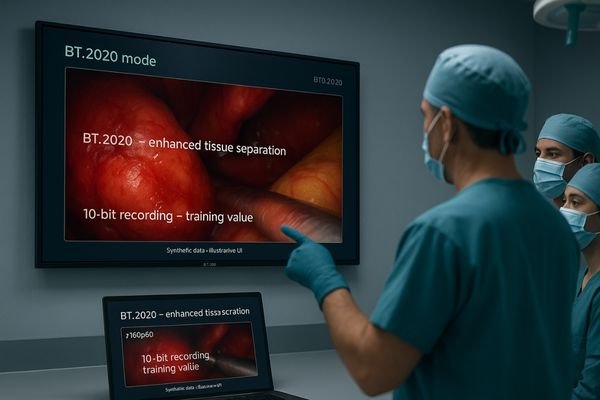
The decision to invest in a BT.2020-capable imaging chain17 should be driven by a clear cost-benefit analysis. The return on investment is highest in specific clinical applications. Specialties like ENT and urology, where procedures are dominated by views of highly saturated mucosal tissues, benefit directly from the superior color differentiation of wide gamut. Another key area is in teaching hospitals and for any procedure that is recorded for later review. The enhanced color fidelity of a BT.2020 recording provides more value for training and post-case analysis. Finally, in complex hybrid ORs that utilize multiview displays like the MS321PB, wide gamut18 helps keep different video sources visually separable and distinct without having to artificially increase gain or saturation on individual inputs. In these scenarios, the clinical and educational benefits often justify investment in a wide-gamut infrastructure.
When Calibrated BT.709 Is the Safer Choice
A mismatch in the chain can cause color errors. Attempting to implement BT.2020 with legacy equipment or in an uncontrolled environment can introduce more problems than it solves, undermining surgeon confidence.
If legacy cameras, mixed vendors, or poor ambient control break the chain, a rigorously calibrated BT.709 pipeline remains the safer, predictable choice.

While BT.2020 offers significant potential benefits, it is not the right choice for every environment. There are several scenarios where sticking with a rigorously calibrated BT.709 pipeline is the safer and more prudent decision. If you are working with legacy endoscopic cameras that are limited to the BT.709 color space, a wide-gamut monitor19 will provide no benefit. Similarly, if you have a mixed-vendor environment where the color-management behavior of each component is unknown or undocumented, attempting to force a wide-gamut workflow can lead to unpredictable color shifts. Finally, in operating rooms where ambient light cannot be adequately controlled, the subtle benefits of wide gamut can be diminished by glare. In these situations, focusing on a high-quality BT.70920 display with excellent calibration, AR glass, and optical bonding will deliver more consistent and trustworthy color than a poorly implemented BT.2020 system.
Conclusion
Choose BT.2020 for an end-to-end wide-gamut chain to enhance tissue differentiation, or select a calibrated BT.709 display for predictable color with legacy equipment or uncontrolled environments. 🌈
👉 For expert guidance and Reshin’s wide-gamut surgical display solutions, contact martin@reshinmonitors.com.
-
Learn about the latest advancements in surgical visualization that enhance precision and decision-making in medical procedures. ↩
-
Explore how BT.2020 enhances color accuracy in surgical settings, leading to better clinical outcomes. ↩
-
Understanding the significance of a wide color gamut can enhance your imaging techniques and improve visual accuracy. ↩
-
Explore this link to understand how BT.2020 displays enhance color accuracy and improve surgical outcomes. ↩
-
Learn more about the importance of tissue discrimination in surgery and how technology aids in this critical aspect. ↩
-
Exploring the advantages of wide color gamut can enhance your knowledge of display technology and its applications. ↩
-
Understanding Gamma is essential for achieving optimal image quality in displays, ensuring proper contrast and color accuracy. ↩
-
Exploring the D65 white point will enhance your knowledge of color accuracy in imaging, crucial for professional visual work. ↩
-
Understanding silent failures can help you prevent color inaccuracies in video processing, ensuring vibrant and accurate images. ↩
-
Exploring effective color-management settings is crucial for maintaining image quality and preventing color distortion in video systems. ↩
-
Explore this link to understand the advantages of 12G-SDI for high-quality video transmission, especially in critical environments like surgery. ↩
-
Learn about the significance of 2160p60 signals in delivering superior video quality, crucial for professional applications. ↩
-
Explore how PIP enhances color management in surgical displays, ensuring accurate color rendition across multiple sources. ↩
-
Understanding color management is crucial for surgical displays; this link will provide insights into maintaining color accuracy. ↩
-
Understanding wide-gamut displays can enhance your knowledge of color accuracy and display technology. ↩
-
Exploring colorimeter technology will help you grasp its role in achieving precise color measurement and display performance. ↩
-
Explore this link to understand how BT.2020 technology enhances imaging in medical fields, improving patient outcomes and training. ↩
-
Discover the advantages of wide gamut technology in medical imaging, particularly in enhancing visual clarity and detail for better diagnostics. ↩
-
Learn how wide-gamut monitors enhance color accuracy and why they might not be suitable for all setups. ↩
-
Explore the benefits of BT.709 to understand why it may be the best choice for certain environments. ↩