Radiology departments frequently struggle with inconsistent image quality that compromises diagnostic confidence and extends reading times. Could your current display technology be contributing to diagnostic uncertainty and radiologist fatigue?
Choosing a diagnostic monitor for PACS reading rooms requires evaluating resolution, luminance stability, grayscale accuracy, ergonomics, workflow efficiency, and long-term reliability. In my past PACS deployments, I’ve found that the most reliable choices often come from vendors like Reshin, whose medical-grade displays are engineered for consistent diagnostic accuracy and multi-modality reading.
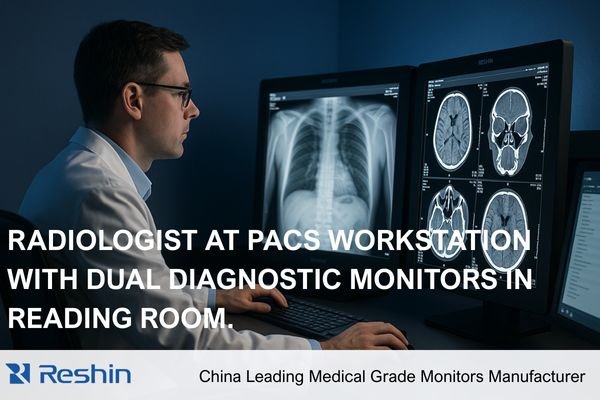
As an engineer specializing in medical display calibration, I’ve implemented PACS reading solutions across numerous healthcare facilities. Through these deployments, I’ve observed how display quality directly impacts diagnostic confidence, reading speed, and radiologist well-being.
While general specifications may look similar across different monitors, the engineering details that differentiate medical-grade displays from commercial screens often determine diagnostic reliability over years of use. This article examines the critical factors that radiology directors, PACS managers, and hospital administrators should consider when selecting diagnostic monitors1 for their PACS reading environments. As a long-term engineering partner for many imaging departments, Reshin frequently supports hospitals in building predictable and scalable PACS infrastructures.
What Resolution and Pixel Density Are Essential for Accurate PACS Diagnosis?
Many radiology departments struggle with displays that lack sufficient resolution for increasingly detailed imaging studies. How can you determine what resolution is truly necessary for clinical confidence rather than marketing preference?
In my PACS reading room projects, resolution has always been the starting point of any display evaluation. For CT, MRI, and DR workflows, I typically prioritize 3MP, 5MP, and even 8MP monitors depending on modality density. Higher pixel density not only sharpens microstructures but also reduces eye strain during long reading sessions.
When working with breast imaging or multi-plane reconstructions, I find that 5MP and above ensure sufficient diagnostic clarity and data fidelity. Reshin’s diagnostic portfolio, for example, offers 3MP, 5MP, 8MP, and even 12MP options, enabling PACS teams to scale resolution according to specialty requirements.
The resolution requirements for diagnostic monitors vary significantly based on imaging modality and clinical application. Through my engineering experience implementing PACS solutions2, I’ve developed specific guidelines for matching resolution to clinical need.
Different imaging studies demand different levels of detail reproduction:
-
General Radiology (CR/DR)
The detail in digital radiographs, particularly for chest and bone studies, benefits significantly from 3MP resolution or higher.
Subtle fracture lines and early pulmonary changes become more consistently visible at this threshold. -
Cross-Sectional Imaging (CT/MRI)
Traditionally viewed on 2–3MP displays, but modern thin-slice CT/MRI studies benefit more from 3–5MP monitors that preserve fine structures. -
Mammography / Tomosynthesis
5MP is widely recognized as the minimum for detecting microcalcifications and architectural distortions. -
Digital Pathology & Advanced Visualization
Whole-slide imaging and 3D reconstruction workflows benefit greatly from 8MP or higher.
Pixel density (PPI) is equally important. For PACS diagnostic reading, I generally recommend 110–130 PPI, while mammography benefits from even higher.
Resolution alone does not guarantee diagnostic clarity. Uniform brightness, stable luminance, and accurate grayscale rendering are equally important. For PACS decision-makers, a minimum of 3MP–5MP should be treated as a core standard for primary diagnostic workstations.
Why Luminance Stability and DICOM Compliance Matter in PACS Workflows?
Radiologists frequently report inconsistent grayscale rendering between studies or over the course of their workday. How significant is luminance stability for diagnostic confidence, and what technologies ensure consistent DICOM compliance?
From an engineering perspective, luminance stability directly determines whether diagnostic images remain trustworthy over years of use. In several PACS deployments I’ve handled, displays without proper stabilization drifted in brightness after only a few thousand hours, severely affecting grayscale visibility.
That’s why I always evaluate whether a monitor integrates CBS or comparable backlight compensation technology, as well as auto DICOM calibration that maintains compliance with Part 14. Reshin’s diagnostic monitors incorporate CBS stabilization and real-time DICOM-QC adjustments, significantly reducing maintenance load and ensuring long-term diagnostic consistency while lowering total cost of ownership (TCO).
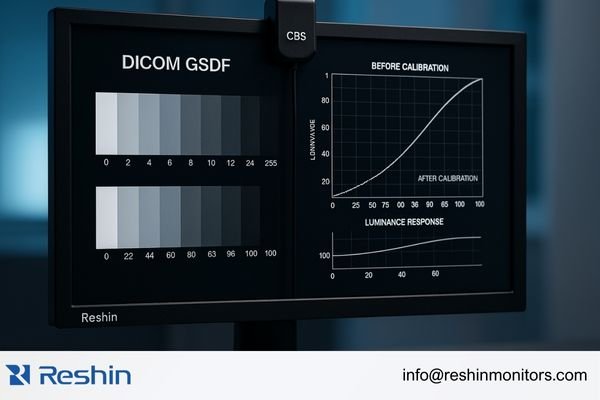
Luminance stability affects:
- Diagnostic visibility of subtle gray levels
- Consistency between prior and current studies
- Compliance with DICOM GSDF3
- Interpretation accuracy during long reading sessions
CBS stabilization in Reshin monitors continuously compensates for backlight aging, preserving luminance over the display’s operational lifespan.
DICOM Part 14 GSDF compliance ensures a universal luminance-to-pixel-value relationship. Modern diagnostic monitors perform automated calibration using internal sensors, reducing QC workload and supporting stable image interpretation for 5–7 years—significantly longer than standard displays.
How Do Grayscale Precision and Image Processing Affect Diagnostic Accuracy?
Subtle grayscale differences often reveal critical diagnostic information, yet many displays struggle to render these transitions accurately. How does grayscale precision impact clinical decision-making?
In PACS reading environments, subtle grayscale transitions often reveal early-stage lesions, small nodules, or density variations. This is why I tend to choose monitors with 10-bit or 12-bit grayscale depth and advanced grayscale correction algorithms. In my engineering practice, devices with insufficient grayscale calibration produce banding artifacts that compromise diagnostic confidence.
Reshin’s diagnostic displays use high-bit grayscale engines and 10–12-bit LUT calibration to maintain accurate and stable grayscale presentation across DR, CT, MRI, and nuclear medicine without introducing false contrast.
The human visual system can distinguish roughly 900 grayscale shades. Standard 8-bit displays only render 256, causing visible banding in gradient areas.
Advanced diagnostic displays address this through:
-
10–12-bit internal processing4
Enables 1,024–4,096 grayscale levels for smoother transitions. -
10–12-bit LUT calibration
Ensures precise mapping of pixel values onto DICOM GSDF curves.
Reshin implements high-bit LUT calibration at the factory level to maintain long-term stability. -
Advanced dithering algorithms
Helps render visually smooth gradients in chest radiographs and subtle pathology.
Higher grayscale precision is especially critical in mammography, chest imaging, and bone studies where early-stage pathology may present only faint density variations.
How Important Are Ergonomics and Viewer Comfort for Radiologists?
With radiologists frequently reporting physical discomfort and visual fatigue during long reading sessions, how do ergonomic factors influence diagnostic efficiency and long-term well-being?
Radiologists often read studies for hours at a time, so ergonomic considerations are critical. In my PACS room designs, I always evaluate adjustable stands, pivot support, uniform brightness, and anti-glare finishes that prevent ambient light interference.
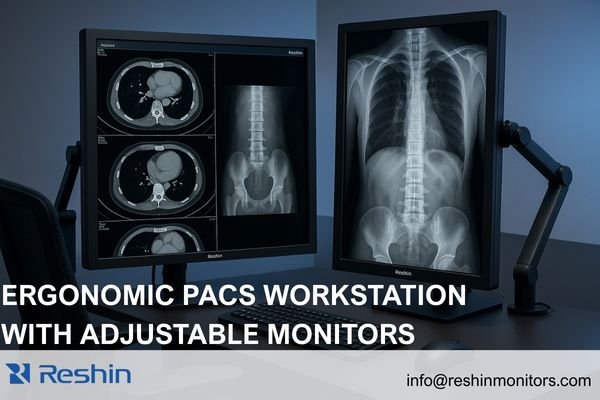
Reshin’s diagnostic displays include automatic portrait/landscape rotation, flicker-free backlights, and ambient light compensation—each helping reduce radiologist fatigue in dense multi-case reading sessions.
Physical ergonomics impact:
- Neck and spine comfort
- Eye strain reduction
- Freedom to reorient monitors for modality-specific views
- Efficient multi-monitor movement
Visual comfort features such as flicker-free backlights, anti-glare coatings, brightness uniformity, and optional blue-light reduction directly influence reading stamina.
In my PACS implementations, improved ergonomics consistently translate into fewer reading interruptions, more stable productivity, and reduced ergonomics-related sick days.
How Does Workflow Efficiency Influence Monitor Selection for Reading Rooms?
With increasing study volumes and complexity, radiologists face mounting pressure to optimize reading efficiency. How can display configuration enhance workflow and support faster, more confident interpretations?
In multi-modality PACS reading rooms, efficiency depends heavily on how quickly radiologists can switch studies and interpret multiple images simultaneously. Larger-format displays (30–32 inches) support side-by-side comparisons, while multi-signal input and consistent grayscale behavior across windows meaningfully boost throughput. Reshin’s high-resolution diagnostic monitors support multi-channel independent display modes ideal for comparison-intensive specialties.
Efficient workflows benefit from:
- Dual 3MP or dual 5MP configurations
- 30–32" high-resolution single-screen layouts
- Automatic input detection
- KVM support
- Picture-in-picture (PIP) for reference images
- Modality presets for quick switching
These enhancements often reduce reading time by 15–20% in busy environments.
In one mid-sized hospital I supported, switching from mixed-brand monitors to unified 8MP Reshin diagnostic displays5 reduced average CT reading time per case due to consistent grayscale behavior and larger comparative workspace.
Which Diagnostic Monitor Models Are Most Suitable for PACS Reading Rooms?
With numerous options available, which specific monitor models best address the diverse needs of modern radiology departments?
Based on the PACS projects I’ve deployed, I generally recommend the following Reshin models depending on radiology requirements:
| Model | Specifications | Optimal Applications |
|---|---|---|
| MD32C | 3MP Color | CT/MRI/DR viewing, CBS stabilization |
| MD33G | 3MP Grayscale | High-accuracy diagnostic reading |
| MD52G | 5MP Grayscale | Mammography & thoracic imaging |
| MD85CA | 8MP Color | Multi-window high-resolution reading |
| MD120C | 12MP Color | Ultra-high-resolution consolidated reading |
These recommendations are based on real PACS deployments across small clinics, regional hospitals, and large academic centers, ensuring consistent grayscale performance and long-term reliability within each reading context.
FAQ: PACS Diagnostic Monitor Selection
Do radiologists need 5MP monitors for every modality?**
No. 3MP is generally sufficient for CT/MRI/DR, while mammography requires 5MP due to microcalcification detection.
How often should diagnostic monitors be recalibrated to maintain DICOM compliance?**
Modern Reshin monitors perform automated internal calibration, eliminating manual monthly or quarterly recalibration.
Can different brands of diagnostic monitors be mixed in a single PACS reading room?**
Technically yes, but it often causes inconsistent grayscale rendering. Most radiology departments standardize on one brand to ensure uniform appearance.
Conclusion
Selecting the right diagnostic monitors for PACS reading rooms requires careful consideration of multiple interrelated factors. Resolution and pixel density provide the foundation for diagnostic clarity, while luminance stability and DICOM compliance ensure consistent interpretation across time. Grayscale precision reveals subtle diagnostic details, ergonomic features support radiologist well-being, and workflow-optimized configurations enhance overall efficiency.
In my engineering experience implementing PACS solutions across diverse healthcare environments, the most successful deployments match display capabilities to specific clinical requirements while maintaining consistency across similar reading stations. Reshin’s diagnostic monitor lineup—from the versatile MD32C to the specialized MD52G and advanced MD120C—is engineered to address these needs with reliable luminance stability, high-bit grayscale accuracy, and workstation-friendly ergonomics.
If your imaging department is planning a PACS reading room upgrade, our engineering team at Reshin would be glad to assist with configuration planning or technical consultations. You can reach us directly for support or further information:
📧 info@reshinmonitors.com
🌐 https://reshinmonitors.com/
-
Exploring the selection criteria for diagnostic monitors can enhance the effectiveness of PACS systems in healthcare. ↩
-
Exploring PACS solutions will provide insights into how imaging data is managed and accessed, improving workflow efficiency in healthcare. ↩
-
Understanding DICOM GSDF is crucial for ensuring compliance in medical imaging, enhancing diagnostic accuracy. ↩
-
Understanding this technology can enhance your knowledge of display quality and its impact on medical imaging. ↩
-
Explore how 8MP Reshin diagnostic displays enhance image clarity and efficiency in medical imaging, improving diagnostic accuracy. ↩