A surgeon calls for the ultrasound view, but the screen goes black. The team scrambles to check cables as precious minutes tick by, breaking concentration and disrupting the entire surgical flow.
Switching between OR systems fails for small reasons—EDID, HDCP, timing, or color mismatches—causing black screens, delay, and lost focus. A room-level signal policy, standardized transports (e.g., 12G-SDI for 4K), and displays proven on mixed sources restore predictability and faster turnovers.
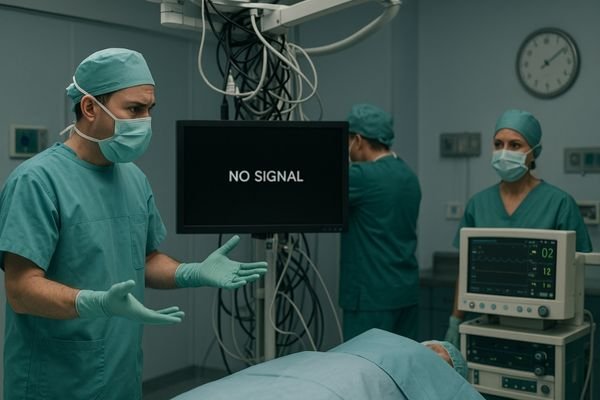
The modern Operating Room (OR) is a complex ecosystem of imaging devices. An endoscope, C-arm, ultrasound, and patient monitoring system may all need to be routed to the same surgical display1 during a single procedure. In theory, this should be a seamless process; in reality, switching between these systems is often where the workflow breaks down. A sudden black screen, a distorted "no signal" message, or an image that is inexplicably stretched or discolored are common frustrations—symptoms of deep-seated interface incompatibilities. The seemingly simple act of plugging one device in and another out is actually a complex digital handshake, and when that handshake fails, it creates delays, increases stress, and compromises the focus essential for patient safety. Restoring predictability requires moving beyond ad-hoc troubleshooting toward a deliberate, system-wide integration strategy.
Why interface pitfalls break OR workflows when switching systems
The expectation is simple: plug it in, and it works. The reality is that every system switch is a potential point of failure that can derail the entire procedure.
Small digital handshake failures across Extended Display Identification Data (EDID), High-bandwidth Digital Content Protection (HDCP), timing, and color-space negotiation routinely upend switching. When an endoscope or ultrasound hands off to the surgical display or operating room monitors, minor mismatches trigger black screens, scaling artifacts, or latency spikes that interrupt surgeon focus. Under time pressure, ad-hoc adapters and mixed firmware make behavior unpredictable. Treating interface policy as an operational control—locking EDID profiles, defining managed transports, and validating common sources—reduces avoidable stalls and restores confidence at the console.
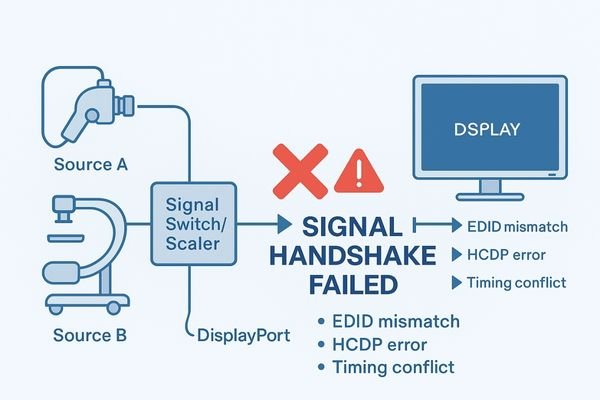
The moment a surgeon requests a different video source is a critical transition in any procedure. The workflow is designed to be seamless: the old source is disconnected, the new one is connected, and the image appears instantly. Interface pitfalls turn this simple step into a high-stakes gamble. The most common failures are not due to broken cables but to failed digital "handshakes"2 that happen in milliseconds. One system might expect a slightly different signal timing than another, causing the display to lose sync. The display might not correctly read the new source’s EDID, leading it to output the wrong resolution. A mismatch in HDCP versions can result in a blank screen, as the devices fail to authenticate. These electronic mismatches have immediate impact: the surgeon waits; focus breaks; troubleshooting escalates—an operational rhythm collapses.
Root causes across signals, standards, and hospital processes
These frustrating failures are not random. They stem from a complex mix of mismatched technical standards, legacy equipment, and inconsistent institutional processes that create a fragile imaging ecosystem.
The roots lie in mixed transports (HDMI, DisplayPort, DVI, and Serial Digital Interface [SDI]), version drift, and unmanaged conversions colliding with legacy devices. Each standard encodes pixels differently—timings, color sampling, interlaced vs. progressive—so small gaps compound across long copper runs, KVM/matrix hops, and EMI. Without room-level EDID profiles and a written signal policy, procurement and acceptance default to “one source works,” leaving unpredictable results when sources switch under load. The outcome is fragile behavior that appears random but is entirely systematic.
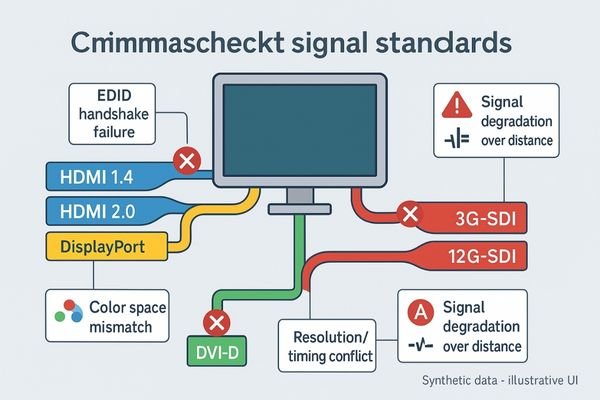
The unpredictability of switching systems in the OR can be traced back to three core areas of friction: the signals, the standards, and the processes.
Signal and Standard Mismatches
At the most basic level, different devices use different physical interfaces and signal standards. A consumer-grade ultrasound might use HDMI, a professional endoscope may use 12G-SDI, and an older C-arm could use DVI. Each of these has its own limitations on cable length, resolution, and features like color-space information. Even within a single standard like HDMI, multiple versions carry varying capabilities. This forces the use of adapters, converters, and matrix switchers—each a potential point of failure where signal integrity and EDID profiles can be compromised.
Process and Policy Gaps3
Beyond the hardware, institutional processes often create an environment ripe for incompatibility. There is rarely a single, enforceable, room-level signal policy. Procurement for different modalities is often siloed without considering interoperability, resulting in an OR filled with equipment never designed or tested to work together. Without standardized managed transports and displays verified to handle legacy and modern sources, every changeover becomes a roll of the dice.
Business, clinical, and compliance impact of compatibility gaps
The consequences of interface failures extend far beyond the immediate frustration, affecting patient safety, operational efficiency, and the hospital’s bottom line.
Compatibility gaps manifest as longer procedures, elevated cognitive load, and inconsistent visualization—risks that can contribute to error. Operationally, switching failures drive case delays, increase turnover time, and raise maintenance callouts. Financially, unplanned on-site support and spares inflate total cost of ownership (TCO). From a governance perspective, leadership needs predictability metrics—downtime minutes, switch success rate, escalation frequency—rather than ad-hoc firefighting.
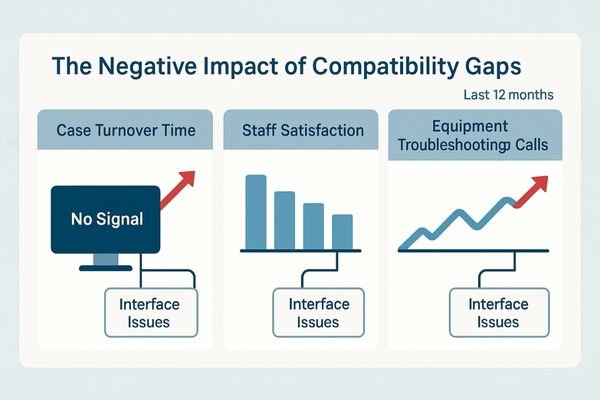
The impact of persistent interface compatibility issues is felt across three critical domains: clinical, business, and compliance.
Clinical and Business Impact
Clinically, the primary impact is on patient safety and quality of care. The delays and distractions caused by a black screen increase the surgeon’s cognitive load and stress levels, which can contribute to errors. Longer procedure times mean more time under anesthesia for the patient and fewer cases completed in a day, reducing OR throughput and revenue. The constant need for biomedical or IT staff to troubleshoot these "simple" connection issues pulls them away from other critical tasks, increasing operational costs4. Refer to internal service logs and OR turnover reports (e.g., Q1–Q3 FY2025) to quantify these patterns and track remediation.
Compliance and Maintenance Impact
From a compliance perspective, the inability to reliably display and record images from different systems can create gaps in the medical record. If a critical ultrasound finding cannot be displayed or captured because of a handshake failure, it poses a documentation risk. Furthermore, the constant plugging, unplugging, and swapping of adapters puts physical stress on connectors, leading to premature wear and higher maintenance costs. Use only certified, approved converters and adapters; avoid workarounds that attempt to bypass content-protection or safety boundaries.
A pragmatic integration strategy surgeons can trust
The solution is not to buy more adapters, but to establish a trusted, room-level integration strategy built on standardization, rigorous testing, and clear protocols.
A practical strategy standardizes transports (e.g., 12G-SDI for 4K where distance and deterministic timing are required), locks room-level EDID profiles, and validates a source-to-display matrix representative of real cases. Documented protocols and pre-flight checks ensure predictable switching before the first incision. Displays should be proven on mixed sources with low-latency pipelines and deterministic multiview, reducing the likelihood that an improvised adapter decides the day’s outcome.
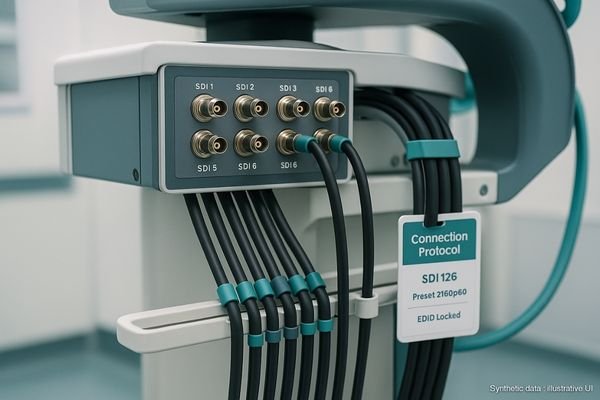
To restore predictability, the entire approach to OR integration must shift from reactive troubleshooting to a proactive, engineering-led strategy. This strategy is built on a foundation of standardization and verification.
Standardize and Validate
The first step is to standardize on a single, robust transport protocol for all 4K signals within the OR, with 12G-SDI5 often preferred for long runs, locking connectors, and professional reliability. For legacy devices, a set of high-quality, validated converters should be chosen and used consistently. The next step is to create a "validated interoperability matrix" for the institution: physically test and document every expected combination of source, cable, router, and display. Target ≤60-second verified source-switch time per room, and keep versioned EDID profiles audited quarterly.
Implement and Test
Once the validated combinations are known, clear, step-by-step connection protocols should be created and available in every OR. Introduce a pre-flight checklist: as part of room setup, quickly test all required video sources for the day’s cases to ensure every planned switch will work as expected. Establish a fallback path via matrix/KVM and rehearse a “black-screen recovery” drill—e.g., switch to a validated alternate source within 30 seconds.
Surgical display selection for interface-heavy OR integration
The surgical display is the final and most critical link in this chain. Its ability to gracefully handle a wide range of signals is essential.
Select medical-grade surgical displays engineered for mixed inputs: multiple native ports (including 12G-SDI, HDMI 2.0, DisplayPort), robust up/down-scaling, low-latency processing, and deterministic PIP/PBP/Quad behavior. Favor consistent color baselines (Rec.709 with BT.2020 headroom), optical bonding, and flat-front hygiene. Require vendor-witnessed plug-tests and EDID profile options to align with your signal policy across endoscopy towers, carts, and PACS.
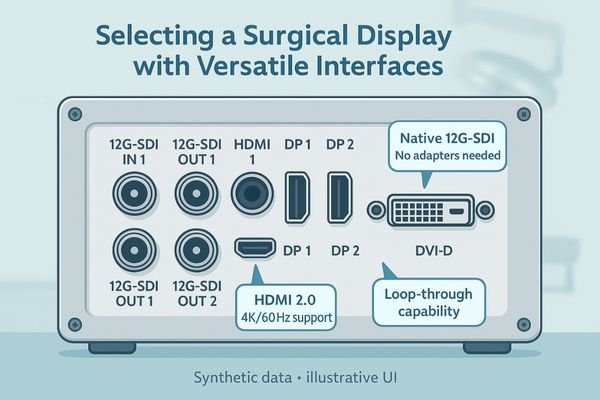
Choosing the right surgical display (also described as a surgical monitor in some contexts) is central to building a resilient integration strategy. The display acts as the ultimate arbiter for every video signal in the room, so its interface capabilities are paramount. A truly integration-friendly display must possess a versatile array of native inputs, including multiple 12G-SDI, HDMI 2.0, and DisplayPort connectors, to minimize reliance on external adapters. However, simply having ports is not enough: the internal scaling engine must correctly interpret and scale a wide variety of signals—from legacy HD to modern 4K/60—without artifacts. Demand interoperability test data from the manufacturer and deterministic multiview behavior under mixed sources. Before PO, confirm 12G-SDI options, multiview modes, and the room-level EDID policy.
Recommended Surgical Displays for Integration
| Model | Category | Key Features for Interface Compatibility |
|---|---|---|
| MS275PA | Compact 4K Cart Display | Compact for carts; reliable scaling from HD to 4K. |
| MS321PB | Standard OR 4K Display | Suited to common viewing distance; strong mixed-source handling. |
| MS430PC | Large Wall-Mount Display | Wide team visibility; multiview for concurrent sources. |
Business value: delivery certainty and lifecycle control
A well-defined integration strategy delivers significant business value by reducing risk, controlling costs, and ensuring predictable performance from procurement to replacement.
Ensuring compatibility up front provides delivery certainty and steadier commissioning, reduces unplanned support, and simplifies spares and training. Predictable switching shortens turnover and stabilizes surgeon experience, while standardized transports and EDID governance lower total cost of ownership. The organization gains a platform ready for future upgrades without re-cabling every room.
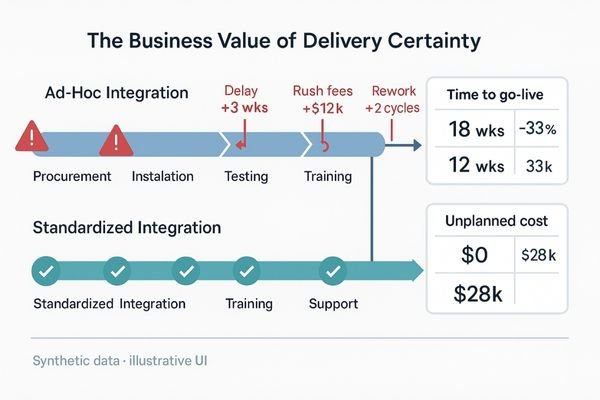
Adopting a pragmatic integration strategy provides a strong return on investment6 that extends far beyond the OR. The most immediate benefit is delivery certainty: when new equipment is procured against a validated interoperability matrix, the risk of discovering a critical incompatibility during installation is significantly reduced. This leads to faster, more predictable room commissioning and activation, getting new service lines running on schedule. Over the equipment lifecycle, standardizing transports and devices simplifies maintenance, reduces spare parts and adapter inventory, and lowers training overhead for clinical and technical staff. This long-term predictability and reduced troubleshooting effort translate directly to a lower TCO for operating room monitors and the broader medical imaging monitor estate.
FAQ
My new 4K endoscope gives a black screen on my 4K monitor. Why?
This is a classic handshake failure. Risks include HDCP version mismatch, timing/format gaps, or cabling limits. Standardize EDID profiles and transports (12G-SDI for 4K where appropriate), and verify the display’s low-latency pipeline with your exact sources.
What is the difference between a converter and an adapter?
An adapter changes only the connector shape; a converter actively re-processes the signal (e.g., resolution or frame-rate change). Converters add complexity and can disrupt EDID profiles—validate models on your matrix and lock settings before clinical use.
Does a matrix switcher solve these problems?
A matrix simplifies routing but can introduce its own compatibility issues. Validate the switcher against all sources and displays, and confirm deterministic multiview and switch timing in your room-level test plan.
Should we standardize on HDMI 2.1 for everything?
While HDMI 2.1 is capable, practical use in hospitals is limited by distance, non-locking connectors, and device variability; for mission-critical infrastructure, 12G-SDI is often preferred. For short-run carts with certified active cables and documented logs, HDMI 2.1 may be acceptable under policy.
Conclusion: restore predictability to multi-system OR imaging
By adopting a room-level signal policy and selecting displays proven to handle mixed sources, hospitals can restore predictability and ensure seamless imaging workflows. To get started, request a policy template and a sample interoperability test matrix at info@reshinmonitors.com.
-
Explore this link to understand how to optimize surgical displays for better workflow and patient safety. ↩
-
Understanding digital handshakes is crucial for ensuring seamless video transitions in surgical procedures. ↩
-
Exploring this topic can provide insights into improving procurement and integration strategies in healthcare. ↩
-
This link will offer strategies and solutions to help healthcare organizations manage and lower their operational expenses. ↩
-
Explore this link to understand the advantages of 12G-SDI for reliable video transport in professional settings. ↩
-
Understanding ROI in healthcare can help you make informed decisions that enhance efficiency and profitability. ↩