
Medical images contain subtle details essential for diagnosis. An 8-bit display can miss these vital nuances, leading to clinical uncertainty. A 10-bit display reveals every shade, ensuring diagnostic confidence.
This article compares 10-bit and 8-bit grayscale performance in medical displays. I will examine grayscale transitions, visual artifacts like banding, impact on diagnostic accuracy, DICOM compliance, image contrast, hardware requirements, and Reshin’s adoption of 10-bit technology in its diagnostic-grade monitors.
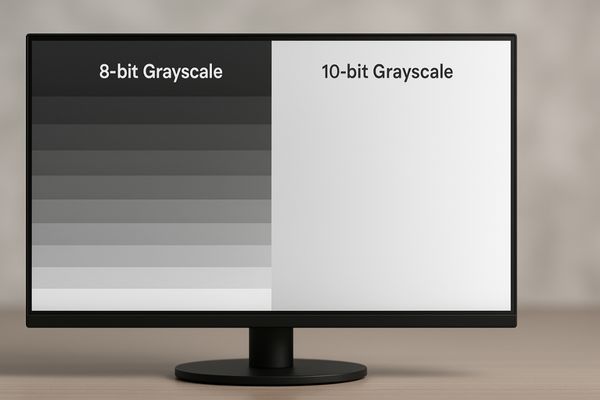
In my display engineering work, the difference between 8-bit and 10-bit grayscale systems has consistently proven to be one of the most influential factors affecting how faithfully clinical image data is rendered. An 8-bit display outputs 256 grayscale levels, which is adequate for office use but insufficient for high-density medical imaging modalities that rely on subtle tonal transitions. CT, MRI, and mammography scans often encode thousands of luminance steps that must be faithfully reproduced to avoid losing important visual information.
A 10-bit display1 produces 1024 grayscale levels—four times more than 8-bit. In practical use, this expanded tonal range provides smoother gradients and helps preserve the minute differences in soft-tissue densities that clinicians depend on during interpretation. While the display does not change clinical outcomes by itself, it helps ensure the image chain preserves data integrity, reducing ambiguity caused by limited grayscale rendering. For diagnostic tools such as the MD50C, this higher bit depth supports consistent visualization aligned with diagnostic workflow expectations.
10-bit displays offer smoother grayscale transitions
Abrupt tonal jumps can distort subtle texture information. This makes it harder for clinicians to differentiate between similar soft tissues.
A 10-bit display renders 1024 grayscale steps, enabling smoother tonal transitions and minimizing perceptual discontinuities often seen in 8-bit gradients.
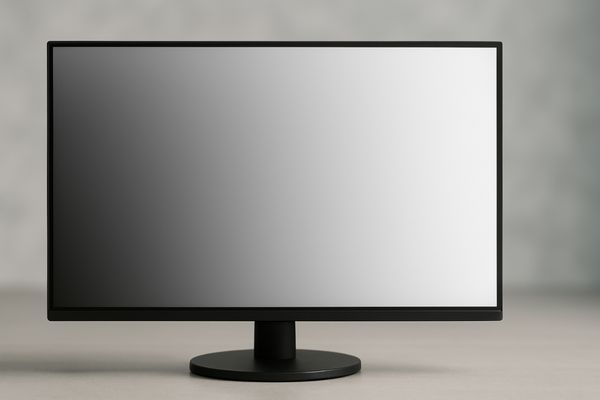
From an engineering perspective, the real advantage of a 10-bit display2 comes from its ability to maintain continuous tonal changes across the imaging range. With 1024 discrete shades, gradients appear fluid and uninterrupted. This is especially important in soft-tissue imaging where tiny changes in attenuation values represent meaningful anatomical difference.
In contrast, an 8-bit display must compress different values into shared tonal steps, which can obscure nuances. A 12MP 10-bit diagnostic monitor like the MD120C is designed to avoid these limitations by maintaining consistent tonal fidelity across large, high-resolution datasets.
8-bit systems show visible banding in subtle gradients
Banding artifacts break the natural continuity of grayscale representation. They can introduce false structures or hide small abnormalities.
An 8-bit system’s 256 grayscale levels result in contour banding—step-like transitions that can mimic fake edges or conceal low-contrast features.
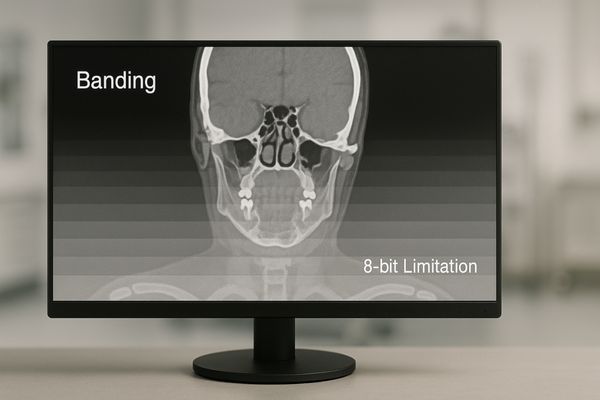
Contour banding3 is one of the most recognizable limitations of 8-bit imaging4. When gradients become stepped, the image no longer reflects the true continuous structure of the anatomical region. This may generate visual patterns that are not present in the underlying data or mask actual structures.
In surgical environments, the MS270P implements processing that reduces banding appearance. However, for primary diagnostic reading, relying on 8-bit systems carries a higher risk of tonal distortion, making 10-bit systems a more suitable engineering choice for consistent grayscale representation.
Higher grayscale depth improves diagnostic confidence
More grayscale detail allows clearer visualization of soft-tissue differences.
With 1024 levels, 10-bit monitors can represent subtle density variations that 8-bit systems may merge into a single shade, supporting more confident perception of fine structures.

From an engineering standpoint, grayscale depth5 determines how precisely luminance changes can be displayed. For example, microcalcification clusters or faint vascular structures may appear more distinguishable when the display pipeline maintains more luminance steps.
The MD52G leverages 10-bit rendering to preserve subtle transitions in mammography images, reducing ambiguity caused by tonal grouping or truncation.
DICOM compliance favors 10-bit grayscale rendering
DICOM Part 14 defines how luminance should be displayed to maintain consistency across monitors.
Because DICOM GSDF is perceptually linear, 10-bit systems—with four times more luminance steps—map far more accurately to the standard curve.
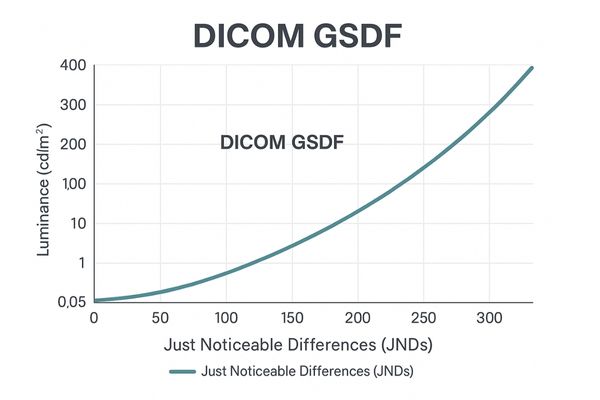
The GSDF standard6 ensures that equal digital increments correspond to visually equal changes in brightness. An 8-bit system’s 256 levels are too coarse to perfectly follow this curve, often causing deviations or visible stepping artifacts.
A 10-bit display7 supports 1024 luminance steps, enabling significantly closer alignment and more stable perceptual behavior. Models like the MD32C rely on internal 10-bit processing to maintain GSDF accuracy during calibration.
DICOM GSDF Adherence: 8-bit vs. 10-bit
| Feature | 8-bit Display | 10-bit Display | Clinical Impact |
|---|---|---|---|
| Granularity | Coarse | Fine | Smoother gradients |
| GSDF Mapping | Approximate | High fidelity | More accurate luminance |
| Perceptual Linearity | Banding | Smooth | Reliable tonal rendering |
| Consistency | Variable | Stable | Better cross-device uniformity |
Image contrast is more consistent in 10-bit monitors
Contrast defines the visibility of edges, textures, and subtle tonal boundaries.
Higher bit depth preserves detail across shadows and highlights, avoiding crushed blacks and clipped whites.
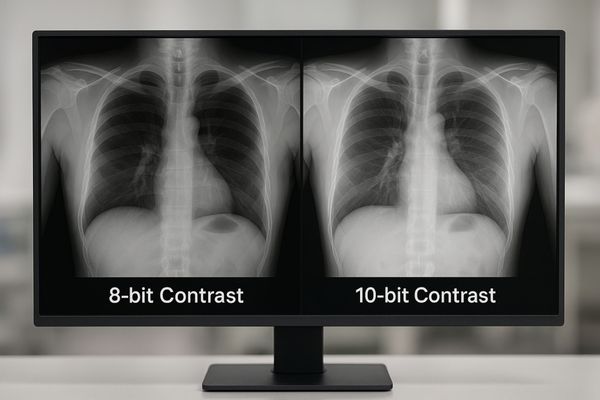
Because 8-bit systems have larger jumps between grayscale values, they tend to collapse dark details into black and bright details into white. A 10-bit pipeline8 produces more stable luminance gradation.
The MS321PC benefits from this when used in low-illumination scenarios. Fine structures remain visible where an 8-bit system may lose detail.
Data bandwidth and GPU support impact grayscale depth
Achieving full 10-bit output requires support across the entire imaging chain.
The GPU, operating system, cable interface, and application must all support 10-bit output—otherwise the signal is downgraded to 8-bit before reaching the monitor.
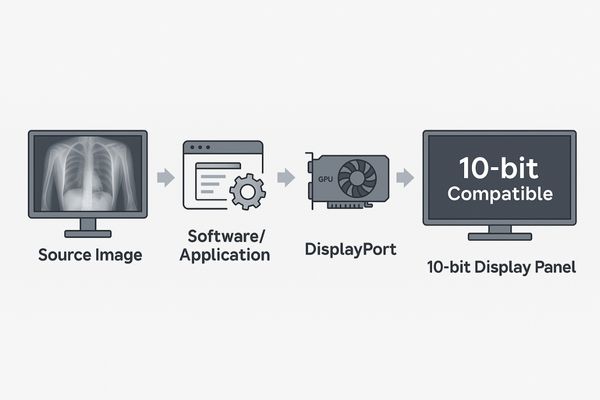
In many deployments I’ve overseen, users upgraded to 10-bit panels but unknowingly operated in 8-bit mode due to bottlenecks in the chain. The system must support:
- 10-bit-capable GPU (Quadro / Radeon Pro)
- 10-bit-enabled OS pipeline
- Medical viewer software supporting deep color
- DisplayPort or equivalent high-bandwidth cable
Workstations driving high-resolution displays like the MD85CA must verify compatibility before deployment.
Reshin adopts 10-bit panels in diagnostic-grade displays
To preserve tonal integrity across modalities, we standardize on 10-bit panel technology.
All Reshin diagnostic displays use true 10-bit panels and internal 10-bit LUT processing to support GSDF compliance and high-precision grayscale output.
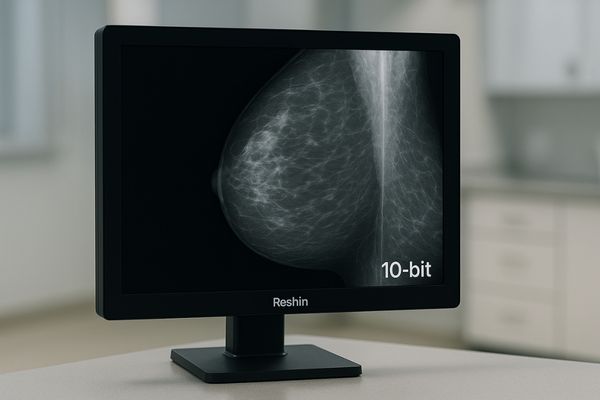
Our engineering approach centers on maintaining grayscale integrity from panel selection to LUT calibration. Reshin diagnostic models—including MD33G, MD50C, MD52G, and MD120C—all implement true 10-bit panels and calibration tools to help ensure consistent grayscale performance throughout clinical use.
FAQ
1. Do 10-bit displays guarantee better clinical outcomes?
Not directly. The benefit is that 10-bit displays help preserve subtle tonal differences in the source image, providing clinicians with more complete visual information.
2. Can an 8-bit monitor still be used for non-diagnostic tasks?
Yes. 8-bit displays are suitable for HIS/RIS, administrative review, or secondary viewing, but not for primary diagnosis.
3. What hardware is required for true 10-bit output?
A compatible GPU, a 10-bit-enabled OS pipeline, DisplayPort cabling, and medical imaging software that supports deep color.
Conclusion
The shift from 8-bit to 10-bit grayscale marks a meaningful improvement in how medical images are visually represented, particularly for modalities with subtle tonal transitions. Higher bit depth supports smoother gradients, better GSDF alignment, and more stable contrast across the luminance range.
To explore 10-bit diagnostic displays for your imaging projects, you can contact Reshin’s engineering team — we’re ready to support integration and workflow design.
📧 Email: info@reshinmonitors.com
🌐 Website: https://reshinmonitors.com/
-
Technical overview of bit depth and dynamic range in imaging systems. ↩
-
Study on 10-bit grayscale rendering in radiology workflows. ↩
-
Definition of contour banding and its visual impact. ↩
-
Analysis of 8-bit limitations in medical imaging. ↩
-
Research on grayscale depth and perceptual accuracy. ↩
-
Explanation of DICOM GSDF luminance mapping. ↩
-
Overview of display quality metrics for medical monitors. ↩
-
Engineering reference for local contrast behavior in imaging. ↩


