Product Model: MD85CA

MD85CA 8MP Color Diagnostic Monitor for Multi-Modality Imaging

MD85CA is a 31.5-inch 8MP color diagnostic monitor designed for multi-modality image review, PACS comparison, and mammography-related workflows. With 3840×2160 resolution, DICOM-aligned grayscale modes, color Gamma options, CBS luminance stabilization, and multi-screen display support, it helps radiology teams review different imaging modalities on one large-format diagnostic display.

MD85CA 31.5-inch 8MP Color Display for PACS and Multi-Modality Review

MD85CA supports color and grayscale medical image review on a 31.5-inch 4K UHD panel. It is suitable for PACS workstations, multi-modality comparison, remote consultation, image teaching, and projects that need one large-format 8MP display instead of multiple lower-resolution screens. For dedicated 5MP grayscale mammography reading, MD52G may be the more focused option; for higher-end 12MP diagnostic reading, MD120C should be considered.

  • Product Type:

    8MP Color Diagnostic Monitor
  • Screen Size:

    31.5″
  • Resolution:

    3840 × 2160 (8MP)
  • Brightness:

    350 cd/m²
  • Best For:

    Multi-modality review, PACS comparison, and large-format diagnostic viewing

MD85CA Product Overview: 8MP Color Diagnostic Display

MD85CA is a 31.5-inch 8MP color diagnostic display built for multi-modality image review, PACS workstation comparison, and large-format diagnostic viewing. Its 3840×2160 resolution allows radiologists and imaging teams to review CT, MRI, DR, CR, ultrasound, endoscopy-related images, and mammography-related studies within a wider visual workspace. The monitor supports DICOM-aligned grayscale modes, multiple Gamma modes, CBS luminance stabilization, ambient light compensation, and multi-screen display layouts. It is best positioned as an 8MP color multi-modality display rather than a dedicated 5MP grayscale mammography monitor or a 12MP high-end diagnostic reading monitor.

Buyer Fit

Who Is MD85CA Suitable For?

MD85CA is suitable for PACS workstations, multi-modality image comparison, radiology consultation rooms, image teaching environments, and diagnostic projects that need a 31.5-inch 8MP color display with DICOM-aligned grayscale modes, color Gamma options, and multi-screen viewing support.

  • PACS workstations requiring a large-format 8MP diagnostic display
  • Multi-modality review of CT, MRI, DR, CR and related imaging studies
  • Radiology consultation rooms and expert desktop review environments
  • Image teaching and remote medical consultation applications
  • Projects needing color and grayscale review on one 31.5-inch 4K display
  • Workflows that need multi-screen layouts instead of multiple separate monitors

Technical Specifications — MD85CA 8MP Color Diagnostic Monitor

Product TypeBreast Imaging Monitor / Diagnostic Monitor
Screen Size31.5″
Resolution3840 × 2160 (8MP UHD)
Aspect Ratio16:9
Brightness350 cd/m²
Contrast Ratio1300:1
Color Depth12-bit (≈68.7B colors)
Viewing Angle178° H / 178° V
DICOM CompliancePart 14 auto calibration (±5% deviation)
Luminance StabilizationCBS system (long-term brightness stability)
Ambient LightAutomatic ambient light compensation
InputsDP 1.4 ×2, HDMI 1.4 ×2, DVI-D ×2, VGA ×1, USB ×2
PowerDC 24V; 120W (max)

Model Selection

Compare MD85CA with Nearby High-Resolution Diagnostic Monitor Models

MD85CA is positioned as an 8MP color diagnostic monitor for PACS comparison and multi-modality image review. Use the comparison below to decide whether your workflow needs a 4MP PACS display, a dedicated 5MP grayscale mammography monitor, an 8MP color multi-modality display, or a higher-end 12MP diagnostic monitor.

Model Size Resolution Main Positioning Best For
MD45C 30" 2560×1600 4MP Dual-Screen PACS PACS multi-window review and side-by-side clinical image comparison.
MD52G 21.3" 2560×2048 5MP Grayscale Mammography Dedicated breast imaging and high-detail grayscale mammography review.
MD85CA 31.5" 3840×2160 8MP Color Multi-Modality PACS comparison, multi-modality image review, consultation, teaching, and large-format diagnostic viewing.
MD120C 31" 4200×2800 12MP High-End Diagnostic High-precision mammography, advanced diagnostic reading, and high-resolution multi-modality workflows.

Technical Highlights of MD85CA 8MP Color Diagnostic Monitor

8MP / 4K UHD Multi-Modality Review

With 3840×2160 resolution on a 31.5-inch display, MD85CA provides an 8MP workspace for reviewing multiple imaging modalities, PACS layouts, and mammography-related studies on one large-format diagnostic screen.

CBS Luminance Stabilization

CBS luminance stabilization helps compensate for brightness changes during daily use, supporting more stable image presentation in PACS, consultation and multi-modality review environments.

DICOM-QC Auto Calibration

DICOM-QC auto calibration supports automatic DICOM curve detection and adjustment, helping maintain DICOM-aligned grayscale presentation for medical image review.

Ambient Light Compensation

Ambient light compensation helps adjust display brightness according to surrounding light conditions, supporting more consistent viewing in reading rooms, consultation spaces and workstation environments.

Color and Grayscale Display Modes

MD85CA supports DICOM grayscale modes and color Gamma options, allowing users to review grayscale and color medical images on the same 8MP diagnostic display.

Multi-Screen Layout Support

Multi-screen layout support allows single, dual, triple, quad and multi-view display modes, helping users compare multiple image sources or modalities within one large-format screen.
Application Scenarios for MD85CA

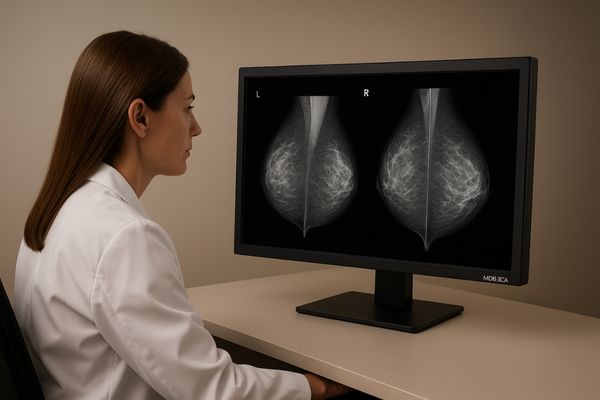
Multi-modality image review on MD85CA 31.5-inch 8MP color diagnostic monitor

Multi-Modality Image Review

MD85CA supports multi-modality review workflows where CT, MRI, DR, CR, ultrasound, endoscopy-related images and mammography-related studies may need to be compared on one large 8MP display.
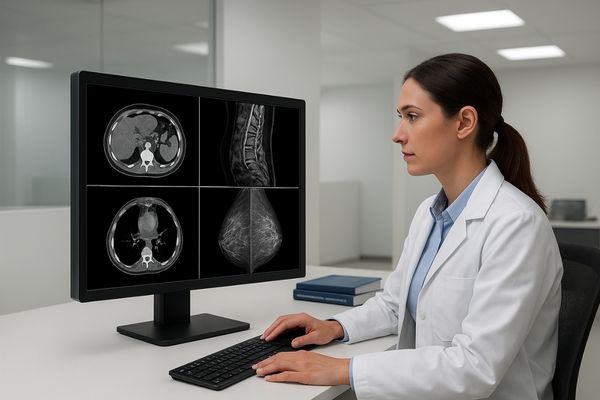
PACS workstation comparison with MD85CA 8MP color diagnostic display

PACS Workstation Comparison

The 31.5-inch 4K UHD workspace allows PACS users to compare multiple images, layouts or modalities on one display, reducing dependence on multiple separate monitors in selected review environments.
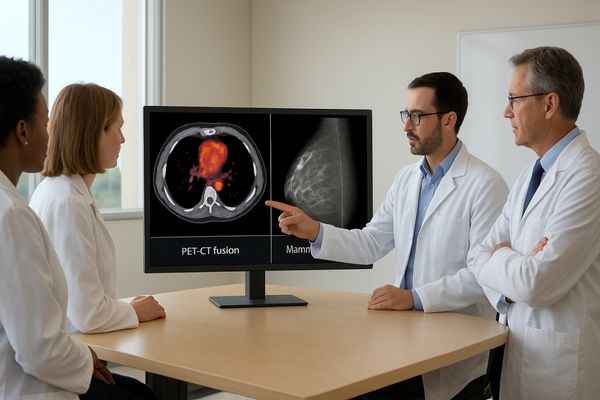
Radiology consultation and image teaching with MD85CA large-format diagnostic display

Consultation, Teaching and Expert Desktop Review

MD85CA is suitable for consultation rooms, remote medical consultation, image teaching and expert desktop review where a larger color diagnostic display helps present multiple images to clinicians or trainees.

Technical Highlights of MD85CA 8MP Color Diagnostic Monitor

8MP / 4K UHD Multi-Modality Review

With 3840×2160 resolution on a 31.5-inch display, MD85CA provides an 8MP workspace for reviewing multiple imaging modalities, PACS layouts, and mammography-related studies on one large-format diagnostic screen.

CBS Luminance Stabilization

CBS luminance stabilization helps compensate for brightness changes during daily use, supporting more stable image presentation in PACS, consultation and multi-modality review environments.

DICOM-QC Auto Calibration

DICOM-QC auto calibration supports automatic DICOM curve detection and adjustment, helping maintain DICOM-aligned grayscale presentation for medical image review.

Ambient Light Compensation

Ambient light compensation helps adjust display brightness according to surrounding light conditions, supporting more consistent viewing in reading rooms, consultation spaces and workstation environments.

Color and Grayscale Display Modes

MD85CA supports DICOM grayscale modes and color Gamma options, allowing users to review grayscale and color medical images on the same 8MP diagnostic display.

Multi-Screen Layout Support

Multi-screen layout support allows single, dual, triple, quad and multi-view display modes, helping users compare multiple image sources or modalities within one large-format screen.

MD85CA 8MP Color Diagnostic Monitor FAQ

What are the primary applications of MD85CA?

MD85CA is mainly used for PACS workstation comparison, multi-modality image review, radiology consultation, image teaching and expert desktop review. It is positioned as an 8MP color diagnostic monitor rather than a dedicated 5MP grayscale mammography display or a 12MP high-end diagnostic monitor.

Does MD85CA support DICOM display modes?

Yes. MD85CA supports DICOM-aligned grayscale modes and DICOM-QC auto calibration to help maintain grayscale presentation for medical image review.

What is the resolution and screen size of MD85CA?

MD85CA uses a 31.5-inch panel with 3840×2160 resolution, providing an 8MP / 4K UHD workspace for PACS comparison and multi-modality image review.

Is MD85CA suitable for mammography-related review?

MD85CA can support mammography-related comparison and multi-image review on a large 8MP color display. For dedicated 5MP grayscale mammography reading, MD52G is the more focused model. For higher-end 12MP diagnostic reading, MD120C may be considered.

Which input interfaces are available on MD85CA?

MD85CA supports VGA, HDMI, DVI-D, DP, USB and OTG interfaces, making it suitable for PACS workstations, imaging systems and multi-source display environments.

Which model should I choose if I need a different diagnostic monitor?

For dedicated 5MP grayscale mammography review, consider MD52G. For 4MP PACS multi-window review, consider MD45C or MD46C. For higher-end 12MP diagnostic reading and mammography-related workflows, consider MD120C.

Request MD85CA Datasheet or Multi-Modality Display Advice

Send Your Multi-Modality Display Requirement

Share your modality mix, PACS workstation setup, preferred display layout, input interface requirements and expected quantity. Reshin will help confirm whether MD85CA is suitable or recommend a different diagnostic monitor if a dedicated 5MP grayscale or 12MP high-end model is required.
Medical team discussing clinical imaging data in a meeting room

Ask For A Quick Quote

We will contact you within 1 working day, please pay attention to the email with the suffix “@reshinmonitors.com”

Ask For A Quick Quote

We will contact you within 1 working day, please pay attention to the email with the suffix “@reshinmonitors.com”