
MD26GA is a 21.3-inch 2MP grayscale diagnostic monitor designed for DR/CR acquisition, PACS grayscale review and routine radiology image checking. With 1600×1200 resolution, 12-bit grayscale depth, DICOM-aligned display modes and CBS luminance stabilization, it provides a higher-resolution grayscale option than 1MP clinical display models.
The 21.3-inch 2MP grayscale display combines CBS luminance stabilization, lightbox mode and auto portrait/landscape rotation for DR/CR, PACS and radiology review workstations. It is positioned above 1MP grayscale displays when higher resolution is required, while 3MP or 5MP models may be more suitable for higher-detail diagnostic reading.
MD26GA is positioned as a 21.3-inch 2MP grayscale diagnostic monitor for DR/CR acquisition, PACS grayscale review and routine radiology image checking. Its 1600×1200 resolution and 12-bit grayscale depth provide more image detail than 1MP display models while keeping the workstation format compact for radiology departments and imaging equipment projects.
The monitor supports DICOM-aligned display modes, CBS luminance stabilization, lightbox mode and automatic portrait/landscape rotation for grayscale-focused workflows. HDMI, DP, DVI-D, VGA, BNC and USB inputs help MD26GA connect with DR/CR systems, PACS workstations, CT/MRI consoles and mixed legacy imaging environments.
Buyer Fit
MD26GA is suitable for DR/CR acquisition, PACS grayscale review, CT/MRI image checking, and radiology workstation projects that need a 21.3-inch 2MP grayscale diagnostic monitor with DICOM-aligned modes, lightbox mode, auto rotation, and broad signal input compatibility.
| Product Type | 2MP Grayscale Diagnostic Monitor |
|---|---|
| Screen Size | 21.3″ |
| Resolution | 1600 × 1200 (2MP) |
| Aspect Ratio | 4:3 |
| Grayscale Depth | 12-bit |
| Factory-default luminance | 400 cd/m² |
| Maximum luminance | 1900 cd/m² |
| Contrast Ratio | 1800:1 |
| Viewing Angle | 178° H / 178° V |
| Gamma / DICOM Modes | DICOM350–600, LINEAR, CRT, DSA, DSI, CT/MRI, RX1/RX2, GAMMA 1.8/2.0/2.2/2.4 |
| Stabilization | CBS Luminance Stabilization |
| Calibration | DICOM-QC Auto Calibration (±5% deviation) |
| Inputs | VGA, DP, DVI-D, HDMI, BNC (SOG compatible), USB |
| Power | DC 24V 5A, 50W (max) |
Model Selection
MD26GA is positioned as a 21.3-inch 2MP grayscale diagnostic monitor for DR/CR and PACS review. Use the comparison below to decide whether your workflow needs a 1MP high-brightness grayscale display, a 2MP grayscale monitor, or a higher-resolution 3MP or 5MP grayscale model.
| Model | Size | Resolution | Main Positioning | Best For |
|---|---|---|---|---|
| MD18G | 19" | 1280×1024 | 1MP High-Brightness Grayscale | CT/MRI, C-arm, DSA and PACS users who need stronger grayscale visibility but do not require 2MP resolution. |
| MD26GA | 21.3" | 1600×1200 | 2MP Grayscale DR/CR & PACS | DR/CR acquisition, PACS grayscale review, CT/MRI image checking, and radiology workstations needing 2MP grayscale display. |
| MD33G | 21.3" | 2048×1536 | 3MP Grayscale PACS | PACS workstation reading, CT/MRI grayscale review, and workflows that require higher detail than 2MP displays. |
| MD52G | 21.3" | 2560×2048 | 5MP Mammography Grayscale | Breast imaging, mammography review, and high-detail grayscale diagnostic reading requiring 5MP resolution. |
DICOM-QC auto calibration supports more consistent grayscale display behavior for DR/CR, PACS and radiology review workflows.
CBS luminance stabilization helps reduce brightness drift during daily use, supporting stable grayscale image presentation over time.
The 1600×1200 2MP resolution and 12-bit grayscale depth provide more image detail than 1MP display models for DR/CR, PACS and routine radiology review.
One-touch lightbox mode provides a bright white screen for film or image comparison tasks, helping users handle practical review scenarios without adding a separate lightbox device.
Auto portrait and landscape rotation allows MD26GA to adapt to different radiology workstation layouts and image review orientations.
HDMI, DP, DVI-D, VGA, BNC and USB inputs help MD26GA connect with DR/CR systems, PACS workstations, CT/MRI consoles and mixed imaging environments.

MD26GA supports DR/CR acquisition and review workstations where users need a 21.3-inch 2MP grayscale diagnostic monitor with DICOM-aligned display modes.
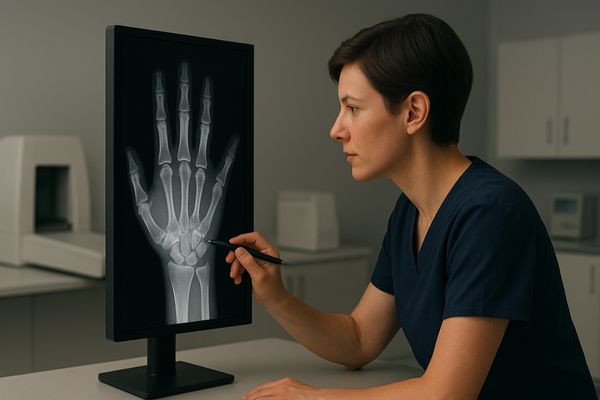
For PACS grayscale review points, MD26GA provides 1600×1200 resolution, 12-bit grayscale depth and CBS luminance stabilization for routine radiology image viewing.

MD26GA can be used for CT/MRI image checking tasks where 2MP grayscale resolution is suitable and higher-resolution 3MP or 5MP diagnostic monitors are not required.
MD26GA provides a 21.3-inch 2MP grayscale display configuration for DR/CR, PACS and routine radiology review workstations.
CBS luminance stabilization supports more consistent grayscale image presentation during daily use.
HDMI, DP, DVI-D, VGA, BNC and USB inputs support connection with DR/CR systems, PACS workstations, CT/MRI consoles and mixed legacy imaging environments.
Built-in DICOM and Gamma modes help users select display behavior according to DR/CR, PACS, CT/MRI or radiology review requirements.
One-touch lightbox mode and automatic portrait/landscape rotation help MD26GA adapt to practical radiology review and workstation layouts.
For DR/CR, PACS or radiology workstation projects, Reshin can provide the MD26GA datasheet and help confirm whether this 2MP grayscale model fits the intended workflow.
Share your modality type, workstation setup, required input interface and expected quantity. Reshin will help confirm whether MD26GA is suitable or recommend a 3MP, 5MP or higher-resolution diagnostic monitor if needed.

We use cookies to improve website functionality, analyze site performance, and protect inquiry forms from spam. You can accept all cookies, reject non-essential cookies, or manage your preferences at any time.
Tell us the application, model or required specification, quantity and destination country. We will review your request and reply by email.