
Reshin supplies display options for DR/CR acquisition, CT and MRI operator workstations, and defined diagnostic review positions. Tell us where the display sits in your radiology system and which task it performs. The display role, signal output and sample acceptance criteria determine the suitable model direction.
Displays aligned with radiology acquisition and review workflows
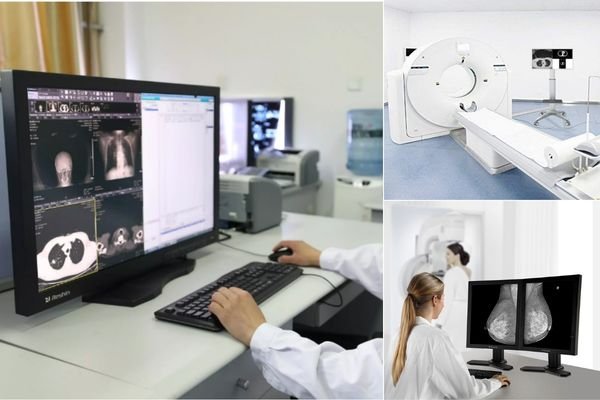
In radiology equipment projects, the display is part of the workflow system rather than a simple output component.
Radiology equipment manufacturers operate in one of the most regulated and performance-critical areas of medical imaging. Displays used in radiology systems are not simple output devices — they are integral components of the diagnostic workflow.
Whether integrated into DR and CR X-ray systems, CT and MRI operator consoles, or mammography imaging stations, medical displays must deliver consistent grayscale performance, stable long-term availability, and predictable behavior across the entire product lifecycle.
Radiology platforms commonly combine acquisition, control, and review tasks. Display selection therefore affects console usability, workstation logic, project validation, and long-term service planning.
Typical System Environments
Typical Display Positions
Provide the console output, native resolution, mounting space and operating controls.
Provide the modality, intended reading use, grayscale or color requirement, target luminance and calibration expectations.
Agree source recognition, native resolution, image presentation, mounting fit and the required verification record.
For MRI projects, state whether the monitor is outside or inside the magnet room. Do not assume MR Safe or MR Conditional status from a radiology application label.
Radiology display selection is usually tied to the larger equipment workflow, not only to panel specifications. For manufacturers, the more important questions often involve stability, integration logic, deployment consistency, and project continuity.
Before comparing models, separate acquisition and control tasks from diagnostic interpretation. A display that fits a console mechanically is not automatically suitable for every reading task. Define the intended role, luminance and verification requirements for each display position.
Displays may serve acquisition, control, review, or reporting roles within one larger radiology system.
Projects often require grayscale consistency and steadier behavior across longer regulated product cycles.
Display choices should fit console structure, workstation logic, and broader modality-side integration planning.
Manufacturers often need more predictable model direction for validation, rollout, and later service continuity.
Relevant across radiology acquisition, control, and diagnostic review environments that require steadier display behavior.
Reshin supports radiology device workflows across acquisition, control, and review stages. The goal is to help manufacturers maintain more stable system behavior and more consistent user experience through longer project lifecycles.
All solutions are designed for OEM integration within radiology equipment platforms.
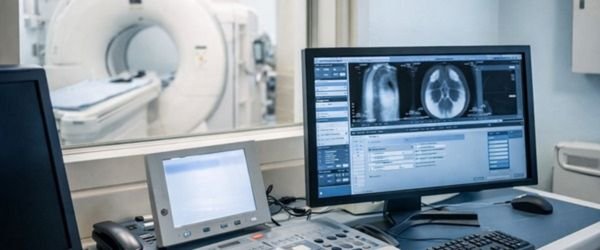
Radiology equipment projects often face repeated challenges when display choices need to support validation, integration, and longer-term deployment.
Uncontrolled display variation can affect validation rhythm, documentation stability, and longer-term deployment planning in regulated radiology programs.
In radiology projects, display selection is often reviewed through the lens of validation, deployment, and continuity. These priorities usually matter more than basic specification comparison alone.
Display behavior should support a steadier validation rhythm across acquisition and review workflows.
Equipment-side integration should align with consoles, workstations, and actual operator-side use.
More consistent batch behavior helps reduce project-side variation across repeated deployment stages.
Longer-term model direction can matter as much as initial specification fit in radiology projects.
Built to support radiology projects that need integration fit, supply continuity, and steadier documentation coordination.
Reshin works as a display solution partner for radiology equipment programs that need more than short-term component sourcing. We support projects that require stable display behavior, validation alignment, and longer-term deployment continuity across regulated product lifecycles.
You get a display partner that helps reduce integration risk, avoids unnecessary change cycles, and supports consistent system behavior from prototype to mass production—especially important for long-running radiology equipment programs.
See how Reshin supported a radiology equipment manufacturer in defining diagnostic display directions before sample evaluation and longer-term workstation planning.
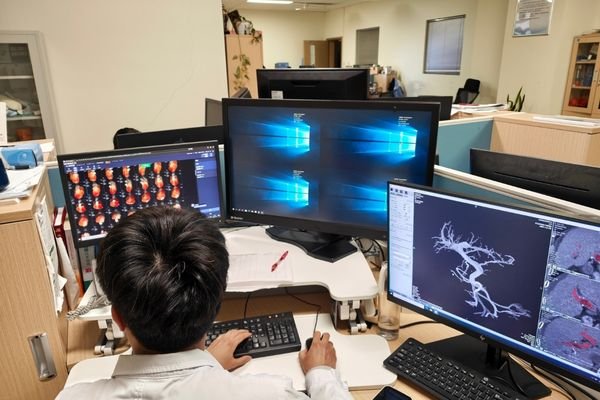
The project focused on separating immediate 2MP and 3MP diagnostic display requirements from possible future higher-resolution directions. Reshin supported workstation-role mapping, specification review, documentation coordination and model-continuity discussion before the customer moved toward sample evaluation.
DR/CR and CT/MRI
2MP and 3MP
Pre-sample evaluation
Customer identity, project location and selected technical details are not disclosed due to confidentiality requirements.
Common deployment contexts where radiology display behavior, workflow fit, and continuity all matter.
Single or dual display configurations integrated into acquisition and operator-side console environments.
Review environments that require steadier multi-monitor behavior across reporting and diagnostic workflows.
Platforms that combine acquisition monitoring and diagnostic review within one coordinated workflow path.
CT, MRI, and mixed-system platforms where predictable display behavior helps reduce project risk.
These are common questions from radiology equipment teams reviewing display solutions for acquisition, control, and diagnostic workflow use.
It is mainly intended for DR, CT, MRI, mammography, and related radiology equipment development programs.
Teams often review workflow fit, grayscale stability, integration logic, and longer-term model continuity.
They can support projects that involve acquisition consoles, review stations, and integrated radiology workflows.
Sharing system type, display position, interface needs, review role, and project stage helps a lot.
This page is more focused on radiology equipment-side projects rather than general hospital purchasing only.
Yes. Many projects also involve validation rhythm, integration fit, and longer-term deployment planning.
Yes. Radiology programs often need steadier performance and continuity across longer regulated project cycles.
That is usually the goal through more stable display direction, better workflow fit, and clearer coordination.
Suitable for acquisition and review environments that need steadier grayscale behavior and longer-term consistency.
Optimized for reporting and review workflows that depend on more consistent multi-screen presentation.
Designed for diagnostic reading environments
Suitable for long working hours and clinical use
Designed for console and imaging-system positions that require clearer image presentation and stable daily use.
High-resolution display options
Stable performance for imaging review
Suitable for integrated equipment systems
Use these product directions as a starting point for matching display roles inside your radiology system.
If you are developing radiology equipment and need display support that fits acquisition, control, or review workflows, Reshin can help you evaluate a more suitable solution direction for longer-cycle medical projects.
We use cookies to improve website functionality, analyze site performance, and protect inquiry forms from spam. You can accept all cookies, reject non-essential cookies, or manage your preferences at any time.
WhatsApp Inquiry
Tell us the application, model or required specification, quantity and destination country. We will review your request and reply by email.