
Reshin develops and manufactures display platforms for PACS vendors, radiology workstation builders and medical imaging integrators that require defined workstation profiles, repeatable multi-monitor behavior, controlled deployment and longer-term model continuity.
Typical evaluation inputs include workstation role, intended review use, single-screen, dual-monitor or wide-format layout, target resolution, graphics output and interface requirements, mounting or orientation, deployment quantity and current rollout stage.

This page is intended for organizations defining, sourcing or standardizing display profiles for PACS and radiology workstation programs—not for general standalone hospital monitor procurement.
For software and hardware teams defining workstation behavior, review functions and supported display profiles within PACS platforms.
For teams developing single-screen, matched dual-monitor, wide-format or high-resolution workstation configurations.
For integrators reviewing display outputs, interfaces, orientation, mounting and system-side compatibility across imaging workstations.
For cross-functional buyers responsible for profile approval, sample validation, deployment standardization, replacement and longer-term sourcing.
A PACS display should not be selected by resolution alone. Buyers first need to define the workstation role, screen profile, display-output path, rollout scale and replacement logic before comparing models.
This is why a suitable PACS display is usually evaluated as part of the wider workstation and imaging workflow, not as a standalone display purchase.
Clarify whether the station is intended for diagnostic reading, clinical review, reporting, consultation or multi-modality comparison.
Define whether the project requires a single monitor, matched dual monitors, a wide-format display or a higher-resolution diagnostic profile.
Review GPU outputs, interface requirements, orientation, mounting and workstation-side connection logic.
Plan profile reuse, room or site quantities, spare units, replacement direction and longer-term model continuity.
Before approving a PACS monitor supplier, buyers should review whether the manufacturer can support workstation-profile definition, multi-monitor consistency, interface compatibility, controlled rollout and longer-term replacement planning.
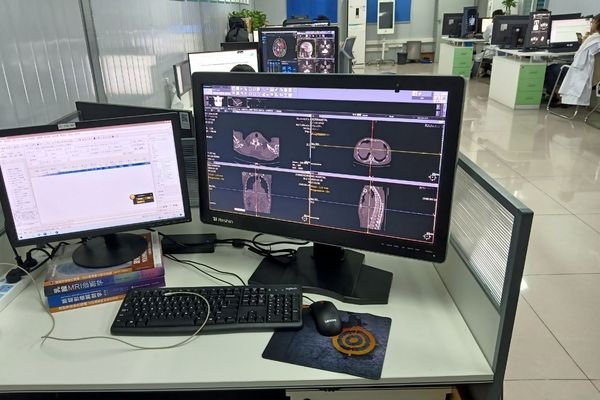
The selected display direction should match the workstation role, intended reading use, screen quantity and layout.
Matched dual-monitor and repeated workstation programs require consistent behavior across approved units and batches.
Graphics outputs, signal interfaces, orientation, mounting and display-side behavior should be reviewed before sampling.
Approved profiles should be repeatable across rooms, departments or sites without unnecessary model variation.
Model continuity, revision coordination, spare planning and replacement direction should be understood before rollout.
PACS projects often need more than one universal display direction. Buyers should define repeatable workstation profiles according to reading role, screen quantity, layout and rollout scale.
For review, reporting or consultation stations that require one defined display format and a repeatable standard configuration.
For diagnostic or comparison workflows requiring two aligned displays with consistent configuration and deployment logic.
For workstations combining image review, reporting and multiple application windows on one wider display.
For higher-detail or multi-modality reading tasks where resolution, screen format and diagnostic model direction require closer review.
After defining the workstation profile, project teams should confirm layout, IT compatibility, rollout consistency and replacement planning before model approval.
Diagnostic reading, clinical review, reporting, consultation and multi-modality comparison may require different profiles.
Screen quantity, physical placement, orientation and available workspace should match the approved profile.
GPU outputs, interface path, graphics support, VESA mounting, cabling and installation conditions should be checked before sampling.
Profile standardization, room quantities, spare units, model continuity and replacement direction should be planned before broader deployment.
Reshin supports PACS workstation projects through role mapping, profile definition, display-model comparison, sample validation and rollout continuity planning. The objective is to reduce unnecessary profile variation and support repeatable deployment.
Clarify reading role, screen quantity, display format, resolution direction, deployment quantity and rollout stage.
Compare suitable standard models against single-screen, matched dual-monitor, wide-format or high-resolution profiles.
Define checks for interfaces, orientation, mounting, display behavior and matched-screen consistency where applicable.
Coordinate approved profiles, controlled revisions, spare planning, replacement direction and longer-term supply.
Continue to the relevant page for product selection, workstation integration, controlled configuration or longer-term supply planning.

Compare available monitor directions by resolution, screen format, intended reading use and workstation profile.
Review detailed application requirements, multi-monitor risks and integration considerations for PACS and imaging workstations.
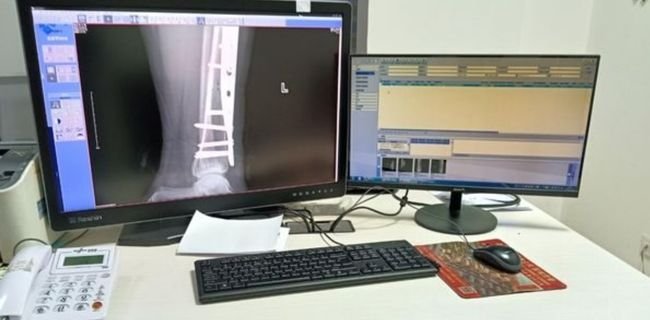
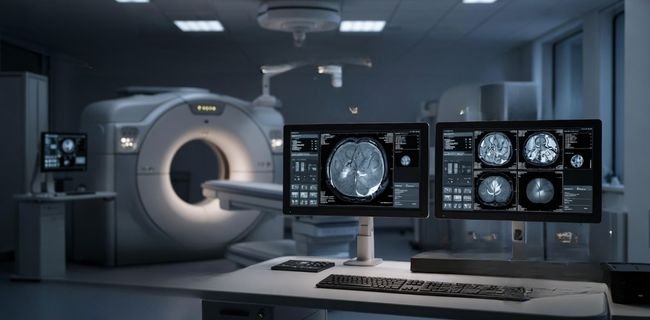
Review controlled changes when a standard display platform does not fully match interface, mounting or workstation requirements.
Review model continuity, controlled changes, spare planning and replacement direction for repeated workstation deployment.
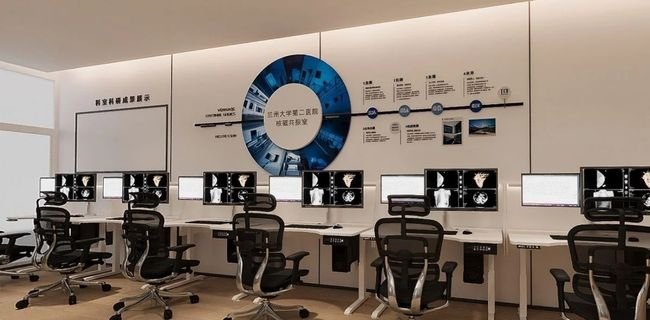
Reshin supported workstation-role mapping, display-direction comparison, display-model scope clarification and model-continuity planning before broader deployment.

The project focused on defining repeatable single-screen, matched dual-monitor and wide-format workstation profiles across multiple rooms and departments. Reshin supported workstation-role mapping, display-direction comparison, procurement-scope reduction and model-continuity planning before broader deployment.
Multi-room PACS workstations
Single, dual and wide-format
Profile definition before rollout
Customer identity, project location and selected deployment details are withheld due to confidentiality requirements.
Supplier evaluation should rely on reviewable evidence rather than workflow claims alone. Before profile approval or rollout, buyers can review Reshin’s workstation engineering capability, manufacturing controls, applicable certifications, project experience and available documentation.
Review display-profile planning, GPU and interface support, orientation, mounting and matched-monitor evaluation capability.
Review production controls, inspection stages, burn-in testing, traceability and controlled change management.
Review public certificates, issuing information and the stated product or quality-system scope.
Review anonymized workstation deployment experience and available supplier-evaluation information before rollout.
Use the following evidence paths to verify whether Reshin’s engineering, production, documentation and project-support capabilities match your PACS workstation program.
These are common questions from PACS system teams, radiology workstation teams, and imaging project partners reviewing display options for workstation use.
This page is intended for PACS platform teams, radiology workstation builders, medical imaging integrators and buyers defining repeatable workstation display programs.
Profile selection should reflect the workstation role, intended reading use, available space, screen quantity, reporting workflow and future deployment scale.
Yes. Reshin can review repeatable workstation profiles, approved model direction, room or site quantities, spare planning and controlled deployment requirements.
Buyers should review workstation-profile support, multi-monitor consistency, GPU and interface compatibility, sample-validation capability, deployment standardization and longer-term model continuity.
Sample checks may include interface behavior, GPU output compatibility, resolution and screen format, orientation, mounting, display behavior and matched-monitor consistency where applicable.
Support can include approved configuration control, documented revisions, spare-unit planning, replacement direction and longer-term model coordination according to the project scope.
Share your workstation role, intended review use, required display profile, target resolution, screen quantity, graphics output and interface requirements, mounting or orientation, deployment quantity, target market and rollout stage. Reshin will review suitable profile direction, evaluation priorities and recommended next steps.
We use cookies to improve website functionality, analyze site performance, and protect inquiry forms from spam. You can accept all cookies, reject non-essential cookies, or manage your preferences at any time.
WhatsApp Inquiry
We will contact you within one working day. Please watch for an email from an address ending in @reshinmonitors.com.