In OR deployments, connector reliability can be the difference between uninterrupted visualization and a disruptive signal drop during setup, repositioning, or room turnover.
Locking HDMI-style connectors are often the better choice for surgical displays in high-mobility OR setups because they reduce accidental disconnect risk; standard connectors can be sufficient in fixed, strain-controlled installations where service access and cable routing are well managed.
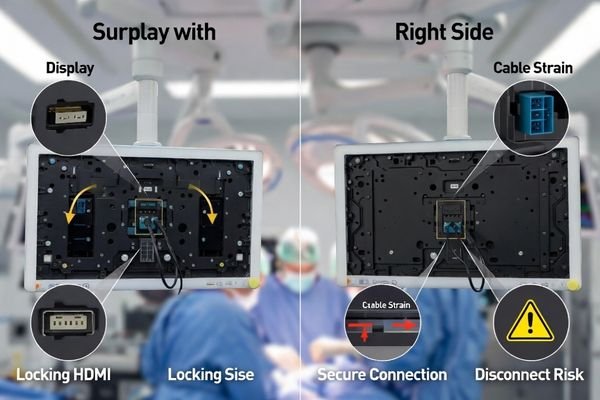
Operating rooms are demanding environments: equipment moves, cables are routed through booms and carts, and teams work under time pressure. The practical goal is not “better image quality,” but more consistent uptime1 with fewer re-seats, fewer re-sync events, and faster readiness between cases.
What does "locking" mean for high-definition multimedia connectors in the OR?
In surgical rooms, displays and sources are frequently adjusted, and cables are often routed in ways that create tension or incidental contact, so connection retention matters more than it does in static office setups.
In the OR, “locking” means the connector includes a retention mechanism that requires a deliberate release action, helping prevent unintended unplugging from cable tension, movement, or routine handling during setup and turnover.
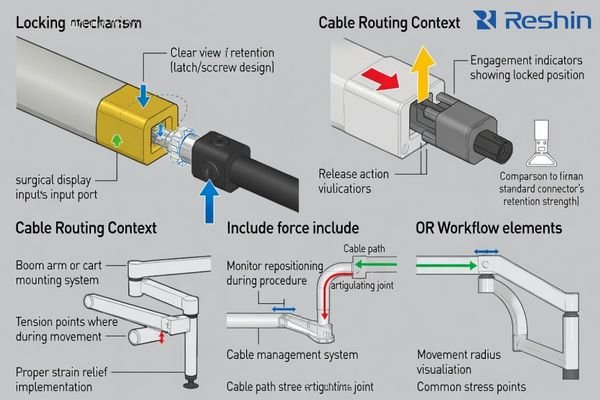
The advantage is operational stability2: a locking mechanism helps the plug stay fully seated when staff reposition monitors, adjust towers, manage bundled harnesses, or move carts. It does not change the underlying signal format; it reduces the chance that a small tug becomes a brief black screen or a forced re-handshake.
Mechanical Retention Design Features
Locking connectors use a retention feature (such as a latch/locking tab or screw-lock variant) that makes disconnection intentional rather than accidental, which is useful where cables are frequently touched or placed under mild strain.
Operational Stability Under Movement
Retention becomes most valuable when displays are boom-mounted, on articulating arms, or on mobile carts, because cable routing and repeated repositioning can create small pulls that loosen standard friction-fit connections over time.
How do connector choices affect surgical workflow reliability?
During cases and turnovers, teams routinely reposition equipment, tidy cables, and reconfigure sources, so even minor connection instability can show up as intermittent dropouts rather than total failures.
Connector retention affects visualization uptime: standard connectors may work well in stable installs, but small movements or strain can trigger intermittent dropouts, black screens, or re-sync events—issues locking mechanisms can help reduce in mobile OR workflows.
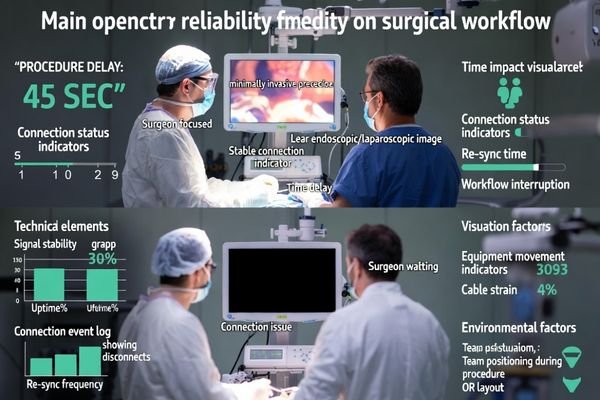
Even short interruptions can force staff to pause, re-seat a cable, switch inputs, or wait for re-sync—costly in high-focus moments. Over time, fewer disconnect incidents also means fewer troubleshooting calls3, less wear from repeated re-plugging, and more predictable room readiness for tightly scheduled lists.
Are there trade-offs between locking and standard connectors?
Real-world selection is usually about workflow fit and service convenience, not “performance,” because both connector types can carry the same signal when the cable and link are appropriate for the run length and format.
The main trade-offs are handling, compatibility, and service speed: locking connectors add deliberate release steps and may require more port clearance, while standard connectors are simpler and widely compatible but rely more on routing discipline and strain relief.
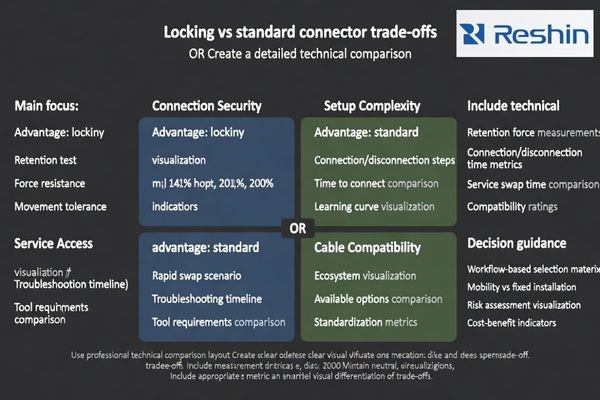
Some sites prioritize rapid swapping for troubleshooting; in those workflows, a locking mechanism can slow changes unless procedures are standardized and staff are trained. Conversely, standard connectors4 are familiar and often easier to replace quickly, but they can be more sensitive to cable weight, bend radius, and strain relief quality—factors that become more challenging in mobile configurations.
| Connector Aspect | Locking Connectors | Standard Connectors | OR Impact | Selection Consideration |
|---|---|---|---|---|
| Connection Security | Higher retention under movement | More sensitive to strain | Fewer accidental disconnects vs easier separation | Equipment mobility frequency |
| Setup Complexity | Requires engage/release step | Simple plug-in | Slight learning curve vs familiar handling | Staff training and turnover |
| Service Access | May slow rapid swaps | Faster plug/unplug | Deliberate vs rapid changes | Maintenance workflow priorities |
| Cable Compatibility | May need matching locking cables | Broad accessory ecosystem | Standardized vs flexible options | Existing infrastructure |
| Port Protection | Helps reduce stress at the plug | Depends on routing discipline | Better stability vs easier replacement | Long-term wear and tear |
What should you check in the signal chain beyond the connector type?
Connector retention helps, but overall stability comes from the entire signal chain working together under movement, cleaning, and switching conditions.
Check the full chain: cable quality and length, bend radius, strain relief, port mounting rigidity, and any adapters/extenders—then validate re-sync behavior after small disturbances and input switching under real OR handling.
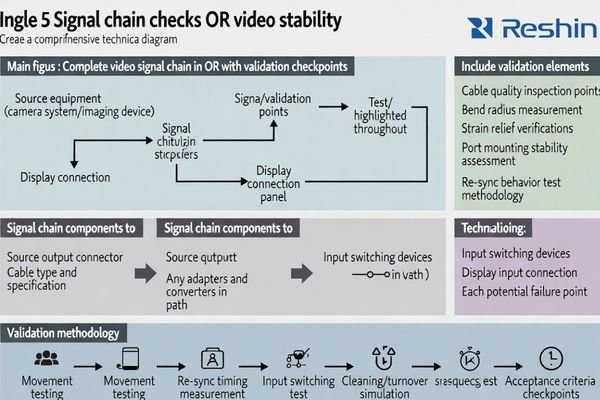
Start with cable planning: excessive length, tight bends, or heavy cable weight at the port increases the chance of attenuation and handshake sensitivity. Next, reduce unnecessary adapters or converters, because each extra node can introduce failure points. Finally, validate “how it behaves when things move”: how fast it re-syncs after a small tug, whether switching sources is predictable, and whether cleaning/turnover routines inadvertently stress ports.
Cable Infrastructure and Routing Considerations
Prioritize reasonable cable lengths5, controlled bend radius, and proper strain relief at both the display and source so movement does not translate into port stress or intermittent contact.
System-Level Integration and Maintenance
Treat the display as part of a system by verifying re-sync time, input switching behavior, and service access, and by standardizing handling steps so disconnect/reconnect actions are consistent across staff and rooms.
How to select surgical displays based on connector security and OR usage?
Connector choice should follow mobility patterns and operational priorities, while display selection should also reflect viewing distance, procedure type, and how the room is reconfigured between cases.
Choose based on workflow: use locking connectors for boom/cart-heavy rooms with frequent repositioning, prioritize standard connectors where installs are fixed and quick service swaps matter, and validate the full signal chain so uptime is predictable during cases and turnover.
| Clinical Role / Application | Usage Pattern | Display Requirements | Recommended Model | Key Integration Considerations |
|---|---|---|---|---|
| Minimally Invasive Surgery | Fixed position, stable mounting | High resolution, reliable connectivity | MS220SA | Locking connectors support mobile handling |
| General Surgery | Moderate repositioning | Balanced size, secure connections | MS247SA | Routing discipline and strain relief |
| Neurosurgery | Precision viewing, critical uptime | Superior resolution, maximum reliability | MS270P | Validate re-sync and switching behavior |
| Cardiovascular Surgery | High-mobility carts, frequent moves | Robust connections, movement tolerance | MS321PC | Retention helps reduce accidental disconnects |
| Orthopedic Surgery | Multi-position viewing | Versatile connectivity, reliable operation | MS322PB | Standardize turnover handling steps |
In practice, the “best” choice is the one that matches how your rooms actually run. If carts move often, cables get tugged, or booms are repositioned frequently, retention is a practical advantage. If your environment depends on rapid swapping for troubleshooting and the wiring is stable, prioritize accessibility and standardization, then reduce risk with routing, strain relief, and repeatable validation checks after service events.
FAQ
Do locking connectors improve image quality?
Not directly. Image quality depends on the signal format, source processing, cable spec/length, and display performance; locking primarily reduces accidental disconnect risk.
Are standard connectors "unsafe" for the OR?
Not necessarily. Many fixed, well-managed installations use standard connectors reliably; risk increases with frequent movement, cable strain, and limited port access.
What causes intermittent black screens besides unplugging?
Common causes include inadequate strain relief, tight bends, long runs, adapters/converters, unstable sources, and handshake sensitivity during movement or switching.
Should every OR use locking connectors?
No. High-mobility carts, booms, and frequent repositioning benefit most; fixed routing with minimal movement may not require locking.
How do you reduce connector failures during cleaning and turnover?
Control strain relief, avoid pulling on ports, keep bend radius reasonable, protect connectors from chemical ingress, and standardize connect/disconnect handling steps.
When is serviceability more important than locking?
When rapid swapping is essential for troubleshooting or port clearance is limited; in those cases, mitigate disconnect risk with better routing and strain relief.
Conclusion
Locking connectors are usually the better choice for surgical displays in high-mobility OR environments because they help reduce accidental disconnects and intermittent dropouts during routine movement and turnover.
Standard connectors can still perform well in fixed, strain-controlled installations, especially when cable routing, strain relief, and service access are designed and validated for predictable re-sync behavior.
✉️ info@reshinmonitors.com
🌐 https://reshinmonitors.com/
-
Explore this link to learn effective strategies for maintaining consistent uptime in demanding operating room environments. ↩
-
Understanding operational stability can enhance your knowledge of how technology maintains performance during movement. ↩
-
Explore this link to discover effective strategies that can minimize troubleshooting calls, enhancing productivity and efficiency. ↩
-
Exploring standard connectors will help you grasp their benefits and challenges in various applications. ↩
-
Understanding the impact of cable lengths on signal quality can help you optimize your setup for better performance. ↩