Glare from bright lights on a medical display can obscure critical patient details. This visual interference can lead to diagnostic uncertainty or procedural errors. Advanced anti-glare technologies are essential for ensuring a clear, accurate image.
Key anti-glare technologies are crucial for clear, accurate medical imaging. Optical coatings, matte surfaces, ambient light sensors, and polarizing films each play a vital role in enhancing visibility and supporting better clinical outcomes.
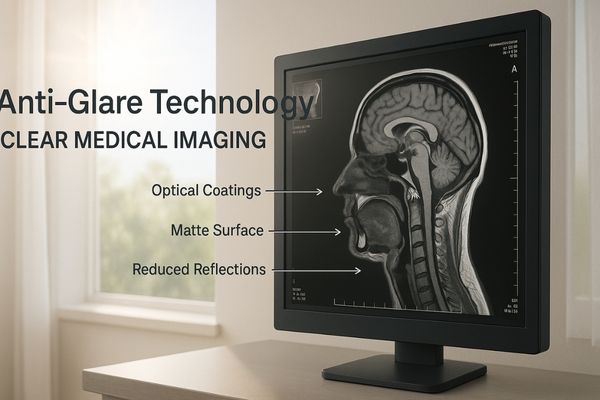
Glare is a persistent challenge in bright clinical environments1 like reading rooms and operating theaters. Understanding the specific technologies designed to combat this issue is fundamental to selecting a display that performs reliably2. Let us examine these techniques more closely.
Optical Coatings Reduce Reflective Artifacts on Screen
Specular reflections from overhead lights create distracting, mirror-like hotspots on a screen. These visual artifacts can easily obscure vital patient information. Multi-layer optical coatings are designed to eliminate these reflections.
Multi-layer optical coatings are applied to the display’s surface. They significantly reduce specular reflections, ensuring stable and clear image interpretation even under intense ambient or surgical lighting.
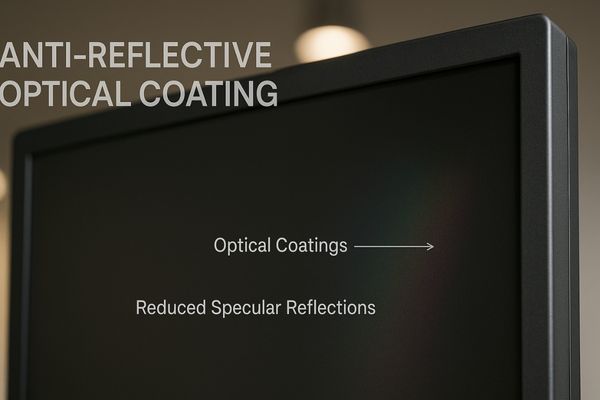
Optical coatings are one of the most effective ways to combat direct, mirror-like reflections. These reflections occur when a concentrated light source, like a ceiling light, hits the smooth glass of a display.
How Optical Coatings Work
These coatings consist of multiple, microscopic layers of transparent materials with different refractive indices3. When light strikes the coated surface, reflections from the various layer interfaces interfere with each other. This process, known as destructive interference4, effectively cancels out the reflected light waves before they reach the viewer’s eyes. This is why you often see a faint purple or green tint on high-end lenses or displays; it is a byproduct of the coating optimizing for the visible spectrum.
Benefits in High-Precision Diagnostics
This technology is critical in radiology, where subtle variations in tissue density must be clearly visible. The MD120C – 12MP High-Precision Diagnostic Monitor5 with AI Calibration6 uses advanced optical coatings to ensure that nothing distracts the radiologist from making an accurate diagnosis, even in brightly lit reading rooms.
| Feature | Uncoated Glass Screen | Screen with Optical Coating |
|---|---|---|
| Specular Reflection | High (Mirror-like) | Very Low (<1%) |
| Image Contrast | Reduced by glare | Maintained |
| Viewer Experience | Distracting hotspots | Clear, uninterrupted view |
Matte Surface Treatments Improve Image Visibility
While coatings manage direct reflections, another common technique addresses scattered light from broader sources. Bright light sources create sharp, disruptive reflections that force clinicians to constantly shift their position to see the screen clearly.
Matte surfaces use micro-texturing to scatter external light instead of reflecting it directly. This diffusion minimizes distracting reflections and improves image consistency, especially under bright surgical lights or near windows.
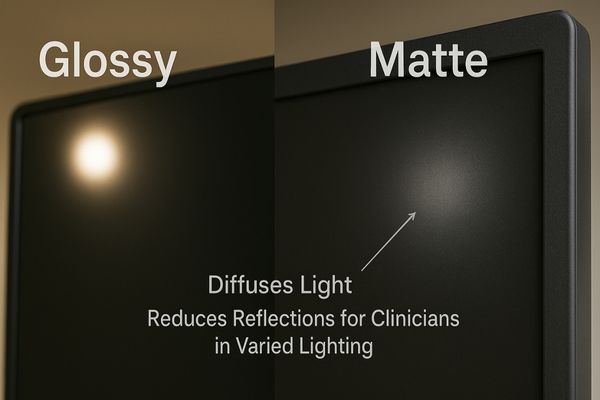
A matte finish on a display provides a fundamentally different approach to glare reduction. Instead of canceling out the reflection, it diffuses the incoming light, breaking up the mirror-like image.
The Science of Light Scattering
The surface of a matte display7 is etched or treated to create a micro-textured finish8. This rough surface scatters ambient light in many directions rather than reflecting it back at a single angle. This prevents a sharp, clear reflection of a light source from forming, replacing it with a soft, unobtrusive haze. While this can cause a very slight decrease in perceived sharpness compared to a glossy screen, the benefit in a bright room is immense.
Application in Diagnostic Workflows
This technique is exceptionally useful in diagnostic environments where ambient lighting is variable or uncontrolled. For radiologists who need to view multiple images side-by-side, a consistent, glare-free canvas is essential. The MD46C – Dual-screen Diagnostic Monitor9 (Single Panel) features a unified matte surface that ensures consistent visibility10 across its large viewing area, helping to reduce eye strain during long reading sessions.
Ambient Light Sensors Support Dynamic Brightness Control
Surface treatments provide a static solution, but modern displays can also adapt dynamically to changing light. Room lighting changes throughout the day, and a screen that is too bright or too dim can cause significant eye strain.
Ambient light sensors automatically measure room lighting conditions. They then adjust the display’s backlight brightness to maintain optimal visibility and DICOM compliance, preventing glare and preserving diagnostic accuracy throughout the day.
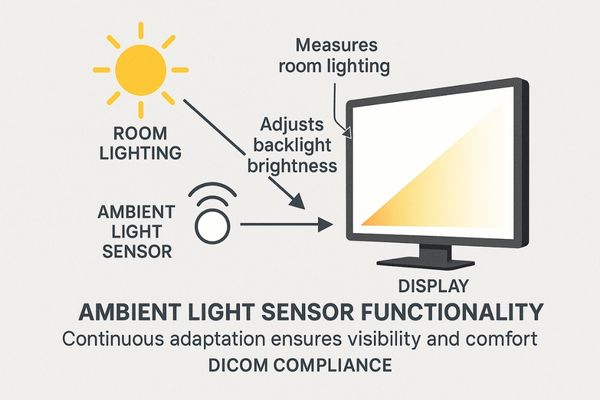
An ambient light sensor, or ALS, adds a layer of intelligence to the display’s performance. It automates adjustments that a clinician would otherwise have to perform manually, ensuring a consistent viewing experience.
Maintaining Perceptual Consistency
The sensor, typically a small photodiode11, continuously measures the intensity of the light in the room. This data is used to automatically raise or lower the display’s backlight intensity12. In a darker room, the brightness is lowered to prevent it from being overwhelmingly bright and to preserve the viewer’s night vision. In a brighter room, the brightness is increased to ensure the image remains clear and is not washed out.
Ensuring DICOM Compliance
This dynamic adjustment is crucial for maintaining compliance with the DICOM Part 1413 standard, which dictates how medical images should be displayed for diagnostic consistency. The MD51CHY – 34" 5MP Diagnostic Monitor for X-ray Imaging incorporates an ambient light sensor14 to ensure that grayscale images are always perceived correctly, regardless of changes in the reading room environment.
Polarizing Films Minimize Light Reflection in Bright Rooms
Beyond surface treatments and dynamic brightness, another method works by filtering the light itself. Unpolarized light from windows or overhead fixtures reflects off screens from all angles, creating a haze that reduces image contrast and clarity.
Polarizing films are integrated into the display stack to selectively filter light. By blocking light waves that are not oriented correctly, these films reduce reflections from external sources and enhance image contrast.
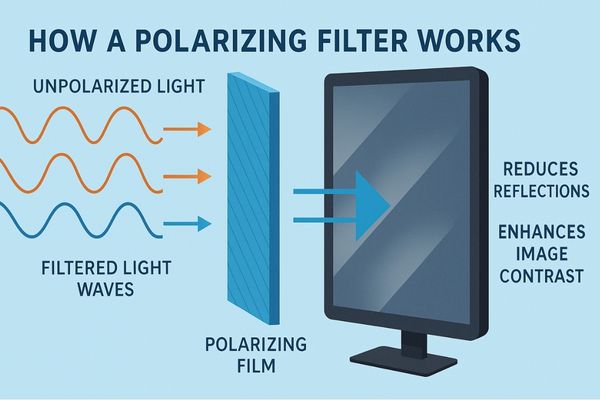
Polarizing films offer a sophisticated method of glare control by manipulating the physical properties of light waves. This technique is highly effective at improving contrast in challenging lighting conditions.
The Principle of Polarization
Light from the sun or most artificial sources is unpolarized, meaning its waves oscillate in all directions. A polarizing filter15 acts like a microscopic gate, only allowing light waves that are aligned in a specific orientation to pass through. Light from an LCD panel16 is already polarized. By adding another polarizing layer on the screen’s surface, it is possible to block much of the unpolarized ambient light that has been reflected off the screen, while still allowing the display’s own light to pass through clearly.
Advantages for Multi-Modality Imaging
This method is especially valuable for multi-modality diagnostic displays17, where maximum clarity is needed to interpret different types of scans. The MD85CA – 8MP Multi-modality Diagnostic Monitor18 leverages this technology to deliver deep blacks and high-contrast images, making it easier for clinicians to distinguish between subtle anatomical details.
| Anti-Glare Technique | Primary Mechanism | Best For |
|---|---|---|
| Optical Coating | Destructive Interference | Eliminating direct, specular reflections |
| Matte Surface | Light Scattering/Diffusion | Reducing glare in varied, bright rooms |
| Polarizing Film | Light Filtering | Enhancing contrast in very bright rooms |
Anti-Glare Enhancements Boost Performance in Surgical Settings
These individual technologies are powerful, but their true value is realized when combined for the most demanding environments. In the operating room, intense surgical lights create direct reflections that can momentarily distract a surgeon.
In the high-brightness environment of an operating room, anti-glare features are non-negotiable. They prevent reflections from intense surgical lights, allowing surgeons to maintain focus and visual precision on the procedure.
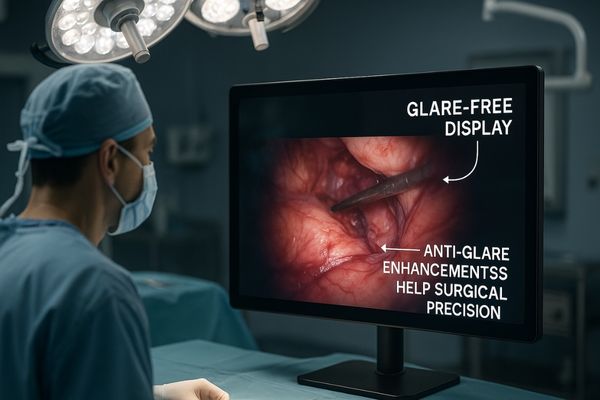
The operating room is perhaps the most challenging environment for a display. The combination of intense, directional surgical lights and the critical need for uninterrupted focus makes anti-glare technology a matter of patient safety.
A Combined-Arms Approach
Surgical displays typically use a combination of https://reshinmonitors.com/top-medical-display-manufacturers-2025/19. A durable, anti-reflective optical coating is often applied to a protective glass panel that is optically bonded20 to the LCD. This bonding process eliminates the internal air gap between the panel and the cover glass, which removes two potential sources of internal reflection and dramatically improves contrast. This robust construction ensures the display can withstand the rigors of the OR environment.
Supporting Surgical Precision
By preventing distracting reflections, these enhancements allow the surgeon to maintain constant visual contact with the operative site on screen. This is essential for identifying fine tissues, nerves, and blood vessels during minimally invasive procedures. Engineered for clarity under pressure, the MS275P – 27" 4K Surgical Monitor21 integrates advanced anti-glare and anti-reflection technologies22 to deliver a clear, stable image, allowing the surgical team to perform with confidence.
Conclusion
Evaluate an anti-glare surface under the intended room lighting, viewing angles and cleaning conditions. Compare reflection behavior, image detail and surface durability on the actual display configuration; a surface-treatment label alone does not establish suitability.
For procurement, request the selected model’s front-surface specification, compatible cleaning instructions and available optical test records. Record the sample configuration and evaluation conditions before approving a surface option.
📩 Contact Martin at martin@reshinmonitors.com to explore customized display solutions tailored to your surgical workflow.
-
Referenced link: bright clinical environments (pmc.ncbi.nlm.nih.gov). ↩
-
Referenced link: display that performs reliably (reshinmonitors.com). ↩
-
Referenced link: refractive indices (en.wikipedia.org). ↩
-
Referenced link: destructive interference (byjus.com). ↩
-
Referenced link: 12MP High-Precision Diagnostic Monitor (reshinmonitors.com). ↩
-
Referenced link: AI Calibration (reshinmonitors.com). ↩
-
Referenced link: matte display (www.benq.com). ↩
-
Referenced link: micro-textured finish (pmc.ncbi.nlm.nih.gov). ↩
-
Referenced link: Dual-screen Diagnostic Monitor (reshinmonitors.com). ↩
-
Referenced link: consistent visibility (reshinmonitors.com). ↩
-
Referenced link: photodiode (pmc.ncbi.nlm.nih.gov). ↩
-
Referenced link: backlight intensity (reshinmonitors.com). ↩
-
Referenced link: DICOM Part 14 (pmc.ncbi.nlm.nih.gov). ↩
-
Referenced link: ambient light sensor (ajronline.org). ↩
-
Referenced link: polarizing filter (pmc.ncbi.nlm.nih.gov). ↩
-
Referenced link: multi-modality diagnostic displays (ajronline.org). ↩
-
Referenced link: 8MP Multi-modality Diagnostic Monitor (reshinmonitors.com). ↩
-
Referenced link: https://reshinmonitors.com/top-medical-display-manufacturers-2025/ (reshinmonitors.com). ↩
-
Referenced link: optically bonded (pmc.ncbi.nlm.nih.gov). ↩
-
Referenced link: 27" 4K Surgical Monitor (reshinmonitors.com). ↩
-
Referenced link: anti-glare and anti-reflection technologies (www.displaywindows.com). ↩