
Surgeons increasingly report that inadequate visualization can reduce procedural precision and increase eye fatigue during extended laparoscopic cases. In minimally invasive surgery, the display is not just an accessory on the tower. It is a core part of the visual chain that affects tissue recognition, instrument tracking, team coordination, and workflow stability throughout the procedure.
The best surgical display for laparoscopic surgery should combine high image detail, stable color performance, low-latency signal handling, anti-reflection treatment, and an OR-ready design that is easy to clean and integrate. For hospitals, distributors, and OR integration teams, display selection should be based not only on resolution, but also on viewing conditions, connectivity, mounting flexibility, and long-term serviceability.
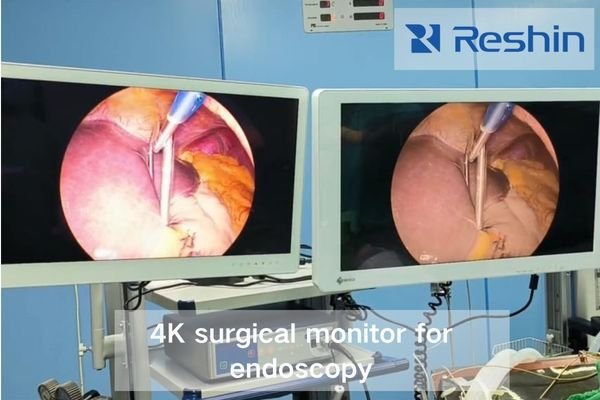
As an engineer specializing in medical visualization systems, I’ve analyzed hundreds of operating room configurations and witnessed firsthand how display selection fundamentally affects surgical workflow1. The right monitor does more than display an image. In laparoscopic surgery, it supports orientation, helps the surgical team maintain visual consistency, and reduces avoidable disruption during minimally invasive procedures.
Why Laparoscopic Surgery Demands Specialised Displays
Traditional open procedures allow direct visualization, but laparoscopic surgery shifts the surgeon’s decision-making almost entirely onto the video chain. That change raises the requirement for display quality, consistency, and integration.
In laparoscopic surgery, the display becomes the surgeon’s primary visual reference. That is why a suitable surgical display must provide reliable image detail, stable tissue color, smooth motion, and consistent visibility under real OR conditions rather than ideal showroom conditions.
When surgeons move from open surgery to laparoscopic techniques, they lose direct tactile feedback and natural depth cues. As a result, the display must help compensate by supporting:
- Clear spatial representation for safer orientation inside the surgical field
- Accurate tissue differentiation2 through stable color and image consistency
- Smooth motion handling without obvious lag, tearing, or smearing
- Consistent luminance and contrast under changing OR lighting conditions
Purpose-built surgical displays also address practical OR needs that standard commercial monitors are not designed for. Integration flexibility, ergonomic placement, and contamination resistance all influence workflow efficiency and viewing reliability. Surgical monitors designed for minimally invasive procedures are better suited to repeated cleaning, multi-source environments, and prolonged shared viewing by the OR team.
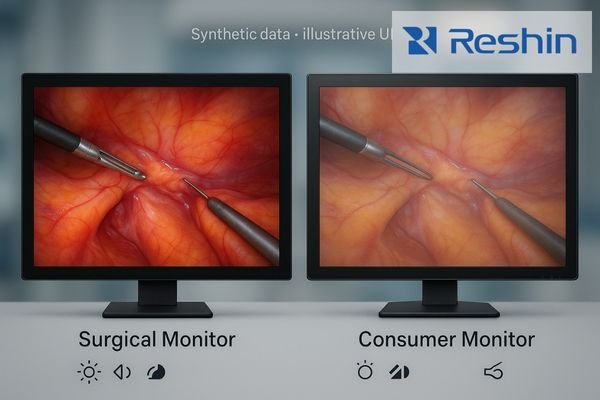
Key Environmental and Workflow Challenges in Surgical Operating Rooms (OR) Displays
Operating rooms place demands on displays that ordinary office or consumer monitors are not built to handle. Bright ceiling lights can reduce perceived contrast, frequent cleaning can damage exposed surfaces, multiple signals may need to be displayed during the same case, and several staff members often need to view the screen at once.
OR display selection should account for lighting variability, fluid exposure, multi-source workflows, and team viewing requirements. If these factors are ignored, image visibility and workflow efficiency can both suffer.
Lighting Variability and Contrast Challenges
Laparoscopic rooms may shift between dim viewing conditions and brighter phases during setup, repositioning, or emergency response. In these conditions, glare control and stable brightness are critical. Displays with anti-reflection coatings3 and good luminance stability help maintain visibility and reduce eye fatigue during long procedures.
Fluid Exposure and Sterilization Requirements
Surgical environments expose equipment to splashes, aerosols, repeated wiping, and chemical disinfectants. Displays with flat front surfaces, fewer exposed seams, and easier-to-clean designs are better suited for OR turnover and hygiene control. Protected connectors and cleaner cable routing can also reduce accidental damage during routine handling.
Multi-Source Integration Requirements
Modern laparoscopic procedures may involve more than one signal source, such as camera systems, ultrasound, reference imaging, recording equipment, or additional workflow displays. The monitor should support practical integration with the existing system, including stable input handling and multi-window viewing when needed. Fast and predictable switching is also important in procedures where the team relies on uninterrupted visualization.
Team Viewing Optimization
Laparoscopic cases are rarely viewed by only one person. The display may need to be seen clearly by the primary surgeon, assistant, scrub team, and observers. That makes wide viewing angles, appropriate screen size, brightness uniformity, and flexible mounting important selection factors, especially in hybrid OR or teaching-oriented setups.
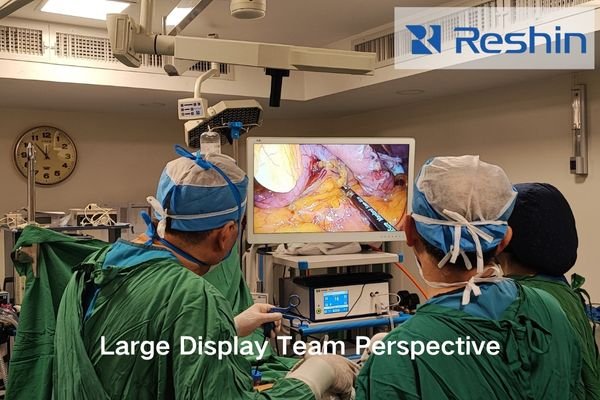
Hygiene, Sterilisation and Installation Considerations for Medical-Grade Surgical Monitors
For laparoscopic surgery, image quality and physical design need to be evaluated together. Resolution alone is not enough. A suitable surgical display should also support stable color presentation, reflection control, cleanability, and reliable installation in the OR.
| Resolution | Pixel Density (32″) | Clinical Advantage |
|---|---|---|
| HD (1080p) | ~70 PPI | Baseline visualization |
| QHD (1440p) | ~93 PPI | Better small-structure visibility |
| 4K/UHD | ~140 PPI | Enhanced tissue texture and margin visibility |
Decision takeaway: For laparoscopic workflows, 4K is often the stronger choice when image detail, tissue visibility, and shared viewing matter more. Resolution should still be assessed together with color stability, signal compatibility, and clinical workflow requirements.
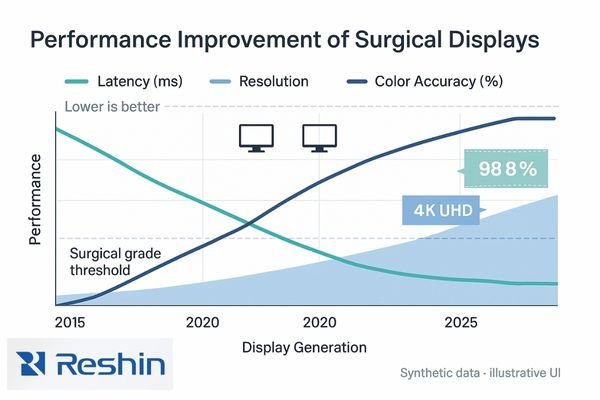
Surgical displays also need to withstand repeated cleaning while preserving image clarity and ease of use.
- Flat, seamless front surfaces help reduce residue accumulation
- Optical bonding and AR glass can improve visibility and reduce glare
- Protected housing design supports durability in demanding OR environments
- Balanced VESA mounting4 helps with ergonomic positioning for different users and room layouts
Decision takeaway: In many hospital projects, a sealed front, anti-reflection treatment, and flexible mounting are just as important as panel resolution. These factors affect cleaning efficiency, long-term usability, and day-to-day workflow.
Integration, Service Support and Lifecycle Economics of Surgical Visualization Systems
Beyond acquisition price, decision-makers should evaluate integration fit, service support, and long-term deployment stability. In practice, a surgical display should not only fit the laparoscopic system technically, but also remain serviceable and consistent over time.
| Service Element | Minimum Requirement | Optimal Support |
|---|---|---|
| Warranty Coverage | 3 years standard | 5 years with extension options |
| Response Time | Next business day | Same-day or advance replacement |
| Spare Parts | 5 year availability | 7–10 year parts commitment |
| Technical Support | Remote assistance | Local on-site service |
Decision takeaway: When comparing laparoscopic surgical displays, buyers should look beyond upfront cost and confirm service response, spare-part planning, interface compatibility, and long-term deployment support.
Recommended Selection Process & Short-List of Laparoscopic Surgical Displays
Procurement works best through requirement mapping → spec filtering → clinical evaluation → lifecycle review. This helps hospitals and integration teams avoid selecting a display only by headline resolution or price.
How to Choose Between 27″, 32″, 4K, and FHD
Before reviewing specific models, it helps to define the intended use case:
- 27″ 4K displays are often suitable for standard laparoscopic suites where space is tighter and close-range viewing is common
- 32″ 4K displays are often better when shared viewing, teaching, or a larger display area is important
- 27″ to 31.5″ FHD options may still be practical for legacy systems, simpler workflows, or budget-sensitive projects
The best choice depends on OR layout, viewing distance, source equipment, and whether the room is intended for standard procedures, advanced laparoscopy, or teaching use.
Short-List of Recommended Displays
MS275PA 27″ 4K Surgical Display
- 27″ 4K option for laparoscopic visualization
- Optical bonding, anti-reflection treatment, and multi-input support
- Ideal for standard laparoscopic suites and compact OR layouts
MS322PB 32″ 4K Surgical Display
- Larger 32″ viewing area for shared viewing and teaching support
- Multi-input configuration suitable for more complex OR integration
- Best suited where display size and team visibility are higher priorities
MS270P 27″ FHD Surgical/Endoscopic Display
- FHD option for basic laparoscopy or legacy workflow environments
- Stable clinical viewing with anti-reflection treatment
- Practical when compatibility and budget control are key considerations
MS321PC 31.5″ FHD Surgical Display
- Larger-format option for shared viewing in minimally invasive surgery environments
- Practical for installations that prioritize screen area and workflow visibility
- Suitable for projects requiring a larger display footprint and easy-clean design
Decision takeaway: Select the display class first, then the model. For most hospital buyers, the practical decision is not simply “which monitor is best,” but “which display size, resolution level, and integration profile best fits this laparoscopic room.”
FAQ: Procurement & Implementation for Hospital Management Teams Choosing Surgical Monitors
Q1: Do all laparoscopic operating rooms need a 4K surgical display?
A1: Not always. FHD can still be workable in some basic or legacy setups, but 4K is often preferred when tissue detail, shared viewing, and image clarity are more important.
Q2: Is a 27-inch or 32-inch laparoscopic monitor better?
A2: It depends on viewing distance, OR size, team viewing needs, and installation method. A 27″ display may be sufficient in compact setups, while 32″ is often more practical for teaching or shared viewing.
Q3: What latency target is acceptable?
A3: Lower latency is generally preferred in laparoscopic workflows because smooth motion response supports more stable visual tracking. In practice, buyers should confirm the display’s real integration performance together with the camera and signal chain.
Q4: Can an FHD surgical display still be used for laparoscopy?
A4: Yes, in selected workflows. It may still be a practical option for legacy systems, budget-sensitive deployments, or procedures where ultra-high detail is not the primary requirement.
Q5: What should hospitals confirm before buying a laparoscopic surgical display?
A5: Confirm screen size, resolution level, compatible interfaces, mounting method, cleanability, source-device compatibility, and the available service support after installation.
Q6: How can hospitals ensure integration with teaching or recording systems?
A6: Buyers should confirm the available input and output interfaces, signal-routing needs, and whether the display can support the room’s intended workflow for recording, teaching, or multi-source viewing.
Conclusion
Choosing the right surgical display for laparoscopic surgery is not only a question of image quality. It is also a decision about workflow stability, cleaning efficiency, integration fit, and long-term serviceability. The most suitable display is the one that matches the clinical task, the room layout, and the signal environment of the hospital.
For many laparoscopic projects, 4K display options are increasingly preferred because they improve image detail and support better shared viewing. At the same time, FHD models may still be appropriate for selected legacy or budget-sensitive environments. Buyers should evaluate display options by procedure complexity, screen size, signal compatibility, and deployment needs rather than by resolution alone.
Reshin provides purpose-built surgical displays and integration support for modern ORs, including 27″–32″ options such as MS275PA (4K), MS322PB (4K), MS270P (FHD), and MS321PC (FHD). If you are comparing display sizes, resolutions, or interface requirements for a hospital project, you can contact Reshin to discuss a suitable configuration based on your OR setup.
📧 Email: info@reshinmonitors.com
🌐 Website: https://reshinmonitors.com/
-
Understanding this link will provide insights into optimizing operating room efficiency and improving surgical outcomes. ↩
-
Exploring accurate tissue differentiation can lead to advancements in surgical techniques, enhancing safety and effectiveness in operations. ↩
-
Learn about the importance of anti-reflection coatings in maintaining visibility and reducing eye strain during surgeries. ↩
-
Learn about the advantages of VESA mounting for ergonomic adjustments, ensuring comfort and efficiency for medical staff during procedures. ↩


