
Rarely does a medical display project turn into a “custom” simply because someone wants another bezel or private label on the front. In my many years of experience, the conversation usually turns when the out-of-the-box display starts costing engineering effort somewhere else – in the housing design, in the cable path, in validation planning or execution, or in repeat-order control.
Customization should be considered when modifying a standard medical display will better maintain protection of integration fit, workflow consistency or long term program stability. Proper customization does not make your product look different. It minimizes unnecessary engineering friction, limits rework and helps keep validation, supply and deployment manageable.
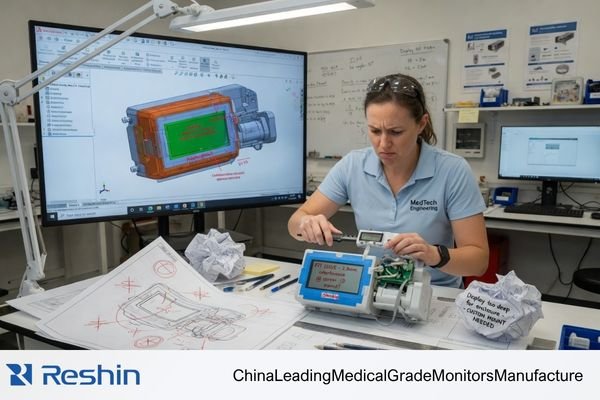
I’ve worked on projects where the display wasn’t actually the root problem. The problem was that the standard enclosure caused impossible cable bending within a small equipment bay. Another involved the standard I/O location made servicing too difficult when the monitor was installed into the system. In both cases, the discussion changed from "Would a custom variant look nicer?" to "Is the standard version still the best option reliability-wise for this application?"
That is the lens I use for medical display customization. A standard platform still gives a project real advantages: faster validation, simpler documentation, and easier replenishment planning1. A customized medical display only becomes the better path when the standard route starts creating enough integration, workflow, or lifecycle risk that staying standard is no longer the low-risk option.
Not Every Medical Display Project Needs Customization
Here’s one of the best pearls of wisdom I can impart to an equipment team right at the beginning: customization is not the default solution. Often times the disciplined decision is to take a tried and true standard platform.
A standard display should be chosen when speed, validation efficiency and economics around long-term replenishment are more important than purely physical differentiation. Consider customization only when a standard product has been proven inadequate for the real needs of the host system.
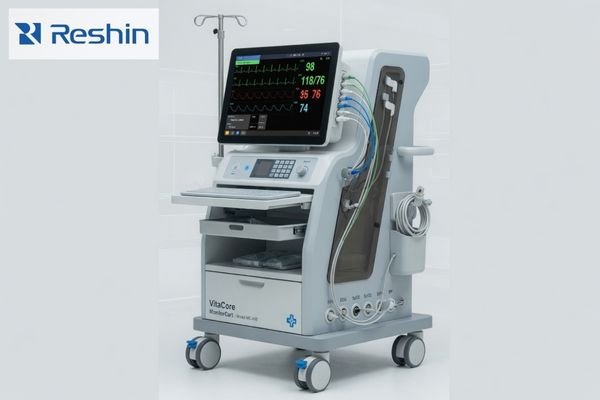
At Reshin, when we review projects, we don’t jump to suggesting customization because a customer asks us if customization is possible. In fact, most times the safer route is to stick with the standard platform and validate that first. If the enclosure fit is already good, signal path is clean, and the workflow is repeatable without controlled modifications, then customization likely only leads to added cost, additional validation efforts, and future supply risks.
This is especially true when the project’s success is tied to launch date, keeping documentation simple, or having predictable repeat orders. A standard display will have fewer “parts” in the program.2 Standard displays allow the engineering team to have a cleaner baseline, and allows procurement to have a more stable part to reference for future supply.
Customization should only be brought to the table when engineers start designing workarounds to make the standard route fit. This is typically the first sign that the display will become the unstable portion of your system.
The Real Signs That Customization Starts to Matter
The best justifications for customization almost never involve aesthetics. They present themselves as hardware constraints, workflow controls or lifecycle risks that cannot be absorbed any longer by the platform baseline.
Customization becomes cost-effective within real hardware projects when standard GUI layers create:
- mechanical mismatch,
- routing complexity,
- workflow inconsistency,
- private-label control issues or
- configuration instability from prototype to volume production.
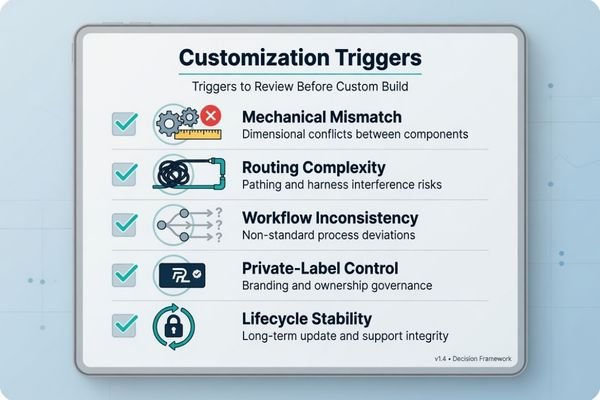
We typically start by categorizing those requests into three categories when working on OEM and ODM displays before scoping: Fit in integration, control over workflow, and control over configuration lifetime. This process is important because not every customization request can or should be treated equally. Some are essential to protecting the equipment program. Others only introduce variability without eliminating risk.
Integration Physical Fit
Let’s start with the most obvious sign. Whenever mounting brackets, cutouts, or rear facing profiles no longer fit into the host equipment without special accommodations, the project is already past the point of off-the-shelf.
In my experience, I start to take notice when teams are engineering new brackets, opening up additional internal volume, or limiting service access just to make a standard display fit. At that point, the display has stopped contributing to system stability and is starting to become a source of instability3.
Workflow Fit Followed by Configuration Stability
The next sign that customization is necessary comes from the signal path itself. The standard connector mix may still functionally work with a device but only after multiple adapters, extenders, or unnatural cable routing.
What may be fine to overlook during initial bench testing can suddenly become very unsightly when the display is installed into the actual product.
This is where custom I/O mapping is incredibly useful. Optimizing the connector layout to allow simpler cable routing, minimize unnecessary conversion, and allow for easier assembly or service is a game-changer. We typically review this connector layout and mounting approach together at Reshin as the two rarely make sense without being considered side-by-side.
Configuration Control Requests Appear
The last sign comes less from the physical product and more from how the equipment will be used. At times a team needs the display to only function in a certain way: fixed brightness settings, defined state on power-up, restricted user adjustment, firmware that is incapable of counterproductive behavior, or software buttons that always adhere to the defined workflow.
Once consistency across fielded devices becomes a concern, requests like these stop being “nice to have” and start being a part of your configuration control plan. Customization in these cases stops being about adding features and becomes about reducing variation after manufacturing.
Branding Requests That Affect Multiple Revision Levels
Lastly, asking for branding or private label treatment doesn’t always mean painting a logo on something. Simple changes like adjusting startup screen colors or creating slight variances in device appearance are purely cosmetic.
However, once branding includes multiple product SKUs, market channels, or long production schedules, then branding starts to play a role in your program’s configuration control.
Ensuring logo, labels, model numbering, startup screen behavior, packaging, or configuration file separation stays consistent across multiple channels can become a challenge. For that reason, we normally handle requests for private labeling in the same meetings where we discuss device revision levels and long-term part availability.
When Customization Adds Risk Instead of Value
An intelligent customization conversation should also include discussion around when NOT to customize. That isn’t a sales shortcoming. It’s typically a recognition that the manufacturer knows about validation burden, documentation discipline, and supply stability.
NOT ALL CUSTOMIZATION IS SMART CUSTOMIZATION. Making a low-value change can lead to unnecessary re-validation, BOM instability, documentation drift, and future replenishment challenges without addressing a significant project constraint.
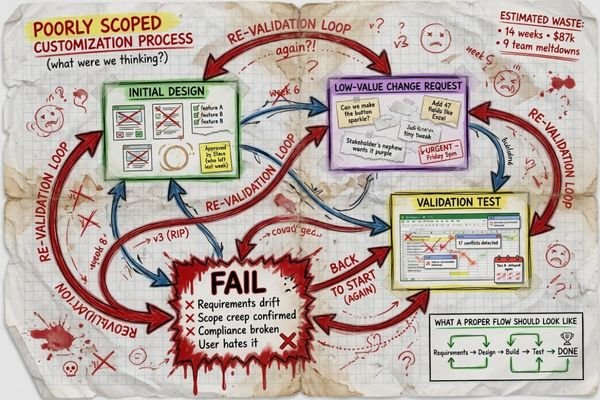
Many requests seem reasonable on the surface but add more downstream work than they eliminate. In my experience, I become skeptical in three scenarios.
When the request is primarily cosmetic, and the underlying integration has not been proven. If a team knows they want their connectors to look different before the mechanical and electrical fit has been confirmed, chances are the timeline is backwards.
When the layout of the connector is being customized before the host system pathway has been finalized. Customizing I/O to meet an immature layout can cause more problems later on if the board layout, cable routing, or method of servicing changes.
When someone is requesting firmware hacks or configuration settings to be deeply customized before trying a standard part. Customization makes it difficult to troubleshoot later if there is no baseline to compare against.4 At Reshin we like to validate a stock platform first, unless there is an obvious justification for why the standard functionality will not meet the needs of the program.
I’m not saying say customization is bad. However, every change should be justified with a tangible benefit. Will it improve the fit? Lower risk? Lock-in lifecycle stability? If not, the extra complexity might not be worth it.
What Should Be Customized First in a Real Equipment Project
Once customization is justified, the next question is priority. This is where many projects either stay controlled or become unnecessarily broad.
The first items to customize should be the ones that protect integration and repeatability most directly: mechanical fit, I/O mapping, mounting logic, and configuration control. Branding elements usually belong later unless the project is already structured as a private-label program.
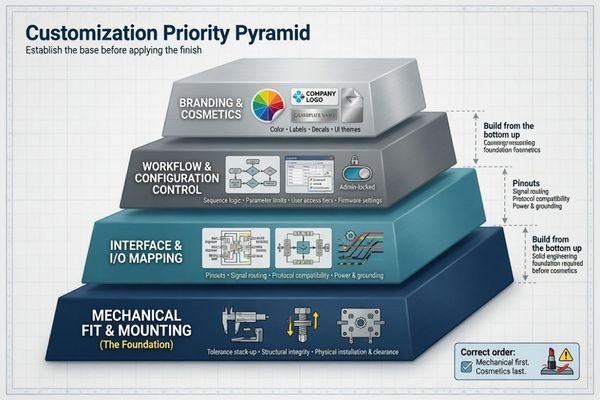
I typically describe this concept as pipeline rather than checklist.
1. Mechanical fit and mounting is first.
If you can’t cleanly fit the display on the equipment, no amount of branding or UI decision down the line will address that problem. Dimensions, mounting points, enclosure profile and service access requirements are the true genesis of the project.
2. Interface mapping is second.
Once the display physically maps to the host system, the signal path should make logical sense too. Connector placement, cable exit direction, interface type and routing conditions should all enable installation and future maintenance rather than work against it.
3. Workflow and configuration behavior is third.
Once hardware integration is basically stable, teams can then decide what aspects of the display should be controlled or changed in the field. This can include default image/video behavior, locked settings, calibration targets and/or limited adjustment logic.
4. Branding and cosmetics is usually last.
Logos, labels, packaging graphics, model naming, bezel treatment, etc. can obviously still be important. Especially if this is a private-label project. But in my experience, cosmetics should be layered on top of a solid engineering foundation instead of being the foundation itself.
Needless to say, this is typically how Reshin approaches customization priority: Mechanical envelope > Signal path > Controlled behavior > Branding. Respect that order and you’ll likely cut down on the need for rework.
The Right Time to Discuss Customization Scope
Timing matters almost as much as scope. Start too early, and the team is guessing. Start too late, and the design is already locked, which makes even good changes expensive.
The best time to start a customization review is when the equipment direction is clear enough to define real constraints, but before the program is so fixed that necessary changes become disruptive.
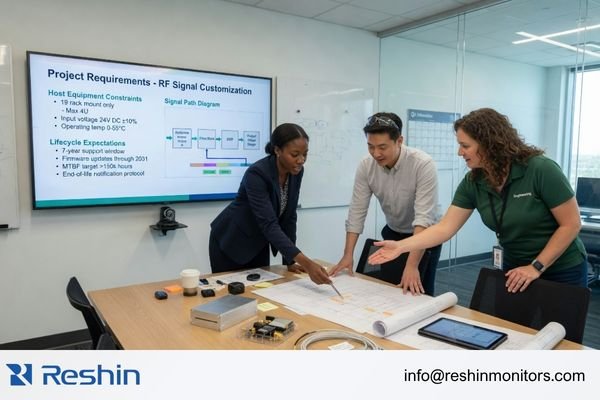
“To customize” is not how I believe a productive conversation starts. I believe it starts when a team has the ability to describe their project within a framework.
The most fruitful discussions we’ve had during manufacturer-side review sessions are those where the customer begins with defining six inputs:
- Host equipment: what the device is and what role the display plays inside it
- Physical constraints: target size, mechanical envelope, and mounting logic
- Signal path: video inputs, connector priorities, and routing conditions
- Workflow expectations: image behavior, user interaction, and field-use consistency
- Validation priorities: what must stay controlled for approval or system verification
- Lifecycle expectations: how the team plans to manage revisions, repeat orders, and long-term supply continuity
When you start your discussion with these items in mind, you’re providing framework. Abstract conversation about “we need something custom” ends and realistic discussions about the feasibility of your request can begin. For a [medical display manufacturer](https: //reshinmonitors.com/medical-display-manufacturer/), this is the point where a structured customization review can really begin to add value. You’re no longer asking for something different, you are defining the requirements of what needs to stay the same and why.
FAQ About Medical Display Customization in Equipment Projects
Does private labeling always mean fully customized?
No. Private label many projects stops at the logo, label/packaging, or model-name layer. Additional customization typically comes into play if branding also impacts enclosure layout, I/O logic, firmware behavior, or configuration control into the future.
Should buyers try to validate standard before customizing?
Yes, in most cases. I like to see teams try the standard platform first, unless it’s already painfully obvious there will be a disconnect. Establishing that baseline helps with later customization decisions and limits unnecessary re-validation effort.
What type of customizations typically create the most re-validation effort?
Typically requests that modify mechanical structure, connector layout, firmware/software behavior, calibration logic, or anything else that impacts how the device will integrate into the overall system. Cosmetic customizations are typically much easier to implement.
How should buyers know enough about their customization needs before requesting a quote?
Understand the equipment type, display size, interfaces needed, mounting constraints, intended use and workflow, critical validation tests, and long-term supply chain goals. Without those questions answered, it’s nearly impossible to scope the project.
When does customization add value vs. a standard offering?
When it eliminates an actual bottleneck. Whether that be mechanical incompatibility, connector complexity, untethered behavior during intended use, private-label SKU management, or the ability to lock down the same configuration from prototype through volume production.
When is the ideal time to discuss customization with a manufacturer?
Once the direction is clear enough to understand your constraints, but before design is finalized. Ideally, customization options should be able to improve your program, not hinder it.
Customization Should Start with Boundaries, Not with Changes
The most powerful customization efforts I have witnessed didn’t start from a lengthy list of items to modify. They started from a much simpler question: what must remain constrained for this equipment platform to operate predictably?
That is a great starting point. In my experience, the most productive customization conversations center on equipment fit, signal path, workflow behavior, validation needs, and long-term vendor support. Once those constraints are understood, it’s easy to differentiate mandatory changes from elective variability.
That is also why I do not see customization as a styling exercise. Done well, it is a way to protect a program that would otherwise accumulate workarounds, extra validation, and avoidable lifecycle risk. If your team is reviewing customization scope for a medical display project or needs OEM and ODM medical display support, the next useful step is to share the equipment constraints, signal path, and lifecycle expectations that actually define the program.
✉️ info@reshinmonitors.com
🌐 Medical Display Manufacturer
-
"General Principles of Software Validation – FDA", https://www.fda.gov/regulatory-information/search-fda-guidance-documents/general-principles-software-validation. FDA guidance on medical device design history files notes that using standardized components often reduces the number of required validation protocols and streamlines documentation processes. Evidence role: general_support; source type: government. Supports: A standard platform still gives a project real advantages: faster validation, simpler documentation, and easier replenishment planning.. Scope note: Applies generally to off-the-shelf components; custom device classes may require additional validation. ↩
-
"Component part standardization: A way to reduce the life-cycle costs …", https://www.sciencedirect.com/science/article/abs/pii/S0925527398001790. Research in product lifecycle management shows that using standardized components reduces the number of unique parts required, simplifying inventory management and engineering workflows. Evidence role: general_support; source type: research. Supports: A standard display will have fewer “parts” in the program.. Scope note: Based on analyses in electronics and automotive industries; results may vary in other manufacturing contexts. ↩
-
"How Monitor Tilt and Distance Affect Your Eyes and Posture Over Time", https://washingtonbeerblog.com/pour-yourself-comfortably-how-monitor-tilt-and-distance-affect-your-eyes-and-posture-over-time/. Studies on mechanical integration of display modules have shown that non-standard mounting solutions can introduce stress concentrations and misalignments that compromise overall system robustness. Evidence role: mechanism; source type: paper. Supports: At that point, the display has stopped contributing to system stability and is starting to become a source of instability.. Scope note: Applies generally to mechanical assemblies; specific impact may vary by device design. ↩
-
"Baseline configuration management: Why it’s critical for network …", https://www.manageengine.com/network-configuration-manager/blog/baseline-configuration-management-why-its-critical-for-network-stability.html. This article shows that lack of a standard firmware baseline significantly complicates root cause analysis and extends debugging time. Evidence role: mechanism; source type: paper. Supports: Firmware customization without establishing a standard baseline makes troubleshooting difficult.. Scope note: Based on software engineering case studies and may not reflect firmware environments in all embedded systems. ↩


