
When selecting a surgical monitor for an endoscopy system, it is easy to focus first on resolution and brightness. In actual project work, I have found that the better starting point is the system itself, because the monitor is only one part of a clinical chain where compatibility, routing, installation, and long-term stability all affect the final result.
To choose a surgical monitor for an endoscopy project, buyers should start with four checks: processor output and signal path, viewing distance and mounting position, required image detail, and rollout continuity. A qualified surgical monitor manufacturer should help match the monitor to the system, not just promote a stronger standalone specification.
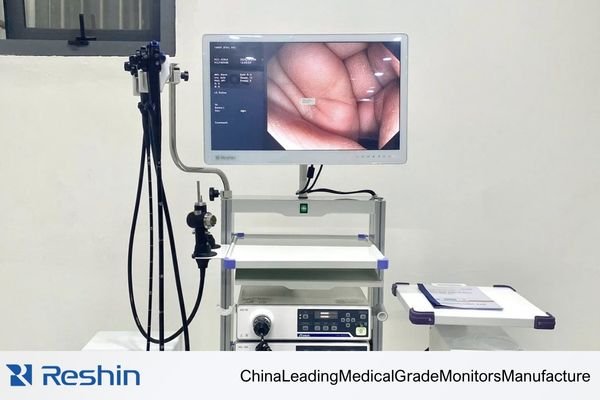
In my OR integration work at Reshin, I’ve seen monitors that look impressive on paper create avoidable problems in deployment because they do not match the processor, routing path, or installation setup around them. The surgical monitor1 works with the camera head, processor, signal chain, mounting position, viewing distance, and overall OR workflow, so the selection process has to account for all of those factors together.
What buyers really need to determine is not which screen looks best on its own, but which type of surgical monitor can run reliably inside the real system, fit the actual use environment, and remain stable during later rollouts. That shift from a product-first view to a system-first view is what usually separates a smooth project from a costly one.
Why Surgical Monitor Selection in Endoscopy Projects Starts with the System
In endoscopy projects, the surgical monitor is not an isolated device; it is a working part of a larger clinical system.
A surgical monitor should be selected according to how well it fits the processor, signal chain, mounting setup, and OR workflow around it. The most important question is not which monitor looks strongest on its own, but which one can operate reliably and predictably inside the actual endoscopy environment.
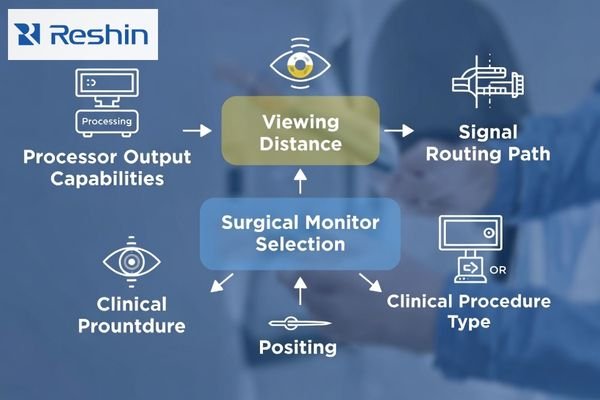
From an engineering standpoint, I treat monitor selection as a system-fit decision2 before I treat it as a display decision. The monitor has to work in step with the camera head, the image processor, the routing path, the mounting position, and the expected viewing distance. When buyers start from the system first, they reduce the risk of choosing a monitor that looks strong in isolation but creates avoidable compatibility or installation issues later.
What Endoscopy Teams Need to Confirm Before Comparing FHD and 4K
In endoscopy projects, the discussion around resolution often starts too early. The more useful starting point is to define the conditions that shape the monitor requirement in the first place.
Before comparing FHD and 4K, endoscopy teams should confirm procedure type, processor output, signal source, screen size, mounting position, viewing distance, and project stage. These conditions determine what the monitor actually needs to do, and they make later resolution decisions far more practical.
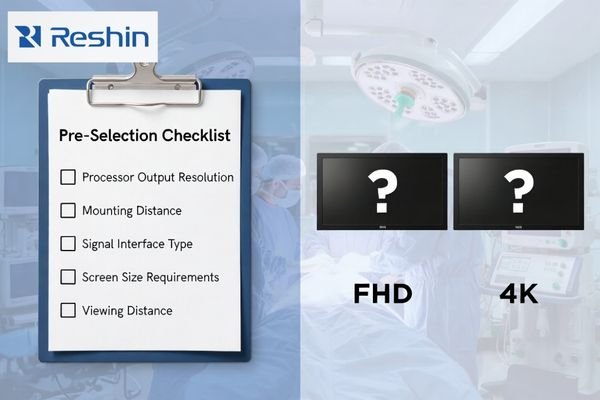
When I review projects that become difficult later, one common pattern is that the team debated resolution before it clearly defined the system boundary. Different procedures, video chains, and installation conditions change the real requirement. Processor output sets the starting limit, mounting position affects suitable size and viewing distance, and project stage affects how much future rollout or customization needs to be considered. Once those inputs are clear, surgical monitor selection3 becomes much more disciplined and useful.
In our own project reviews at Reshin, we usually start by confirming processor output, signal source, intended mounting position, and viewing distance before we recommend a monitor tier. That sequence helps us reduce early misalignment, especially in projects where a team is deciding between 27-inch and 32-inch displays or between FHD and 4K at the same time.
When FHD Is the Safer Choice and When 4K Creates Real Workflow Value
The choice between FHD and 4K should not be reduced to a simple question of which technology is newer. In real endoscopy projects, the better option depends on workflow, signal infrastructure, and how much visual detail the system can actually support.
FHD is often the safer choice in projects with legacy processors, traditional interfaces, or strong compatibility demands. 4K creates clearer workflow value in modern endoscopy systems that already use 4K processors, support higher-bandwidth signal paths, and need finer on-screen detail to justify the upgrade.
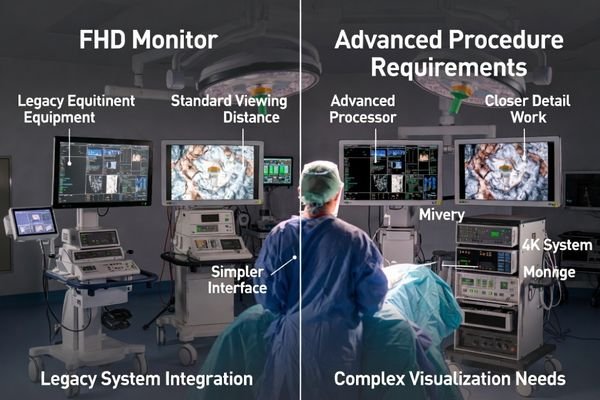
In the projects I support, I usually align resolution with the capability of the full system rather than the appeal of the panel itself. A 4K monitor connected to an FHD processor does not bring meaningful workflow value, while an FHD monitor4 inside a complete 4K chain may leave part of that system’s visual capability unused. The practical decision comes from matching the monitor tier to the signal chain, not from assuming the highest resolution is automatically the best choice.
FHD for Compatibility and Stability
In projects that still rely on legacy processors, 3G-SDI-based chains, older video interfaces, or closer primary viewing positions, an FHD monitor is often the more practical and predictable option. It reduces compatibility risk, keeps the signal path simpler, and supports stable deployment when the priority is to make the whole system run smoothly.
4K for Detail-Oriented Modern Workflows
In projects that already use a 4K processor chain, require finer visual detail, and can support higher-bandwidth transmission through interfaces such as 12G-SDI or DisplayPort 1.2, a 4K monitor becomes a more meaningful viewing platform. In that environment, the added resolution is no longer just a specification upgrade; it becomes part of a stronger modern workflow.
Color Accuracy, Reflection Control, and Real-Time Visibility Matter More Than Raw Specs
In the operating room, the true value of a surgical monitor is not defined by the largest brightness figure or the highest resolution on a datasheet. It is defined by whether the image remains readable, consistent, and dependable in actual use.
Natural color reproduction, clear tissue detail, reduced reflection under surgical lighting, and stable visibility during long sessions are what make endoscopic viewing practical in the OR. Features such as BT.709, BT.2020, AR glass, and optical bonding matter because they support more reliable visual assessment under real surgical conditions.
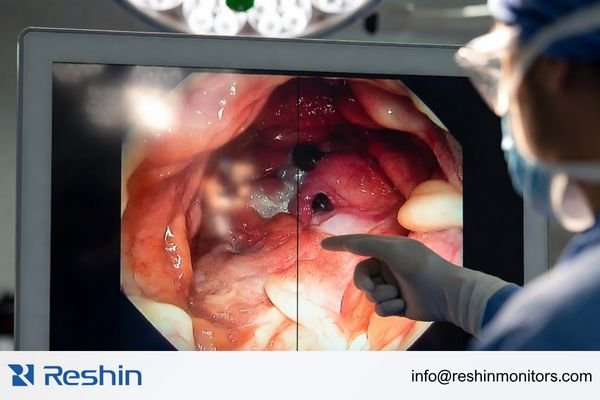
From an engineering standpoint, I pay close attention to what happens under real lighting and real use time, not just in a controlled demonstration. Support for standards such as BT.709 or BT.20205 matters because it helps maintain more natural and consistent color. AR glass and optical bonding matter because they help reduce glare, support clearer visibility, and make the display surface more practical for the cleaning demands of the OR. These details have direct value because the surgical team depends on a monitor that stays clear and usable throughout the procedure.
Interfaces, Signal Routing, and Mounting Fit Usually Determine the Safer Monitor Choice
In many endoscopy system projects, the most frustrating problems do not come from the display panel itself. They come from the signal chain and the physical installation around it.
The choice of interface and mounting method directly affects signal stability, system compatibility, viewing usability, and future rollout control. The safest surgical monitor is usually not the one with the most ports, but the one that best matches the processor output, routing path, mounting structure, and long-term deployment plan.
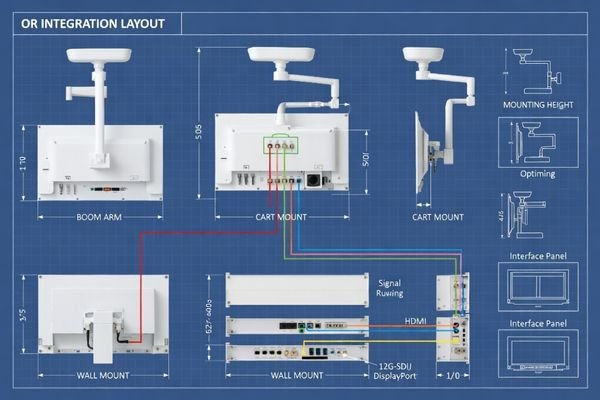
When I review system designs, I focus on the full signal path rather than the connector label alone. SDI, HDMI, and DisplayPort each imply different trade-offs in transmission distance6, bandwidth, EMI resistance, and integration behavior. A poor interface match can lead to unstable switching, image loss, or unnecessary deployment complexity. The safer choice is usually the monitor that fits the real routing logic of the system rather than the monitor with the broadest generic port count.
At Reshin, we usually map processor outputs, intermediate devices, cable distance, and installation position before advising which interface path should take priority. In practice, this step is often where hidden project risk appears, especially when a system includes routing hardware, mixed signal standards, or staged expansion plans. That is also why I see interface planning as part of the early engineering conversation, not as a detail to solve after the monitor is chosen.
Mounting has the same project-level importance. A monitor on a tower, boom arm, or wall does not behave the same from a viewing and usability standpoint. Mounting position changes viewing distance, suitable screen size, and cleaning practicality. In many endoscopy projects, choosing the monitor that fits the intended mounting structure is what makes the overall system feel stable and well planned in daily use.
Different Endoscopy Workflows Need Different Surgical Monitor Tiers
Different endoscopy workflows do not require the same tier of surgical monitor. The better decision is to match the monitor tier to the real level of system complexity, viewing demand, and integration depth instead of treating every project as if it needs the same display approach.
This usually creates a better investment decision because the monitor is chosen according to actual workflow demands, whether the priority is legacy compatibility, mainstream 4K performance, or a more advanced integration path. That same logic also makes it easier to discuss the project with a surgical monitor manufacturer in a way that is grounded in real system conditions.
In our own project practice, we often sort requests into three practical groups before recommending a model: compatibility-first systems, mainstream 4K endoscopy platforms, and more integration-heavy OR environments. That internal decision path makes it easier to connect real project inputs to the right product tier instead of treating every request as if it needs the highest specification available.
| Clinical Role / Application | Usage Pattern | Display Requirements | Recommended Model | Key Integration Considerations |
|---|---|---|---|---|
| Legacy System Integration | Endoscopy systems with legacy processors and traditional interface paths, including 3G-SDI, DVI, VGA, or older video sources. | Broad interface compatibility, stable FHD performance, BT.709 color, and OR-ready anti-reflection support. | MS270P | Verify legacy source timing, interface compatibility, and how the monitor will fit existing tower or arm-based deployment. |
| Mainstream 4K Endoscopy | Modern 4K endoscopy chains that need finer detail and stronger support for contemporary signal standards. | 4K resolution, BT.2020 color, optical bonding, and 12G-SDI support for a cleaner high-bandwidth path. | MS275PA | Confirm that the entire chain, from processor output to transmission path to monitor input, is ready for stable 4K integration. |
| Advanced & Integrated ORs | More complex OR systems with multi-input needs, deeper routing logic, or more demanding viewing layouts. | 32-inch 4K viewing, stronger signal flexibility, multi-image support, and broader integration capability. | MS322PB | Plan routing logic, output requirements, and viewing layout carefully so the larger 4K platform is used to its full system value. |
FAQ About Choosing a Surgical Monitor for Endoscopy System Projects
Should buyers prioritize 4K first or interface compatibility first?
The safer sequence is usually to confirm the interface path and processor output first, then decide whether 4K adds real value. If the system cannot support higher-bandwidth display reliably, a 4K specification alone does not create a better project result.
Is 27 inches enough for most endoscopy projects?
In many mainstream endoscopy workflows, 27 inches is a balanced size, especially for closer primary-view and single-main-display environments. A 32-inch monitor becomes more natural when viewing distance is longer, information density is higher, or multi-image use is more significant.
Why do AR glass and optical bonding matter in surgical use?
They affect readability under bright lighting, ease of cleaning, and stable visibility over longer use. These are not decorative features; they are practical characteristics that support OR usability.
What information should buyers prepare before sample evaluation?
Buyers should prepare procedure type, processor/output details, target size, resolution expectation, interface needs, mounting structure, quantity, and project stage. The clearer these inputs are, the easier it becomes to align monitor selection with the real system requirement.
The Best Surgical Monitor Is the One That Fits the Endoscopy System Best
In an endoscopy system project, the best surgical monitor is not the one with the loudest standalone specification. It is the monitor tier that fits the processor output, signal chain, OR visibility needs, mounting setup, and future continuity of the project as a whole. A strong selection process starts by defining those conditions clearly, then matching them to the most suitable monitor tier.
The goal is to choose the monitor that is most stable, most practical, and easiest to deploy over time within the real constraints of the project. If you are evaluating a new surgical monitor project, the most useful next step is to share your processor output, interface path, target size, mounting setup, and project stage so the selection can be matched to the actual system instead of to assumptions.
✉️ info@reshinmonitors.com
🌐 Surgical Monitor Manufacturer
-
Understanding the best practices for surgical monitor selection can help ensure compatibility and reliability in the OR. ↩
-
Exploring system-fit decisions can enhance your understanding of how to integrate components effectively for better outcomes. ↩
-
Choosing the right monitor is essential for project efficiency; explore expert insights to make informed decisions. ↩
-
Explore this link to understand how FHD monitors enhance compatibility and stability in various video projects. ↩
-
Understanding these standards can enhance your knowledge of color accuracy in displays, crucial for various applications. ↩
-
Understanding transmission distance is crucial for ensuring optimal performance in video systems, making this resource invaluable. ↩


