
When I work on surgical display projects, I rarely see 4K versus Full HD decided as a simple “higher versus lower” resolution question. The more useful question is whether the whole system can actually benefit from the added pixels. That usually means looking first at the source output, signal path, screen size, viewing distance, and what the team is trying to achieve in daily use.
In surgical display projects, 4K and Full HD are not simply a high-versus-low choice. They are a fit decision. Buyers should first confirm source output, signal path, screen size, viewing distance, and workflow goals before choosing a resolution tier. The better fit is the better choice.
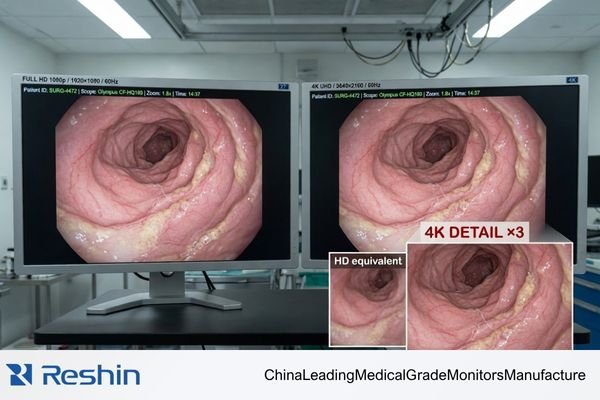
The real question is not whether 4K sounds stronger on paper. It is whether the imaging chain, the room setup, and the viewing task can translate those extra pixels into practical value. A 4K display connected to a Full HD source will not usually create meaningful added detail.1 In the same way, a higher-resolution image can offer limited practical value if the screen size, viewing distance, and workflow do not support it.
That is why experienced buyers usually move past the “more is better” mindset very quickly. In practice, the better resolution is the one that fits the project more naturally and more reliably.
Resolution Decisions in Surgical Projects Start with Workflow, Not with Marketing
In the surgical display projects I see, experienced buyers do not treat 4K versus Full HD as a simple “which one is more advanced” discussion. They start with the real workflow.
The resolution decision is driven by procedural workflow, source capability, and viewing reality. In endoscopy, laparoscopy, and integrated OR settings, resolution only creates value when it fits the signal chain and the actual viewing conditions.
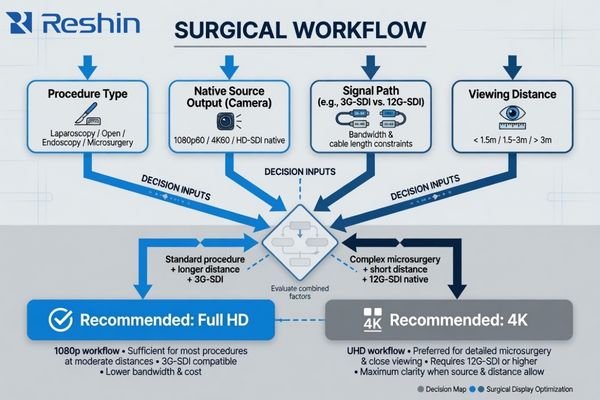
A surgical display is not being selected for abstract picture quality. It is being selected to support a procedure inside a working imaging chain. That means the display can only perform as well as the source, routing, installation, and viewing setup around it2.
In my own project work, the conversation usually starts with practical questions rather than resolution labels:
- What procedures will this room support most often?
- What is the native output of the camera processor?
- How is the signal being routed to the display?
- Where will the display be mounted, and from what distance will it be viewed?
Once those answers are clear, the resolution discussion becomes much more grounded. A forced 4K decision in a workflow that is still built around Full HD can add cost and integration friction without creating much practical benefit. The goal is not to choose the most impressive term. It is to choose the display path that supports the workflow cleanly.
What Buyers Should Confirm Before They Compare 4K and Full HD
In real project evaluation, resolution is rarely the first variable that matters. Before a buyer can compare 4K and Full HD in a useful way, the project inputs need to be defined.
Before comparing 4K and Full HD, buyers should confirm procedure type, processor output, signal standard, screen size, mounting location, viewing distance, and project goals. Those conditions determine whether higher resolution will add real value or whether Full HD already fits the project better.
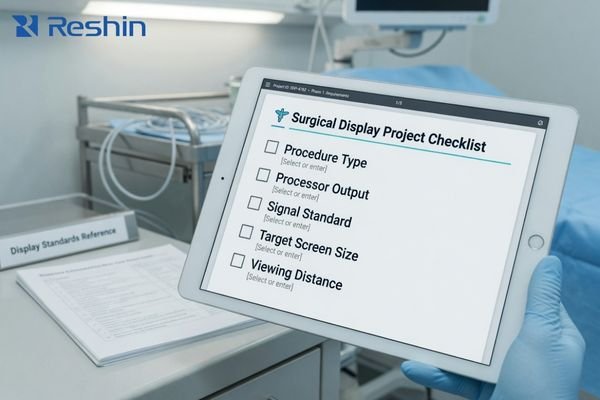
A resolution comparison without system context is mostly theoretical. The answer only becomes useful when it is tied to the actual room, the actual source, and the actual deployment plan.
This is the checklist I usually run through with project teams:
- Procedure type: How much fine visual detail does the workflow really depend on?
- Processor output: Is the main source natively 4K or Full HD?
- Signal standard: Is the room built around 3G-SDI, 12G-SDI, fiber, or a mixed environment?
- Screen size and viewing distance: Will the chosen form factor make the resolution difference meaningful in practice?
- Project goals: Is the priority maximum image detail, lower-risk rollout, backward compatibility, or a staged upgrade path?
In our own project reviews, we usually confirm source output, signal standard, mounting location, and viewing distance before we recommend a resolution tier. That sequence tends to reduce the most common early mistakes, especially when teams are deciding between 27-inch and 32-inch platforms at the same time.
If those inputs point toward legacy compatibility, rollout stability, and closer-view workflow, Full HD often fits better3. If they point toward native 4K output, finer visual detail, and bandwidth-ready routing, 4K becomes the more natural answer.
When Full HD Is the Better Fit in Surgical Display Projects
Despite the attention that 4K receives, Full HD still makes strong sense in many surgical display projects. In the right environment, it is often the more practical, more stable, and easier-to-deploy choice.
In environments with legacy processors, 3G-SDI chains, mixed older standards, or strong compatibility priorities, Full HD is often the safer choice. It avoids forcing a 4K path into a system that is not yet ready to use it well.
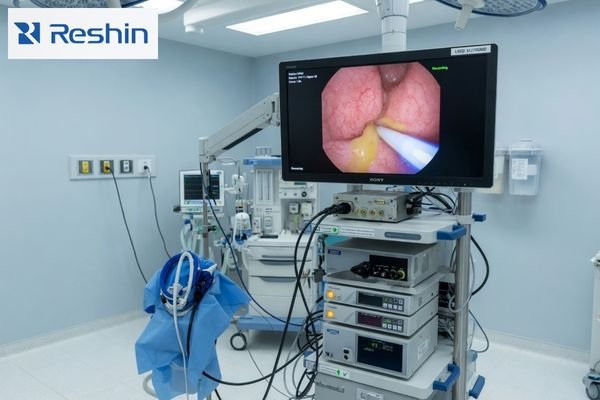
The value of Full HD comes from maturity, stability, and broad compatibility. I often recommend a Full HD path when the project has one or more of these characteristics:
- Legacy integration: The room still relies on endoscope cameras, processors, or supporting equipment that output native 1080p.
- Signal-chain constraints: The infrastructure is built around 3G-SDI or older standards that are already stable and validated for Full HD use.
- Closer-view workflows: The screen size and viewing position do not always justify a more complex 4K path.
- Lower-friction rollout: The project priority is stable deployment across rooms rather than immediate maximum-spec upgrade.
A good Full HD platform is not just a fallback. It can be the right answer on purpose.
For compact, compatibility-first projects, a model like MS270P is a strong example of that logic. It keeps a legacy-friendly interface profile and a workflow that is easier to integrate with older endoscopy chains.
For larger-format projects where teams still want Full HD stability, MS325P shows that Full HD can still make sense in a modern room. A bigger screen, stronger brightness, and stable deployment can matter more than upgrading the full chain to 4K before the rest of the system is ready.
When 4K Creates Real Value Instead of Just a Bigger Specification
The value of 4K does not come from pixel count by itself. It comes from having a surgical imaging ecosystem that is ready to support it.
4K creates clearer workflow value when the project already uses native 4K sources, supports higher-bandwidth signal paths, and genuinely benefits from finer image detail. In that kind of system, 4K becomes more than a bigger specification.
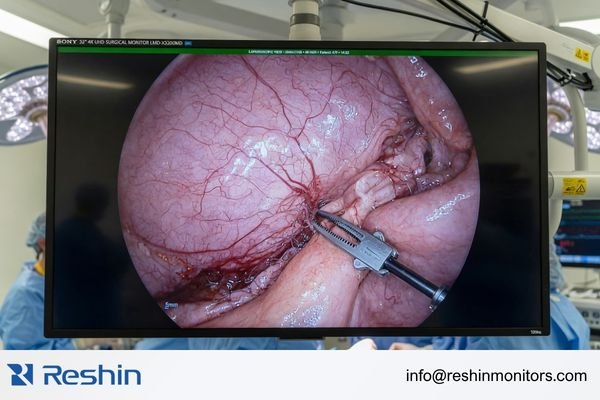
In my project experience, 4K becomes the more natural choice when several conditions are already in place:
- Native 4K source: The camera processor outputs true 4K rather than scaled Full HD.
- Finer visual demand: The team wants more usable image detail for tasks that justify it.
- Bandwidth-ready signal path: The room can support a stable 4K chain through 12G-SDI, fiber, or an equivalent setup.
- Workflow payoff: The team can take advantage of 4K not only in image detail, but also in multi-image layouts and more information-rich display use.
- Supporting optical features: Optical bonding, AR front protection, and broader color performance are part of the overall platform, not isolated add-ons.
When those conditions line up, 4K can deliver clearer workflow value instead of just looking stronger in a brochure.
For mainstream modern 4K workflows, MS275PA is a practical example of that tier. For more advanced routing and integration-heavy environments, MS322PB represents a more capable 32-inch 4K platform.
Why Signal Chain, Screen Size, and Installation Reality Change the Resolution Answer
Resolution decisions do not happen in isolation. In surgical display projects, they are constantly shaped by the signal chain, the chosen screen size, and the physical installation conditions in the room.
A resolution choice cannot be separated from source output, signal path, and physical form factor. A 27-inch display and a 32-inch display behave differently in real viewing conditions, and a constrained signal chain can limit the practical value of 4K.
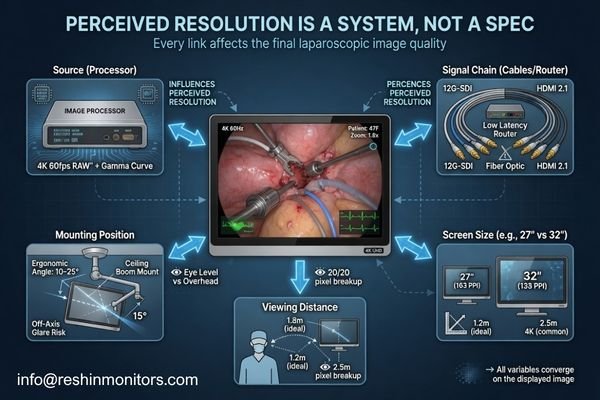
From an engineering standpoint, the display is only the final link in a longer chain. If the links before it create a bottleneck, the higher-resolution option may not deliver much added value in practice.
A few examples tend to change the answer quickly:
- Signal path: If the processor, router, or cabling only supports Full HD cleanly4, a 4K display will spend much of its life showing a lower-resolution image.
- Screen size and viewing distance: The practical benefit of higher resolution depends on how large the screen is and how close the team is to it.
- Mounting location: A display on a boom arm, cart, or wall does not create the same viewing experience, even when the diagonal size is the same.
- Shared viewing: In some rooms, larger-screen readability matters as much as, or more than, jumping immediately to the highest resolution tier.
This is why buyers are not really reviewing 4K and Full HD as abstract categories. They are reviewing which resolution, inside a specific screen size and system layout, creates the most effective and dependable result.
Different Resolution Tiers Map to Different Surgical Monitor Platforms
From a project-fit perspective, Full HD and 4K do not represent a simple “old versus new” comparison. They map to different surgical monitor platforms, each designed for a different level of workflow complexity and deployment logic.
That is why I rarely present the choice as “pick the better spec.” In our own project practice, we usually sort the decision into four practical platform paths: compatibility-first FHD, larger-format FHD deployment, mainstream 4K, and more advanced 4K integration.
| Clinical Role / Application | Usage Pattern | Display Requirements | Recommended Model | Key Integration Considerations |
|---|---|---|---|---|
| Legacy & Compatibility-First FHD | Compact projects integrating with older endoscopy towers or mixed signal standards. | 27-inch FHD, BT.709 color behavior, AR protective glass, and broad legacy interface support. | MS270P | Best reviewed through legacy timing validation, mixed-source compatibility, and tower-or-arm deployment fit. |
| Large-Format FHD Deployment | Projects that prioritize stable FHD rollout but want a larger screen for better visibility or shared viewing. | 32-inch FHD, higher brightness, AR front protection, and PIP/PBP on a mature Full HD platform. | MS325P | Best reviewed through viewing distance, larger-format readability, and rollout stability across multiple rooms. |
| Mainstream Modern 4K | ORs adopting a full 4K imaging chain for minimally invasive surgery. | 27-inch 4K, BT.2020, optical bonding, 12G-SDI, and modern multi-image support. | MS275PA | Best reviewed through native 4K source readiness, 12G-SDI path stability, and the real value of 4K detail in workflow. |
| Advanced 4K Integration | Routing-heavy, multi-source OR environments with deeper integration demands. | 32-inch 4K, broader I/O flexibility, multi-image behavior, and stronger routing support. | MS322PB | Best reviewed through multi-source routing behavior, output distribution logic, and 32-inch viewing layout fit in integrated OR use. |
The key point is not to memorize model names. It is to understand that each resolution tier usually matches a different project type, a different level of infrastructure readiness, and a different deployment logic.
FAQ About 4K vs Full HD in Surgical Display Projects
Is 4K always the better choice for surgical monitors?
No. 4K creates value when source output, signal path, viewing condition, and workflow detail all support it. If those conditions are not in place, Full HD is often the more practical choice.
Can Full HD still make sense in a modern operating room?
Yes. Full HD still makes strong sense in compatibility-first projects, staged upgrades, larger-format FHD rollouts, and rooms where stability matters more than forcing an immediate 4K transition.
Is screen size part of the 4K versus Full HD decision?
Yes. A 27-inch display and a 32-inch display change viewing distance, readability, and shared-view use. Resolution decisions work better when they are made together with size decisions.
What should buyers share before asking which resolution fits better?
Buyers should share procedure type, processor output, signal standard, target screen size, mounting location, typical viewing distance, and project goals. Those inputs usually determine the most logical resolution answer.
The Better Resolution Is the One That Fits the Surgical Project More Naturally
For serious surgical buyers, 4K versus Full HD is not a fixed rule. It is a project judgment. The better resolution is not simply the higher one on a datasheet. It is the one that fits the source output, workflow detail, signal path, screen size, and deployment reality of the room more naturally.
The goal of this comparison is not to declare a universal winner. It is to help buyers decide which resolution tier makes the most sense for their own surgical workflow. If you are evaluating a new surgical monitor manufacturer, the most useful next step is usually to share your source output, signal standard, target size, mounting location, and viewing distance before you compare models. That tends to produce a much better decision than starting from the resolution label alone.
✉️ info@reshinmonitors.com
🌐 Surgical Monitor Manufacturer
-
"Questions On 4K, 1080p and Resolution Scaling : r/hardware – Reddit", https://www.reddit.com/r/hardware/comments/7bmo19/questions_on_4k_1080p_and_resolution_scaling/. Upscaling studies demonstrate that simple pixel-doubling of a 1080p signal to 4K does not introduce new spatial information or detail beyond interpolation artifacts. Evidence role: mechanism; source type: research. Supports: A 4K display connected to a Full HD source will not usually create meaningful added detail.. Scope note: Limited to standard upscaling algorithms without advanced machine-learning super-resolution methods. ↩
-
"Digital signal processing – Wikipedia", https://en.wikipedia.org/wiki/Digital_signal_processing. This article outlines the digital imaging pipeline and explains how display output quality depends on the source signal, transmission path, installation parameters, and viewing conditions. Evidence role: mechanism; source type: encyclopedia. Supports: The display can only perform as well as the source, routing, installation, and viewing setup around it.. Scope note: This overview addresses general digital imaging principles and may not detail specialized surgical display systems. ↩
-
"Effects of content and viewing distance on the preferred size … – PMC", https://pmc.ncbi.nlm.nih.gov/articles/PMC7409065/. Studies show that at typical close-viewing distances for 27- to 32-inch displays, 1080p meets the visual acuity threshold for most users while requiring roughly one-quarter the bandwidth of a 4K signal. Evidence role: statistic; source type: paper. Supports: Full HD often fits better. Scope note: Based on average adult visual acuity and uncompressed signal comparisons; codec efficiency and individual eyesight may affect results. ↩
-
"How much DP bandwidth do you need for 4k 240 with DSC? – Reddit", https://www.reddit.com/r/OLED_Gaming/comments/1kkvbec/how_much_dp_bandwidth_do_you_need_for_4k_240_with/. Industry standards specify that 4K resolution (3840×2160) requires approximately four times the data throughput of Full HD (1920×1080), so if intermediary devices only handle 1080p, the signal will be downscaled. Evidence role: mechanism; source type: encyclopedia. Supports: If the processor, router, or cabling only supports Full HD cleanly, a 4K display will spend much of its life showing a lower-resolution image.. Scope note: Actual bandwidth requirements can vary by interface version and compression techniques. ↩


