DisplayPort MST daisy chain can look attractive in diagnostic workstation planning because it reduces cables and GPU port pressure. I still treat it as an approval decision that must be validated before PACS or radiology deployment.
DisplayPort MST daisy chain approval for diagnostic monitors should depend on the complete workstation output chain: GPU model, output ports, driver, operating system, monitor topology, bandwidth, resolution, refresh rate, color depth, calibration workflow, PACS viewer layout, and deployment repeatability. Direct GPU output is often safer when lower integration risk is more important than cable simplicity.
In diagnostic display projects, cable simplicity is not the only decision point. A daisy-chain layout may reduce desk clutter, but it can also introduce recognition, bandwidth, sleep/wake, display-order, or calibration workflow concerns if the complete workstation chain is not confirmed. In this article, “safer” means lower integration risk, not a clinical outcome claim.
This article focuses on approval decision-making for diagnostic monitor projects, not general MST troubleshooting. The question is not only whether MST can display an image once. The more important question is whether the project team can approve MST as a repeatable output configuration for PACS workstations, diagnostic reading rooms, replacement projects, or phased deployment.
That is why I review radiology monitor output planning as part of workstation validation. I first check the GPU, output ports, interface plan, resolution target, display quantity, PACS viewer layout, calibration process, and deployment batch conditions. Then I decide whether MST deserves approval testing or whether direct GPU output should remain the baseline.
Why DisplayPort MST Daisy Chain Is Attractive for Diagnostic Workstations
DisplayPort MST daisy chain is often considered when PACS workstations need multiple diagnostic monitors but the graphics card has limited output ports or the desk requires cleaner cabling.
MST can reduce cable clutter and GPU port usage, but diagnostic monitor projects should not approve it only because the connection looks cleaner. The project team must confirm GPU support, operating system behavior, monitor capability, bandwidth, resolution, refresh rate, color depth, calibration workflow, and PACS layout stability before treating MST as an approved output path.
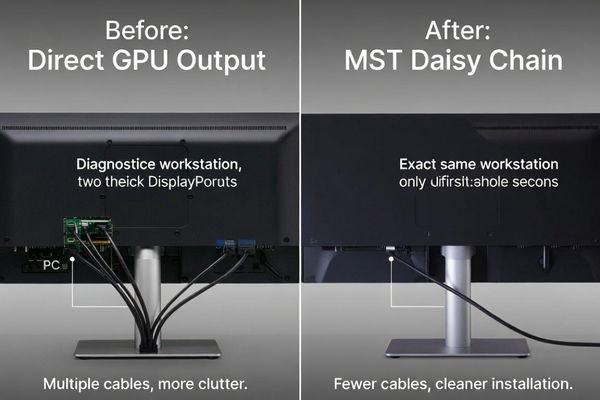
I treat MST as a workstation architecture decision, not a simple cable preference. The signal path should be tested as a complete chain because the first display, downstream display, MST hub or docking device, GPU, driver, operating system, and PACS viewer can all affect whether the layout remains stable.
Cleaner Cabling Can Help Workstation Installation
In multi-monitor PACS workstation projects, fewer direct cables can make desk routing, workstation movement, and installation cleaner. This can be attractive for integrators who need to deploy several review stations with limited space behind the desk. For PACS and imaging workstation integrators, the benefit is practical only when the tested chain remains stable under real workstation conditions, not only during a quick connection check.
For broader dual-screen imaging workstation MST risks, the project team can review dual-screen imaging workstation MST risks separately. This article is focused on whether MST should be approved for diagnostic monitor deployment, and when direct GPU output should remain the lower-risk baseline.
Cleaner Cabling Should Not Replace Approval Criteria
A diagnostic workstation must keep display recognition, display order, calibration workflow, and PACS layout consistent. If MST creates uncertainty after reboot, sleep/wake, driver update, docking change, monitor replacement, or cable swap, the cleaner cable layout may not be worth the service risk. In many diagnostic reading environments, direct GPU output may be preferred because each display has a dedicated signal path and fewer topology variables.
When DisplayPort MST Daisy Chain Can Work for Diagnostic Monitors
MST can work in controlled diagnostic workstation conditions, but the full signal chain must support it. I do not assume compatibility from the cable type alone.
MST may be suitable when the GPU supports MST, the monitor or hub topology is confirmed, bandwidth is sufficient, required resolution and refresh rate remain stable, the operating system recognizes each monitor correctly, PACS layout does not drift, and calibration remains repeatable across reboot, sleep/wake, and planned service conditions.
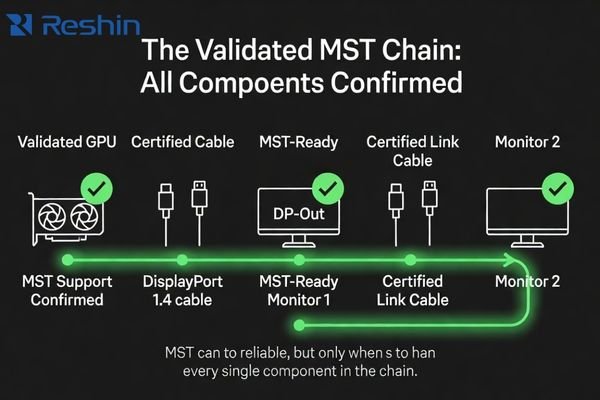
For MST to be considered, the project team should confirm GPU support, driver behavior, operating system display recognition, DP version, cable quality, monitor DP-out and MST capability, hub or dock behavior if used, and total bandwidth. The required resolution, refresh rate, and color depth should be tested across the full monitor chain. If any part of the chain is uncertain, approval should remain conditional rather than being treated as ready for deployment.
MST may be more acceptable for review stations, non-critical secondary display roles, controlled dual-monitor setups, or standardized workstation groups after validation. It becomes more sensitive when the project involves higher-resolution reading displays, mixed display classes, strict calibration routines, workstation replacement, or phased deployment. In these cases, direct GPU output may reduce recognition and service uncertainty1, depending on project requirements.
MST Approval Should Start from the Intended Workstation Role
A review workstation, a diagnostic reading workstation, and a mammography review station do not carry the same output risk. A configuration that is acceptable for a general review desk may not be acceptable for a workstation where display order, calibration records, and repeated recognition must remain highly predictable. This is why I separate the workstation role before approving MST. The output method should match the risk level of the display task.
MST Daisy Chain vs Direct GPU Output Decision Matrix
A decision matrix helps separate cable convenience from workstation stability. I use it to decide whether MST deserves validation or direct GPU output should remain the planning baseline.
The choice between MST daisy chain and direct GPU output should be based on display class, resolution, workstation variation, calibration needs, sleep/wake behavior, replacement plan, hub or docking topology, and deployment scale. Direct GPU output is often safer when repeatable recognition and lower integration risk matter most.
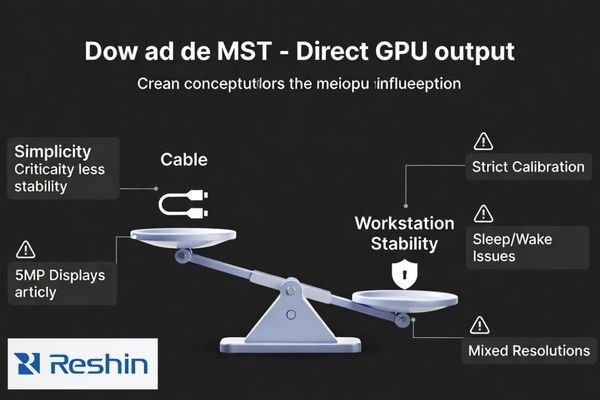
The matrix below is a planning tool, not a universal rule. It helps PACS, biomedical, procurement, and integration teams compare the benefit of cleaner cabling against the risk of workstation instability or difficult service support.
| Project Condition | MST Consideration | Direct GPU Output Consideration | What to Confirm | Safer Planning Direction |
|---|---|---|---|---|
| Dual 2MP diagnostic displays | May be considered if GPU, monitors, and bandwidth support the chain | Provides dedicated output to each monitor | GPU MST support, DP-out capability, resolution, refresh rate, calibration workflow | MST only after full validation; direct output if stability is priority |
| 3MP diagnostic reading displays | Bandwidth and recognition should be checked carefully | Lower risk for stable reading workstation output | Resolution, color depth, display order, calibration repeatability | Direct GPU output is often safer |
| 5MP reading displays | MST may create higher validation pressure | Dedicated output reduces signal-chain uncertainty | GPU capability, bandwidth, recognition, calibration behavior | Prefer direct GPU output unless the full chain is proven |
| Mixed-resolution monitors | MST chain may create scaling or ordering issues2 | Easier to manage each display independently | EDID behavior, OS layout, PACS viewer arrangement | Direct GPU output is usually safer |
| PACS workstation replacement | Existing workflow may not tolerate recognition changes | Preserves a clearer one-output-per-display structure | Current GPU ports, cable plan, user layout, calibration routine | Match the existing stable output method when possible |
| Limited GPU ports | MST may solve port limitations if supported | May require GPU upgrade or different workstation design | GPU specifications, driver behavior, output quantity, bandwidth | Compare MST validation risk against GPU upgrade risk |
| MST hub instead of monitor daisy chain | Hub behavior may differ from monitor DP-out chaining | Direct output avoids an additional routing device | Hub specification, power behavior, EDID handling, cable order, resolution | Validate hub topology separately; use direct output if service risk is high |
| USB-C or docking station output | Docking behavior may change after reconnect, sleep, or driver update | Dedicated GPU output can reduce dock-related recognition changes | Dock model, USB-C mode, bandwidth, driver, reconnect behavior | Use direct GPU output for fixed diagnostic reading stations when possible |
| Strict calibration workflow | MST must not interfere with repeatable display management | Dedicated outputs may simplify calibration records | Calibration software behavior, display IDs, order stability | Direct GPU output is often safer |
| Sleep/wake recognition concerns | MST may require deeper reboot and wake testing | Dedicated outputs may reduce recognition uncertainty | Sleep/wake, reboot, driver update, display order | Use direct output if recognition changes are unacceptable |
| Phased deployment | Different batches may behave differently if chain conditions change | Easier to standardize approved workstation configurations | Monitor version, cable type, GPU model, documentation | Freeze one tested configuration before expansion |
This matrix helps prevent one common mistake: approving MST because it worked once on a bench. For diagnostic workstations, the tested configuration should include the same GPU, driver, monitor chain, cable type, hub or dock if used, PACS layout, and calibration workflow planned for deployment.
When I Usually Keep Direct GPU Output as the Baseline
I usually keep direct GPU output as the baseline when the workstation uses 5MP mammography displays, strict calibration records, mixed-resolution monitors, unstable sleep/wake recognition, unknown GPU or driver variation, docking-station output, multi-site phased deployment, or a reading workflow that cannot tolerate display-order changes.
This does not mean MST is unreliable in every project. It means MST should not become the default only because it reduces cables. When the cost of recognition drift, calibration uncertainty, or service variation is higher than the value of cleaner cabling, direct GPU output is usually the safer approval baseline.
What Should Be Validated Before Approving MST in a PACS Workstation
Before approving MST, I prefer to test the workstation chain under real or representative PACS conditions. A stable desktop display is not enough for full deployment approval.
Before MST approval, the team should test GPU output, output ports, driver and OS version, DP version, monitor DP-out setting, hub or dock behavior if used, cable quality, resolution recognition, EDID behavior, refresh rate, color depth, calibration workflow, PACS viewer layout, display order, sleep/wake behavior, reboot behavior, user acceptance, documentation, and batch repeatability.
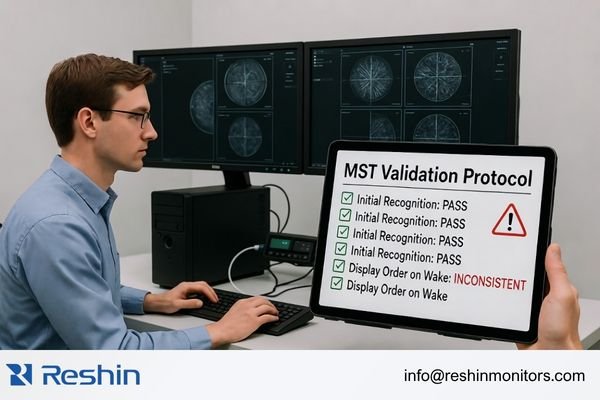
MST validation should record the complete chain.3 I confirm the GPU model, output ports, driver version, operating system, DP cable type, cable length, monitor order, required resolution, refresh rate, color depth, PACS viewer layout, and calibration process. In Reshin workstation output reviews, I usually separate the discussion into source output, monitor interface, MST topology, calibration workflow, PACS layout, and deployment repeatability before recommending MST validation or direct GPU output.
For engineering review before approving MST, send the GPU model, output ports, driver and OS version, monitor quantity, target resolution, refresh rate, color depth, cable plan, MST hub or dock model if used, PACS workstation type, viewer layout, and calibration requirements to info@reshinmonitors.com.
Recognition and Layout Should Be Tested Beyond First Connection
The team should test more than the first successful connection. Reboot behavior, sleep/wake behavior, display order, EDID recognition, operating system layout, and PACS viewer layout should be checked repeatedly. If monitor order changes or the operating system does not keep the layout stable, MST may create service pressure. I also check whether the calibration workflow can identify and manage each display consistently.
MST Approval Should Have Clear Pass Conditions
I usually consider MST ready for approval only when each monitor is recognized consistently after reboot and sleep/wake, the expected resolution and refresh rate remain unchanged, display order does not drift, calibration software identifies each display repeatedly, the PACS viewer layout remains stable, and the same configuration can be repeated across the planned workstation batch.
If these conditions cannot be reproduced, MST should remain in validation status rather than being approved for deployment. In that case, direct GPU output is usually the safer baseline because it reduces topology variables and makes service recovery easier.
Batch Deployment Needs a Frozen Output Configuration
If MST is approved, the exact configuration should be frozen. This includes GPU model, output ports, driver version, operating system version, cable type, cable length, hub or dock model if used, monitor chain order, input and output settings, resolution, refresh rate, color depth, calibration workflow, documentation, and replacement rule. I connect this review with long-term supply and model consistency because workstation output stability can change if later batches use different hardware, cables, drivers, or display revisions.
Recommended Diagnostic Monitor Directions for Workstation Output Planning
After the output method is defined, monitor planning becomes more controlled. I prefer to connect each monitor direction to a workstation role instead of assuming MST or direct GPU output is always correct. Final approval should depend on the full signal chain, workstation compatibility, calibration process, PACS layout, and project acceptance criteria.
The following directions are for diagnostic workstation output planning. They do not imply MST support. Final interface support should be confirmed from the project datasheet and sample validation before any MST or direct-output configuration is approved. MST should be used only when the GPU, monitor chain, cable plan, bandwidth, operating system, driver, and calibration workflow have been validated. For higher-stability reading use, direct GPU output is often the lower-risk planning direction.
| Clinical Role / Application | Usage Pattern | Display Requirements | Recommended Model | Key Integration Considerations |
|---|---|---|---|---|
| 2MP review display planning | General PACS review, replacement station, or controlled dual-display setup | 2MP diagnostic display direction depending on workstation role | MD22CA | Direct GPU output is preferred for stability; MST only after full chain validation if supported by the complete workstation configuration |
| CT/MRI review workstation | Cross-sectional image review or modality workstation output planning | 2MP-class diagnostic display direction depending on project requirements | MD26C | Confirm GPU output, resolution recognition, PACS layout, and calibration workflow before approving the output method |
| 3MP diagnostic reading | Higher diagnostic review class for selected reading workstations | 3MP DICOM color monitor direction depending on workflow needs | MD32C | Direct GPU output is often safer where display order and calibration repeatability are critical |
| Dual-screen PACS workflow | PACS workstation layout consolidation or dual-screen style review | 4MP dual-screen PACS display direction depending on workstation design | MD45C | Review graphics output, layout behavior, workstation compatibility, user acceptance, and approved output baseline before approval |
| Mammography review planning | High-resolution breast imaging review workflow | 5MP mammography display direction depending on project requirements | MD52G | Prefer direct GPU output and stricter validation for recognition, bandwidth, calibration, and workflow stability |
FAQ
Can diagnostic monitors be daisy chained with DisplayPort MST? Yes, but only when the GPU, driver, operating system, monitor DP-out and MST capability, cable plan, bandwidth, resolution, refresh rate, color depth, and calibration workflow all support the chain. It should be approved through sample validation, not assumed from the connector alone.
Is DisplayPort MST suitable for PACS workstation monitors? MST may be suitable for controlled PACS review stations, secondary display roles, or standardized workstation groups after validation. For higher-stability diagnostic reading workstations, direct GPU output is often safer because it reduces integration, recognition, and service uncertainty.
When is direct GPU output safer than MST daisy chain? Direct GPU output is safer when the project requires stable display order, strict calibration workflow, high-resolution displays, mixed-resolution layouts, predictable sleep/wake behavior, simpler field service, or repeatable deployment across batches. In this article, safer means lower integration risk.
What should be tested before using MST for diagnostic monitors? The team should test GPU support, output ports, driver and OS version, DP version, cable quality, monitor chain behavior, hub or dock behavior if used, resolution recognition, EDID behavior, refresh rate, color depth, display order, reboot, sleep/wake, PACS layout, calibration workflow, and repeatability.
Is an MST hub the same as monitor daisy chain? No. Both may use MST, but the topology is different. A monitor daisy chain depends on the display’s DP input and DP output behavior, while an MST hub adds a separate routing device. Hub power behavior, EDID handling, cable order, and reconnect behavior should be validated separately.
Does daisy chaining affect DICOM calibration or monitor recognition? It can, depending on the workstation, driver, monitor chain, calibration software, and MST topology. The team should confirm whether each display is recognized consistently and whether calibration records remain repeatable under the approved configuration.
What information should be prepared before requesting MST approval review? It is useful to prepare the GPU model, output ports, driver and OS version, monitor quantity, target resolution, refresh rate, color depth, cable plan, MST hub or dock model if used, PACS workstation type, viewer layout, calibration requirements, and deployment quantity. These details help the supplier review output-chain risk more accurately.
Conclusion
DisplayPort MST daisy chain can reduce cabling and GPU port pressure in diagnostic workstation planning, but it should not be approved only because the layout looks cleaner. I treat MST as an approval decision that includes GPU support, output ports, driver and operating system behavior, monitor capability, bandwidth, cable quality, resolution, refresh rate, color depth, display recognition, PACS viewer layout, calibration workflow, sleep/wake behavior, and deployment repeatability.
At Reshin, I support diagnostic monitor projects by connecting workstation output planning with sample validation, PACS layout review, calibration workflow confirmation, documentation control, approved output configuration, and long-term deployment consistency. This helps PACS integrators, workstation builders, biomedical teams, OEM/ODM projects, distributors, and procurement teams reduce avoidable output-chain risk. Share your diagnostic workstation output plan for engineering review.
✉️ info@reshinmonitors.com
-
"How to measure GPUDirect RDMA performance?", https://forums.developer.nvidia.com/t/how-to-measure-gpudirect-rdma-performance/188668. A comparative study found that direct GPU-to-monitor connections exhibited significantly fewer display detection failures and lower reconnection rates than daisy-chain MST configurations on Windows workstations. Evidence role: mechanism; source type: paper. Supports: direct GPU output may reduce recognition and service uncertainty. Scope note: Results are based on a limited range of GPU models and a single operating system. ↩
-
"Problems with DisplayPort MST Multi-Monitor Setup – KDE Discuss", https://discuss.kde.org/t/problems-with-displayport-mst-multi-monitor-setup/42679. Research on DisplayPort MST configurations shows that combining displays of differing native resolutions can lead to unpredictable scaling and ordering behaviors due to fixed per-stream bandwidth allocation. Evidence role: general_support; source type: paper. Supports: MST chain may create scaling or ordering issues. Scope note: Observed behaviors may vary by GPU driver and monitor firmware versions. ↩
-
"MST – Wikipedia", https://en.wikipedia.org/wiki/MST. The VESA Multi-Stream Transport specification defines MST and recommends recording the entire signal chain during validation. Evidence role: definition; source type: encyclopedia. Supports: MST validation should record the complete chain.. Scope note: Supports general MST validation practices but does not address PACS-specific workflows. ↩