Radiology teams often upgrade displays but still face slow reading, visual fatigue, and fragmented reporting because the workstation layout does not match actual reading behavior or task flow.
The most effective PACS workstation layouts improve radiology monitor efficiency by reducing eye travel, separating diagnostic and reporting tasks, and supporting faster comparison across CT, MRI, DR, ultrasound, and mixed-reading workflows.
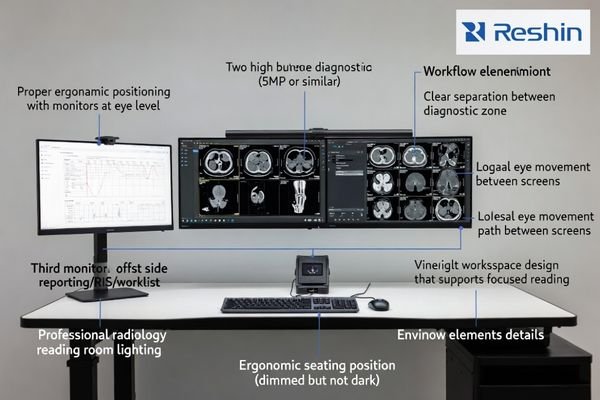
An efficient PACS workstation layout1 supports how radiologists actually read studies. It keeps the main diagnostic zone clear, places reporting and clinical reference tasks in separate visual areas, and reduces unnecessary head movement, screen switching, and window reshuffling. When layout logic is correct, departments usually see better reading continuity, lower fatigue, and more consistent workstation performance across users, rooms, and modality types.
What Defines an Efficient PACS Workstation Layout?
An efficient PACS workstation layout is built around reading behavior, not screen quantity. The goal is to support diagnosis, comparison, reporting, and clinical reference in a structure that feels clear, stable, and easy to follow during long sessions.
An efficient PACS workstation layout reduces eye and head movement, separates screen roles clearly, and helps radiologists move between image review, comparison, and reporting with less visual interruption.
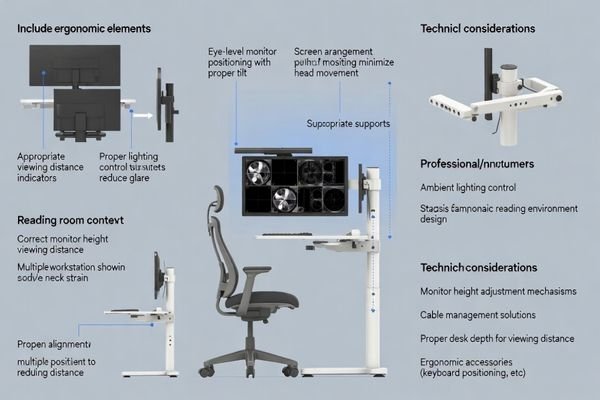
A strong radiology monitor layout2 usually depends on screen orientation, role separation, ergonomic alignment, support for multi-modality reading, and future scalability. These factors affect reading speed, cognitive load, and long-session comfort more directly than many departments expect. Even a high-quality display can feel inefficient when reporting, image review, and clinical reference compete within the same visual zone.
Core Elements of an Efficient Radiology Monitor Layout
A well-designed PACS workstation should usually include the following elements:
- Clear separation between diagnostic viewing and reporting or administrative tasks
- Screen orientation that fits the modality mix, especially portrait versus landscape use
- Short eye-travel distance between primary and secondary screens
- Consistent monitor height and alignment to reduce neck strain
- Support for PACS, RIS, EMR, and voice reporting without visual clutter
- Layout flexibility for future workstation standardization or workflow changes
Top 6 PACS Workstation Layout Patterns for Radiology Monitor Efficiency
Different radiology departments need different workstation strategies. Some prioritize standardization across multiple rooms, while others need stronger support for advanced CT, MRI, or mixed-modality review. The best layout depends on workflow, reporting habits, and how clearly primary and secondary tasks are separated.
The best PACS workstation layout is the one that matches modality mix, reporting flow, and task zoning rather than simply adding more screens or choosing higher display resolution.
1. Dual 5MP Portrait Layout for General Radiology
This layout remains one of the most dependable choices for general radiology because it provides a familiar side-by-side structure for comparison, navigation, and long-image viewing. It is especially suitable for departments that want consistent workstation planning across multiple reading rooms.
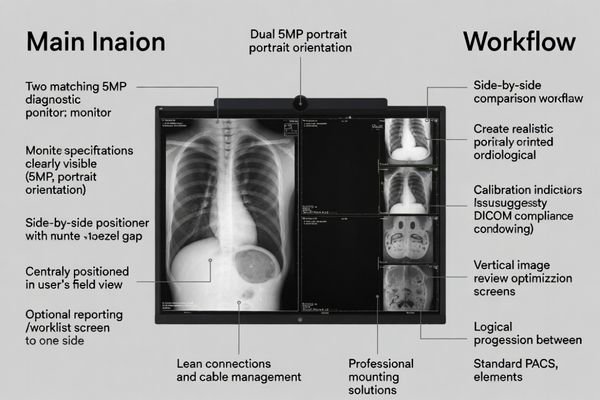
Two portrait diagnostic displays3 create a balanced visual field without overwhelming the user. The layout supports routine DR, CR, CT, and MRI workflows while keeping the main image area concentrated in a predictable reading zone.
This pattern is often one of the easiest to standardize. Training is simpler, deployment is more consistent, and departments can maintain stable reading habits across different users and rooms.
Best suited for:
- General radiology reading rooms
- DR and CR heavy workflows
- Standardized PACS deployment across multiple rooms
- Departments focused on stable routine efficiency
2. Single 8MP Diagnostic Display Layout
A single 8MP diagnostic display is often considered in advanced reading environments because it removes the bezel gap found in dual-screen setups. This creates one continuous image field that can make comparison and navigation feel more fluid during CT and MRI interpretation.
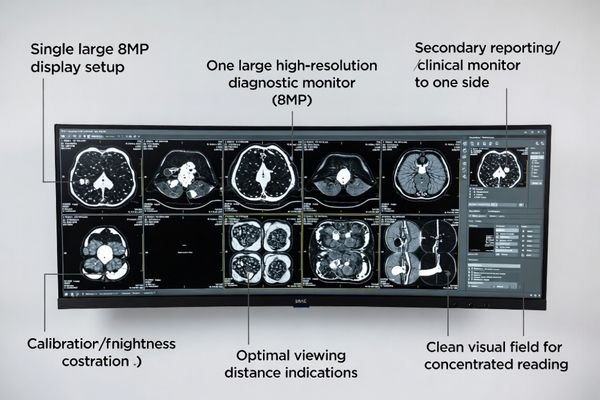
This layout works best when the PACS interface is planned carefully. A large continuous screen can support focused image review, but the benefit depends on how study windows, tools, and palettes are organized across the display area.
It is often a strong option for premium reading stations4 that want a cleaner central visual zone. However, it should be selected for workflow fit and user preference rather than treated as an automatic upgrade choice.
Best suited for:
- Premium MRI and CT reading stations
- Advanced single-reader environments
- Sites seeking reduced bezel interruption
- Departments prioritizing concentrated image review
3. Reading Screen and Reporting Screen Split Layout
This layout separates diagnosis from reporting by assigning the primary display to image reading and a secondary display to speech recognition, worklists, RIS, or EMR tasks. It is one of the most practical ways to reduce workflow interruption in busy radiology departments.
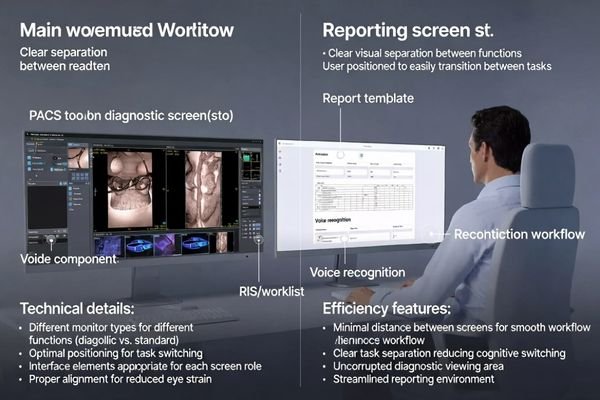
The value of this pattern comes from clear task zoning. Instead of forcing images and reporting tools into the same space, it protects the reading area and makes reporting a separate, controlled activity.
This layout is especially effective in high-volume CT and MRI environments5 where frequent task switching slows reporting rhythm. It can also work well across both premium and mid-range workstation plans.
Best suited for:
- Fast-reporting environments
- High-volume CT and MRI departments
- Radiologists using voice recognition extensively
- Workflows with frequent RIS and EMR interaction
4. Diagnostic Plus Clinical Review Hybrid Layout
The diagnostic plus clinical review hybrid layout supports environments where radiologists need more than PACS images alone. It combines a protected diagnostic display with a secondary screen used for EMR data, pathology notes, prior external files, ultrasound color images, or other supporting information.
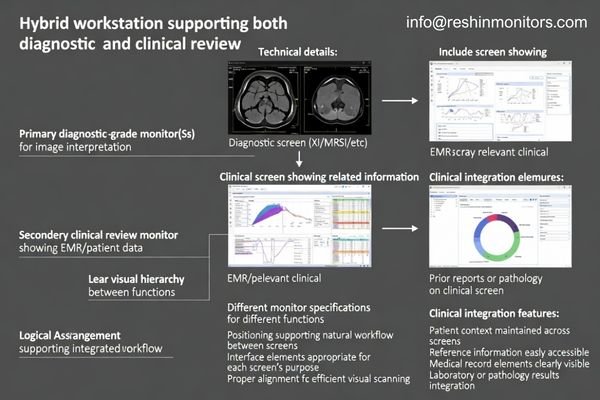
This layout helps maintain diagnostic focus6 while still allowing full case review. The main screen remains dedicated to image interpretation, while supporting clinical material stays available without cluttering the primary diagnostic zone.
It is particularly useful in mixed-modality departments and hospitals where radiology decisions rely on fast access to broader clinical context. For many teams, it offers a practical balance between diagnostic clarity and workflow realism.
Best suited for:
- Mixed-modality radiology departments
- Hospitals with heavy EMR or clinical reference use
- Ultrasound plus CT or MRI comparison workflows
- Reading rooms needing one diagnostic and one support display
5. Balanced Dual 3MP Reading Layout
The balanced dual 3MP reading layout is often a practical transitional option for regional hospitals, imaging centers, and cost-sensitive upgrade projects. It improves reading consistency over office-monitor setups while preserving the familiar advantages of a dual-screen workflow.
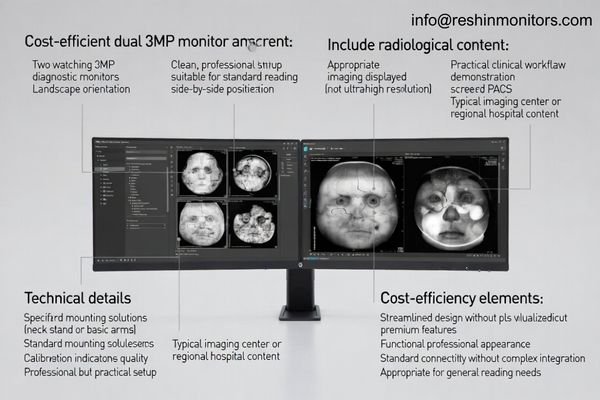
This layout supports standard PACS reading, basic comparison, and more predictable ergonomics than improvised workstation arrangements. It can deliver meaningful workflow improvement7 without forcing an immediate move into premium display planning.
For departments upgrading in phases, this pattern can be a workable bridge between basic setups and more advanced reading stations. It is especially valuable when budget control and deployment consistency both matter.
Best suited for:
- Budget-conscious departments
- Regional hospitals and imaging centers
- Secondary reading rooms
- Phased workstation upgrade projects
6. Multi-Modality Comparison Layout Pattern
A multi-modality comparison layout is useful when radiologists regularly work across CT, MRI, ultrasound, pathology, and prior studies within the same reading session. Its value comes from intelligent information zoning rather than simply adding more displays.
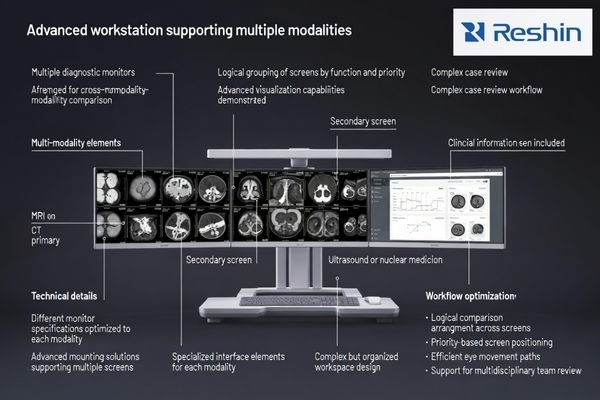
This layout helps users decide what belongs in the primary diagnostic field, what should stay in the comparison zone, and which tools should remain temporary. That structure reduces screen reshuffling and makes cross-source review more efficient.
It is especially valuable in oncology centers, teaching hospitals, and MDT-driven environments where multiple information streams must be reviewed together. When designed well, it reduces cognitive load8 and improves comparison speed.
Best suited for:
- Oncology and MDT workflows
- Teaching hospitals
- Advanced CT, MRI, and ultrasound comparison
- Multi-source diagnostic environments
Why Radiology Departments Need the Right PACS Workstation Layout
Many radiology upgrade projects focus first on monitor specifications, yet layout quality often has a greater day-to-day effect on productivity. A poor workstation arrangement increases eye travel, mixes tasks within the same screen logic, and forces radiologists to manage windows instead of maintaining reading flow.
Radiology departments need the right PACS workstation layout because better screen-role separation improves reading consistency, reduces fatigue, and makes workstation performance more predictable across users and rooms.
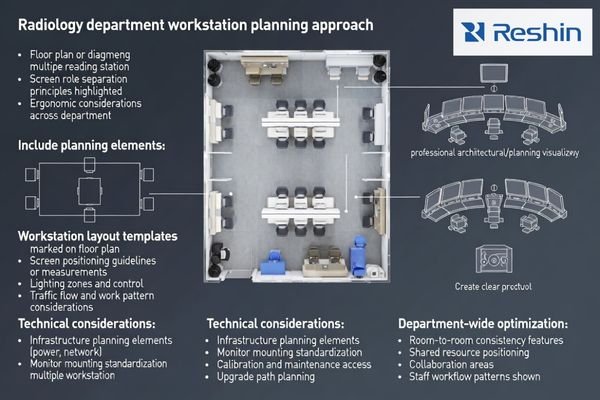
The right layout improves more than comfort. It supports staff training, simplifies standardization across multiple rooms, and helps departments maintain more consistent reading habits across different users and modalities.
Over time, layout quality also affects operational control. In high-volume imaging environments, even small inefficiencies in screen zoning or reporting separation can accumulate into slower reading cycles and greater user fatigue.
Common Problems Caused by Poor Layout Design
A weak workstation layout often leads to:
- Frequent eye and head movement
- Mixed reporting and diagnostic zones
- Slower comparison of current and prior studies
- More window switching and manual rearrangement
- Higher fatigue during long CT and MRI sessions
- Greater difficulty standardizing multiple reading rooms
Real-World Case Study: PACS Workstation Layout Optimization
In one imaging-center upgrade project, the department had already invested in capable diagnostic displays, yet radiologists still described the reading experience as fragmented. The issue was not monitor quality alone. PACS, reporting, prior studies, and EMR were all competing within the same screen logic.
A successful workstation optimization project improves workflow by clarifying screen roles, protecting the diagnostic zone, and reducing the visual friction created by mixed-purpose displays.
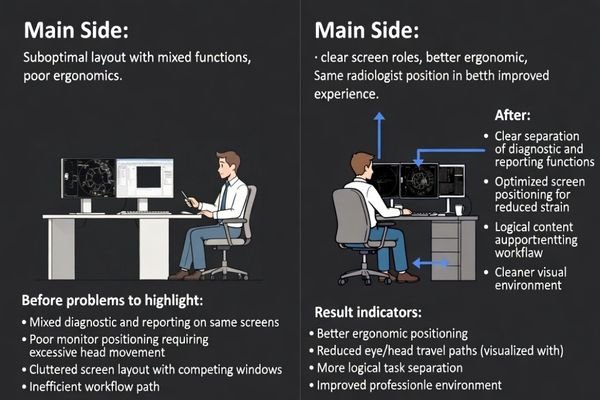
The workstation was restructured into a primary diagnostic display plus reporting screen model, with a clearer comparison zone for cross-modality review. The improvement was immediate because users no longer needed to reorganize windows constantly during CT and MRI reading.
Radiologists described the result as smoother rather than simply higher quality. That difference matters because a strong PACS workstation layout does more than improve image presentation. It restores reading rhythm and supports more stable long-session performance.
Key Improvements Observed
After layout optimization, departments typically report:
- Better task separation between diagnosis and reporting
- Reduced visual fatigue over long sessions
- More natural comparison of current and prior studies
- Faster adaptation for new users
- More consistent performance across multiple rooms
FAQ
What is the best PACS workstation layout for general radiology?
For many general radiology departments, a dual 5MP portrait layout remains one of the most practical options. It supports side-by-side comparison, standardized deployment, and a familiar reading structure that works well across routine imaging workflows.
Is a single 8MP display better than dual diagnostic monitors?
Not always. A single 8MP display can create a cleaner continuous image field, but its real value depends on PACS interface planning, user preference, and the department’s reading habits. It should be chosen for workflow fit, not simply as a higher-end display option.
How many screens should a radiology workstation have?
The right number depends on task separation needs. Some workflows work well with one large diagnostic screen, while others benefit from one diagnostic display plus a separate reporting or clinical review screen. More screens do not automatically create a better layout.
What layout helps reduce radiologist fatigue?
Layouts that reduce eye travel, keep monitor heights aligned, and separate reporting tasks from the main diagnostic zone usually do the most to reduce fatigue. Clear screen-role zoning is often more important than simply increasing display size.
Why is reporting screen separation important?
When reporting tools, worklists, and clinical systems share the same visual area as diagnostic images, radiologists are more likely to lose reading rhythm. A separate reporting screen helps protect the diagnostic field and reduces interruption during long sessions.
Which layout works best for mixed-modality reading?
A diagnostic plus clinical review hybrid layout or a multi-modality comparison layout usually works best for mixed-modality workflows. These patterns help radiologists keep the main diagnostic field clear while still accessing supporting data efficiently.
Conclusion
The right PACS workstation layout improves more than screen use alone. It helps radiologists read with fewer interruptions, compare studies more naturally, and maintain a steadier workflow across long sessions and different modality demands.
Reshin supports radiology departments with practical workstation planning, display-role matching, and scalable layout strategies that help create clearer reading environments, stronger deployment consistency, and more efficient long-term workflow control.
📧 Email: info@reshinmonitors.com
🌐 Website: https://reshinmonitors.com/
-
Explore this link to discover optimal PACS workstation layouts that enhance radiologist efficiency and comfort. ↩
-
Explore this link to discover essential design principles that enhance efficiency and comfort in radiology workstations. ↩
-
Explore how portrait diagnostic displays enhance visual balance and user experience in radiology workflows. ↩
-
Exploring premium reading stations will provide insights into advanced imaging technology and its impact on diagnostics. ↩
-
Exploring this topic can provide insights into optimizing operations and improving reporting speed in medical imaging. ↩
-
Understanding diagnostic focus can enhance your approach to image interpretation and clinical decision-making. ↩
-
Discover how workflow improvement can enhance efficiency and productivity in PACS reading environments. ↩
-
Understanding cognitive load can enhance your approach to designing efficient diagnostic tools. ↩