Diagnostic Displays

Explore practical articles on medical display sourcing, OEM cooperation, diagnostic and surgical workflows, compliance preparation, and long-term supply planning.

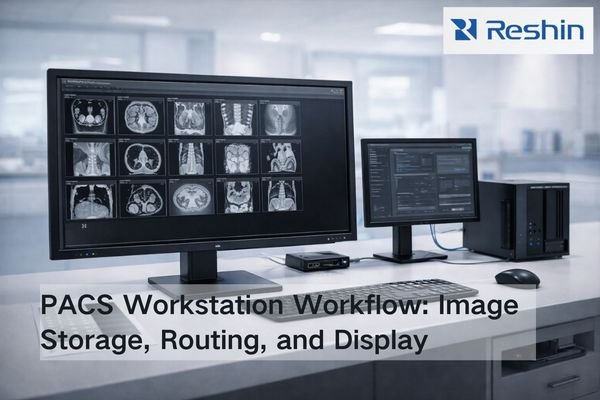
Bright radiology IT workspace showing a PACS workstation monitor beside network storage and a switch, illustrating image distribution to radiology workflows

What is PACS and how does it affect radiology monitor workflows?

PACS (Picture Archiving and Communication System) is the image backbone that stores, organizes, and delivers studies across radiology. It shapes monitor workflows through PACS viewers and hanging protocols—how images are laid out, rendered, windowed, and compared with priors—so diagnostic display performance must be validated inside real PACS workflows, not in isolation.

Read More »
Dual-screen imaging workstation with DisplayPort MST hub and two medical-grade monitors showing grayscale images for stable mode validation

What should you watch for when using multi-stream transport for a dual-screen imaging workstation?

Multi-Stream Transport (MST) allows one DisplayPort output to drive multiple displays through daisy-chaining or hubs, simplifying cabling for dual-screen imaging workstations while introducing extra negotiation steps and variables in the signal chain. Success depends on bandwidth management, stable EDID handling, consistent display enumeration, and validated mode sets that prevent silent downgrades affecting image quality and workflow consistency in demanding clinical environments.

Read More »
Photorealistic radiology workstation showing a neutral grayscale medical image with a subtle warm Night Mode shift on half the display.

Does Night Mode or “Eye Comfort” Affect Medical Image Viewing?

Night Mode and Eye Comfort features can affect medical image viewing by shifting white point, reducing blue output, and sometimes dimming displays, which can change visual adaptation and perceived contrast. For diagnostic reading, maintain validated baselines and avoid comfort transforms during clinical interpretation, using separation and policy controls for mixed-use workstations. This article explains what changes in the rendering pipeline, how to validate impact in your actual viewer, and how to control the setting so it cannot persist unintentionally.

Read More »
Modern radiology workstation showing diagnostic monitor with medical image displaying pixel test patch comparing crisp 1:1 mapping versus softened scaled output

Why Does OS Display Scaling Affect PACS Viewing?

OS display scaling affects PACS viewing by introducing resampling between application rendering and final display output, potentially breaking 1:1 pixel mapping even when PACS viewers report “100%” zoom. This scaling can soften edges, alter noise texture, and create inconsistent diagnostic presentation across workstations with different scaling configurations or DPI settings.

Read More »
Diagnostic workstation monitor displaying 1-pixel checkerboard test pattern for verifying true 1:1 pixel mapping

How to Verify 1:1 Pixel Mapping on Diagnostic Monitors?

1:1 pixel mapping ensures that each image pixel from the PACS viewer is displayed by exactly one physical pixel on the monitor panel, with no scaling or interpolation. Verifying true 1:1 mapping requires systematic testing of the complete display pipeline—OS settings, GPU configuration, cable interface, and monitor scaling modes—because any single misconfiguration can introduce resampling that affects diagnostic confidence.

Read More »
Radiologist reviewing AI-assisted mammogram with heatmap overlay on a DICOM-calibrated diagnostic monitor, alongside additional brain and chest scans and a DICOM compliance report

Why must AI-assisted systems use DICOM Part 14 monitors?

AI-assisted medical imaging systems require DICOM Part 14 compliant monitors to ensure consistent grayscale perception and standardized visual interpretation of AI outputs including overlays, heatmaps, and probability indicators. Non-compliant displays introduce perception variability that can affect clinical decision-making and undermine AI system governance.

Read More »

Featured Insight

Start with the most useful guide for new buyers and OEM teams evaluating medical display suppliers.

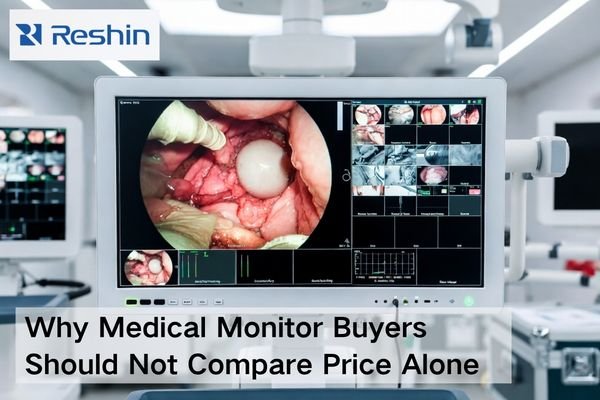
Medical monitor procurement scene showing a medical-grade display, validation documents, connected cables, and project materials beyond price comparison

Why Medical Monitor Buyers Should Not Compare Price Alone

Medical monitor buyers should not compare price alone because a quotation only reflects the visible purchase cost, while the real project cost also includes compatibility risk, validation effort, after-sales recovery speed, document readiness, delivery coordination, and future supply stability. A better procurement decision comes from evaluating total project risk, not just the initial number on the quote.

Read More »
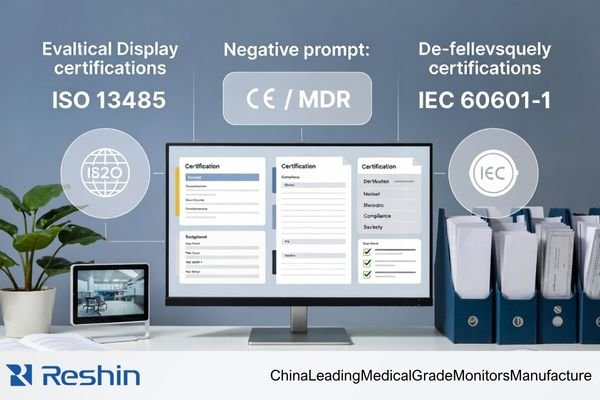
Distributor evaluating a medical display manufacturer’s certifications, including ISO 13485, CE / MDR, and IEC 60601-1 compliance

Which Certifications Actually Matter When Evaluating a Medical Display Manufacturer?

When evaluating a medical display manufacturer from a distributor’s perspective, the focus should not be on the quantity of certificates. The more important task is to identify which certifications and compliance documents actually support medical quality control, product compliance, and documentation readiness. In most cases, ISO 13485, product-related compliance information, and evidence of document traceability matter far more than general company awards or patent counts.

Read More »

Ask For A Quick Quote

We will contact you within 1 working day, please pay attention to the email with the suffix “@reshinmonitors.com”

Ask For A Quick Quote

We will contact you within 1 working day, please pay attention to the email with the suffix “@reshinmonitors.com”