What is PACS and how does it affect radiology monitor workflows?

Bright radiology IT workspace showing a PACS workstation monitor beside network storage and a switch, illustrating image distribution to radiology workflows

PACS (Picture Archiving and Communication System) is the image backbone that stores, organizes, and delivers studies across radiology. It shapes monitor workflows through PACS viewers and hanging protocols—how images are laid out, rendered, windowed, and compared with priors—so diagnostic display performance must be validated inside real PACS workflows, not in isolation.

What should you watch for when using multi-stream transport for a dual-screen imaging workstation?

Dual-screen imaging workstation with DisplayPort MST hub and two medical-grade monitors showing grayscale images for stable mode validation

Multi-Stream Transport (MST) allows one DisplayPort output to drive multiple displays through daisy-chaining or hubs, simplifying cabling for dual-screen imaging workstations while introducing extra negotiation steps and variables in the signal chain. Success depends on bandwidth management, stable EDID handling, consistent display enumeration, and validated mode sets that prevent silent downgrades affecting image quality and workflow consistency in demanding clinical environments.

Top 7 Most Recommended Surgical Monitors for Low-Latency OR Workflows (2026)

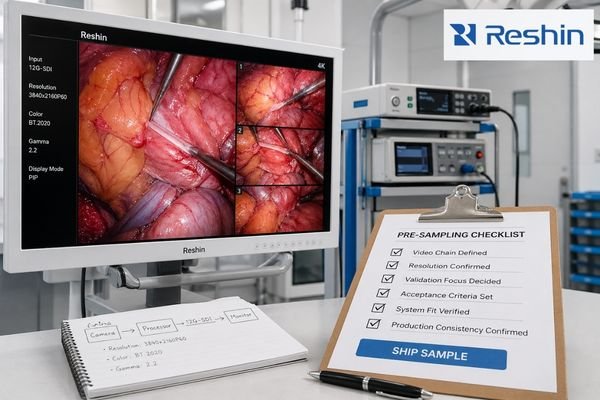
Cool-toned hybrid OR integration setup with three 31–32-inch 4K surgical monitors and a 12G-SDI routing box, illustrating low-latency workflow evaluation

For 2026, the most recommended surgical monitors for low-latency OR workflows must combine true 4K clarity, optimized signal processing, robust 12G-SDI/HDMI/DP connectivity, and hygiene-focused design to keep surgical video in perfect sync with real-world movement. This Top 7 list compares how leading 31–32” class 4K surgical monitors from Sony, Reshin, LG, EIZO, and FSN perform in demanding OR environments.

How do you verify auto-rotation and portrait lock on a diagnostic monitor?

Radiology workstation with two diagnostic monitors in portrait and landscape modes showing grayscale images for auto-rotation and portrait lock testing

To properly verify auto-rotation and portrait lock on diagnostic monitors, test both features across multiple scenarios including system restarts, sleep/wake cycles, and multi-display setups. Check for consistent performance, proper orientation detection, and reliable locking over extended periods.